
Cherry Studio
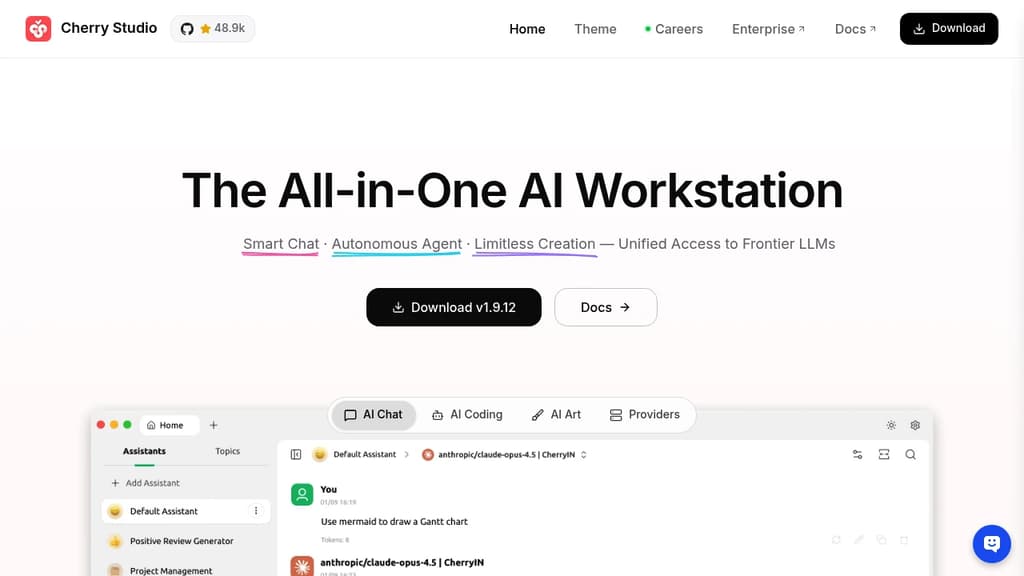
AIDesktop AI client for Windows, macOS, and Linux that connects 300+ models from 50+ providers, with local storage, a built-in knowledge base, and autonomous agent mode.
Open Source Alternative to:




Last 30 days
Last commit
5 hours agoRepository age
2 yearsVersion
v2.1.7License
AGPL-3.0Repository
cherry-studio
Cherry Studio is a cross-platform desktop client for AI chat interfaces that puts dozens of AI providers under one roof. It runs on Windows, macOS, and Linux, stores all your data locally, and lets you bring your own API keys or use bundled free models without any account setup.
The core appeal is breadth without chaos. You can pull responses from OpenAI, Anthropic, Google Gemini, DeepSeek, and many others, then compare them side by side in the same window. No copy-pasting prompts across browser tabs. Local models through Ollama or LM Studio work the same way, so fully offline use is an option too.
Beyond basic chat, Cherry Studio includes:
- Agent mode: give it a goal, and it reasons through the problem, breaks it into steps, picks the right tools, and executes independently
- Knowledge base: import PDFs, Word docs, Excel files, Markdown, or web pages to build a personal document assistant that answers questions from your own content
- 300+ pre-built assistants: covering writing, coding, translation, marketing, DevOps, and more, so you don't need to write prompts from scratch
- MCP server support: connect to databases, file systems, and external services through the Model Context Protocol to extend what the client can do
- Document handling: renders Mermaid charts, syntax-highlights code, and handles Office files and PDFs natively
- WebDAV backup: sync your chat history and settings across devices without sending data to a third-party server
Privacy is a genuine design constraint here, not a marketing claim. Chat history, settings, and knowledge base files stay on your device. Cherry Studio never routes your data through its own servers.
Compared to browser-based options like LibreChat or Open WebUI, Cherry Studio leans into the desktop experience: global search, drag-and-drop organization, transparent windows, and full Markdown rendering. It's a practical choice for anyone who works across multiple AI personal assistant tools today and wants to consolidate without giving up model flexibility.
Tags:












Last 30 days
Last commit
5 hours agoRepository age
2 yearsVersion
v2.1.7License
AGPL-3.0Repository
cherry-studio
Every Sunday we deconstruct one proprietary app and pick the best open source alternatives worth switching to.
Similar open source projects

Stars
Last commit
License
Stars
Last commit
License
Stars
Last commit
License
 Openlane – Open-source, developer-first platform for automated compliance, risk management, and built-in Trust Center.
 Openlane
 Stellar Hosted