Open Source AI Coding Agents in 2026: The 12 Worth Using
Compare 12 open source AI coding agents for 2026, from OpenCode and Codex CLI to Cline and Aider, with live GitHub stars, licenses and local model support.

Written by Piotr Kulpinski

A year ago, most developers met AI through autocomplete. In 2026 the default is an agent: you describe a task, and the tool reads your repository, edits files, runs your tests and asks before it does anything risky. An open source AI coding agent does all of that with code you can read, fork and run against whichever model you choose, including one on your own GPU.
Search interest has followed. Queries for "open source AI coding agent" grew roughly thirtyfold over the past year, and the shortlist changed a lot along the way. Roo Code shut down, Continue was acquired by Cursor, and Google moved its subscribers off Gemini CLI. If you are looking for an open source AI coding assistant that will still be maintained next year, the picks from early 2025 lists need a second look.
This guide compares 12 agents that are open source under OSI-approved licenses and under active development. We sorted out which ones run in the terminal, which live in your editor and which run autonomously in a sandbox. Star counts and licenses come straight from the OpenAlternative database, which syncs with GitHub daily.
TL;DR: OpenCode is the best all-round open source coding agent, with 75+ model providers and the largest community. Codex CLI is the strongest pick if you already pay for ChatGPT. Cline and Kilo are the best options inside VS Code and JetBrains. If you want to run everything locally, Qwen Code and Pi work well with open-weight models. The full comparison table is further down.
What counts as an open source AI coding agent
A coding agent works in a loop. It reads files, plans a change, edits code, runs commands, looks at the output and keeps going until the task is done or it needs your input. That loop is what separates an agent from an autocomplete plugin, which only suggests the next few lines while you type.
Two neighboring categories are easy to confuse with agents:
- AI coding assistants focus on completion and chat inside the editor. Tabby is the best known open source example. Most modern agents include completion too, so the line is blurry.
- Agent orchestrators sit one level up. They run several agents in parallel, each in its own git worktree, and give you a review screen for the results. We cover those in our guide to the best AI coding agent orchestrators.
This list covers the single agent that does the work. Most orchestrators can drive several of the tools below.
How we picked
Every tool on the list had to meet four criteria:
- An OSI-approved license. MIT, Apache-2.0 or GPL. Source-available licenses such as FSL do not count, and neither do closed agents with a public issue tracker.
- Active development. Commits in the last few months and a maintainer who still ships releases. We flag the one exception.
- Bring your own model. You can pick the provider, or at least point the agent at your own API key.
- A credible local option. Running against Ollama, llama.cpp or another local server should be possible, even if it is not the default.
Stars are GitHub stars as of October 2026. They measure attention, not quality, so treat them as one signal among several.
1. OpenCode
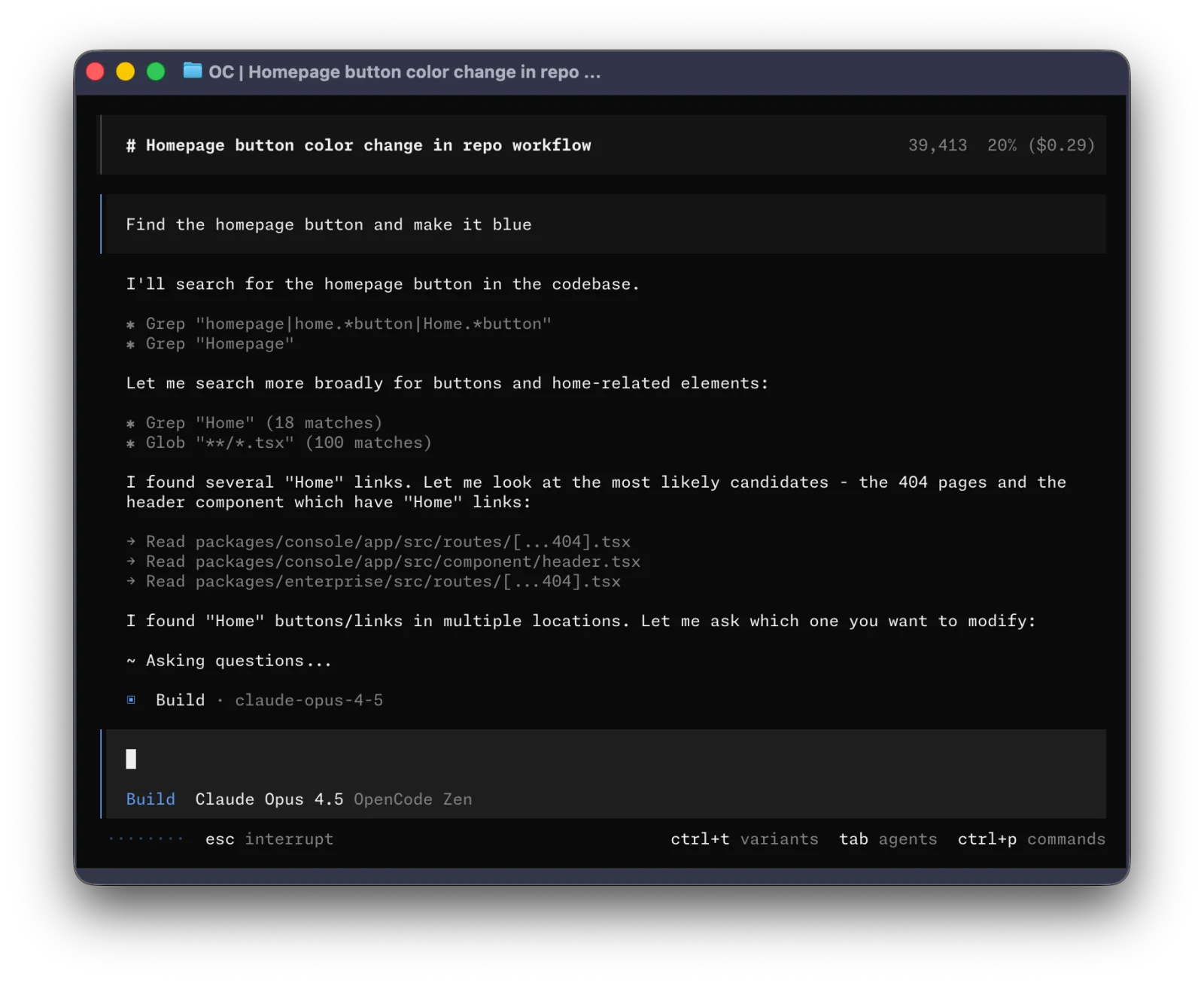
OpenCode is the most popular open source coding agent by a wide margin, with over 213,000 GitHub stars and an MIT license. It started as a terminal app and now also ships a desktop app (in beta) and editor integrations. Its main selling point is model freedom: the docs list support for 75+ LLM providers through the AI SDK and Models.dev, plus local models through Ollama, LM Studio and llama.cpp.
Two built-in agents cover most work. The default "build" agent has full access to your project, and a read-only "plan" agent explores the code and proposes changes without touching anything. You switch between them with the Tab key. Custom agents, MCP servers and per-project rules work the way you would expect from a mature tool.
Key Features and Considerations
OpenCode is the closest open source equivalent to Claude Code, and it is the default engine in many orchestrators. One thing changed in 2026: OpenCode no longer offers a built-in Claude Pro or Max login (more on that in the 2026 changes section below), so Claude models now need an API key.
- Pros:
- The largest community and the fastest release pace on this list.
- 75+ providers and three documented local model setups.
- Terminal, desktop and editor clients share the same configuration.
- Cons:
- You can no longer use a Claude subscription, only the Anthropic API.
- The desktop app is still labeled beta.
Website: https://opencode.ai/
2. Codex CLI
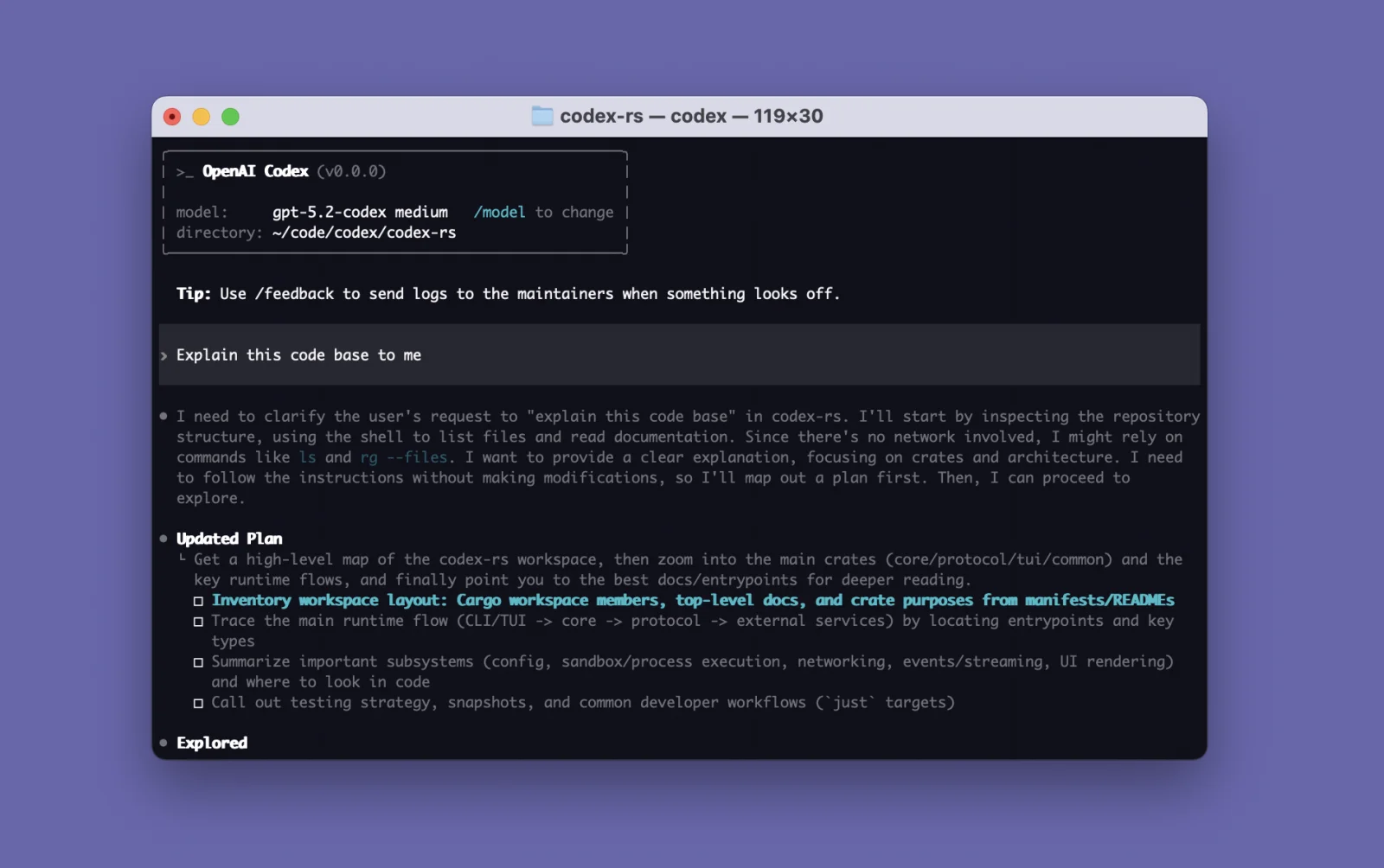
Codex CLI is OpenAI's terminal coding agent, and the CLI is fully open source under Apache-2.0, with over 129,000 GitHub stars. It is written in Rust and runs locally: it reads your repository, edits files and runs commands inside a sandbox with permissions you configure.
Most people sign in with a ChatGPT plan (Plus, Pro, Business, Edu or Enterprise), which makes it the cheapest serious agent if you already pay for ChatGPT. You can also use an OpenAI API key. The repository includes an Ollama client, so local open-weight models work too, although Codex is clearly tuned for OpenAI's own models.
Key Features and Considerations
Codex has a non-interactive codex exec mode for scripts and CI, a built-in review command for uncommitted changes, and support for skills and plugins. Keep in mind that "Codex" is also the name of OpenAI's cloud agent and desktop app. Only the CLI repository is open source.
- Pros:
- Included with ChatGPT plans, so there is no extra bill for most users.
- Fast, sandboxed and well suited to CI.
- Apache-2.0 with a very active repository.
- Cons:
- Works best with OpenAI models; other providers are second-class.
- The Codex brand mixes open source and proprietary products, which confuses license checks.
Website: https://learn.chatgpt.com/docs/codex/cli
3. Cline
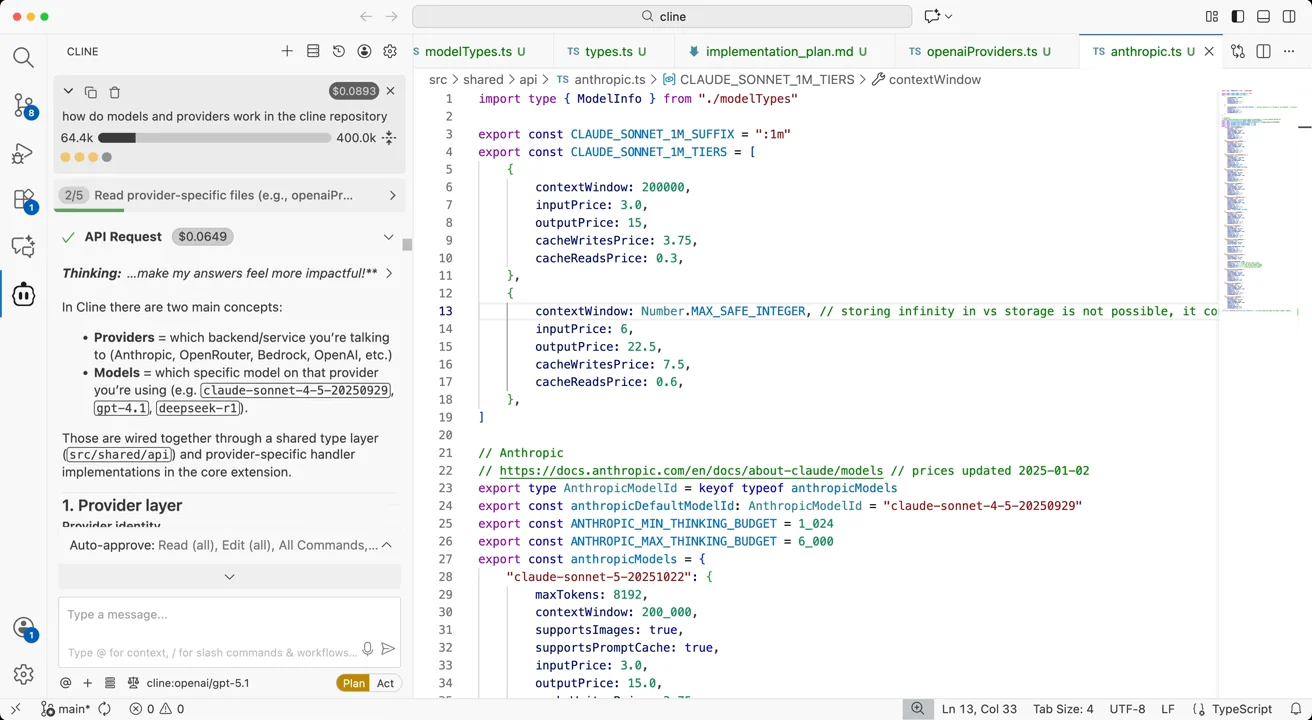
Cline is the best known open source agent for VS Code, with over 70,000 GitHub stars and an Apache-2.0 license. It now also ships a CLI (npm i -g cline), a JetBrains plugin, a desktop app for macOS and Windows, and an SDK for building your own agents on the same engine.
Its workflow is built around human approval. In Plan mode, Cline explores the codebase and asks clarifying questions. In Act mode it carries out the plan, and each file edit and terminal command waits for your OK unless you enable auto-approve. Project rules live in .clinerules files.
Key Features and Considerations
Cline works with every major provider, plus Ollama and LM Studio for local models. It watches linter and compiler errors while it works and fixes them as it goes. Read our OpenCode vs Cline comparison for a side-by-side view.
- Pros:
- Clear Plan and Act split with approval at every step.
- Available in VS Code, JetBrains, the terminal and a desktop app.
- Free model options through the Cline provider.
- Cons:
- Approval prompts slow you down on long tasks unless you trust auto-approve.
- Long sessions can use a lot of tokens.
Website: https://cline.bot/
4. Kilo
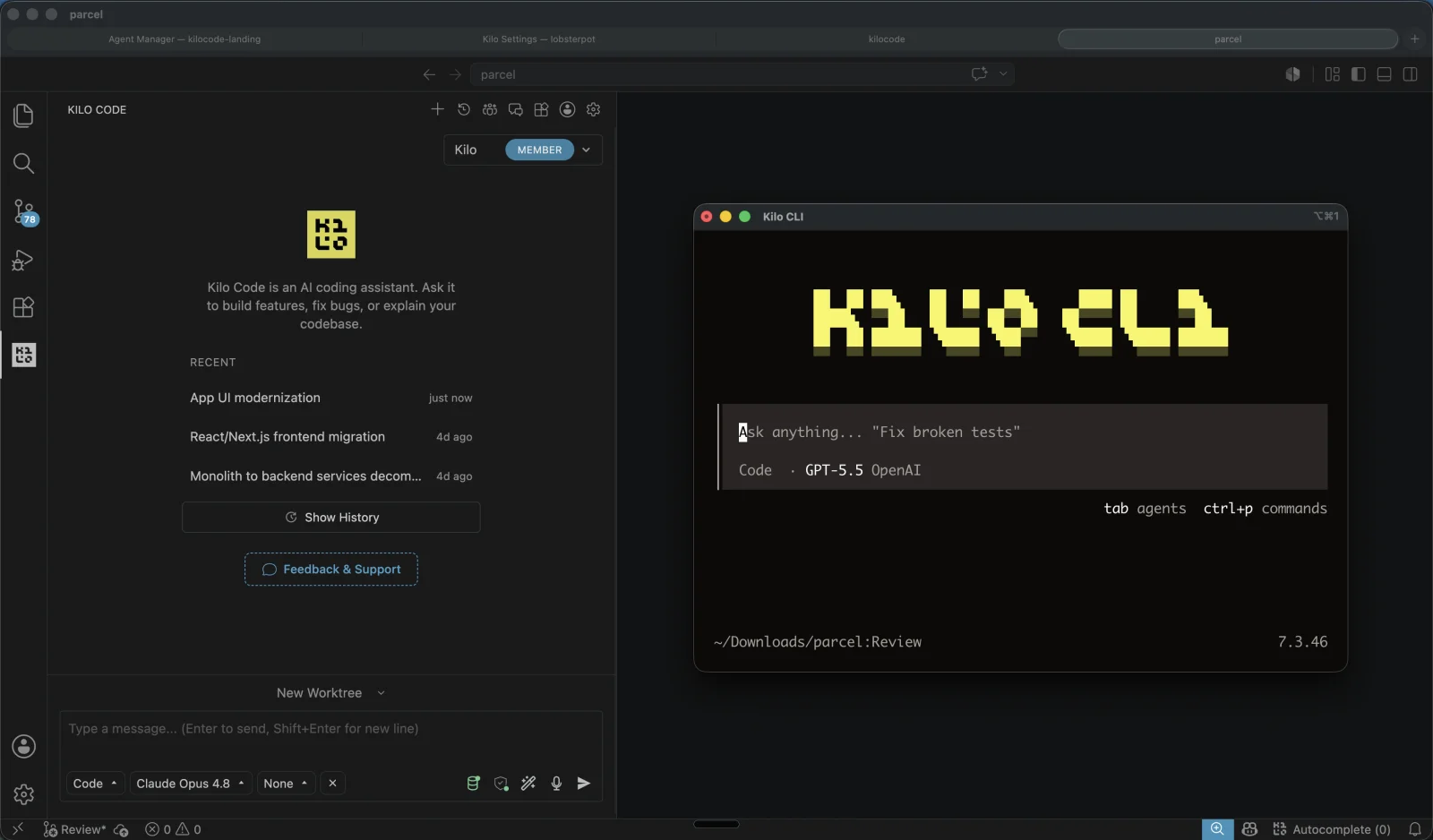
Kilo (still called Kilo Code in the VS Code Marketplace) is an MIT-licensed agent for VS Code, JetBrains IDEs and the terminal, with over 27,000 GitHub stars. It started as a fork of Roo Code, which itself forked Cline, and it is the most direct home for former Roo Code users.
Kilo ships specialized agents for different jobs: Code, Plan, Ask and Debug, plus custom agents you define. It also offers inline autocomplete, which most terminal-first agents skip. Through Kilo's own gateway you can pick from 500+ models at the provider's price with no markup, or connect your own keys and local models through Ollama.
Key Features and Considerations
Kilo publishes a migration guide for Roo Code users. Cloud agents and automated pull request reviews are available as hosted extras on top of the open source extension and CLI.
- Pros:
- Native VS Code and JetBrains support plus a CLI.
- Pay-as-you-go model access with no markup, or bring your own key.
- Easy move from Roo Code.
- Cons:
- A smaller community than Cline or OpenCode.
- The gateway and cloud features push you toward a Kilo account.
Website: https://kilo.ai/
5. Aider
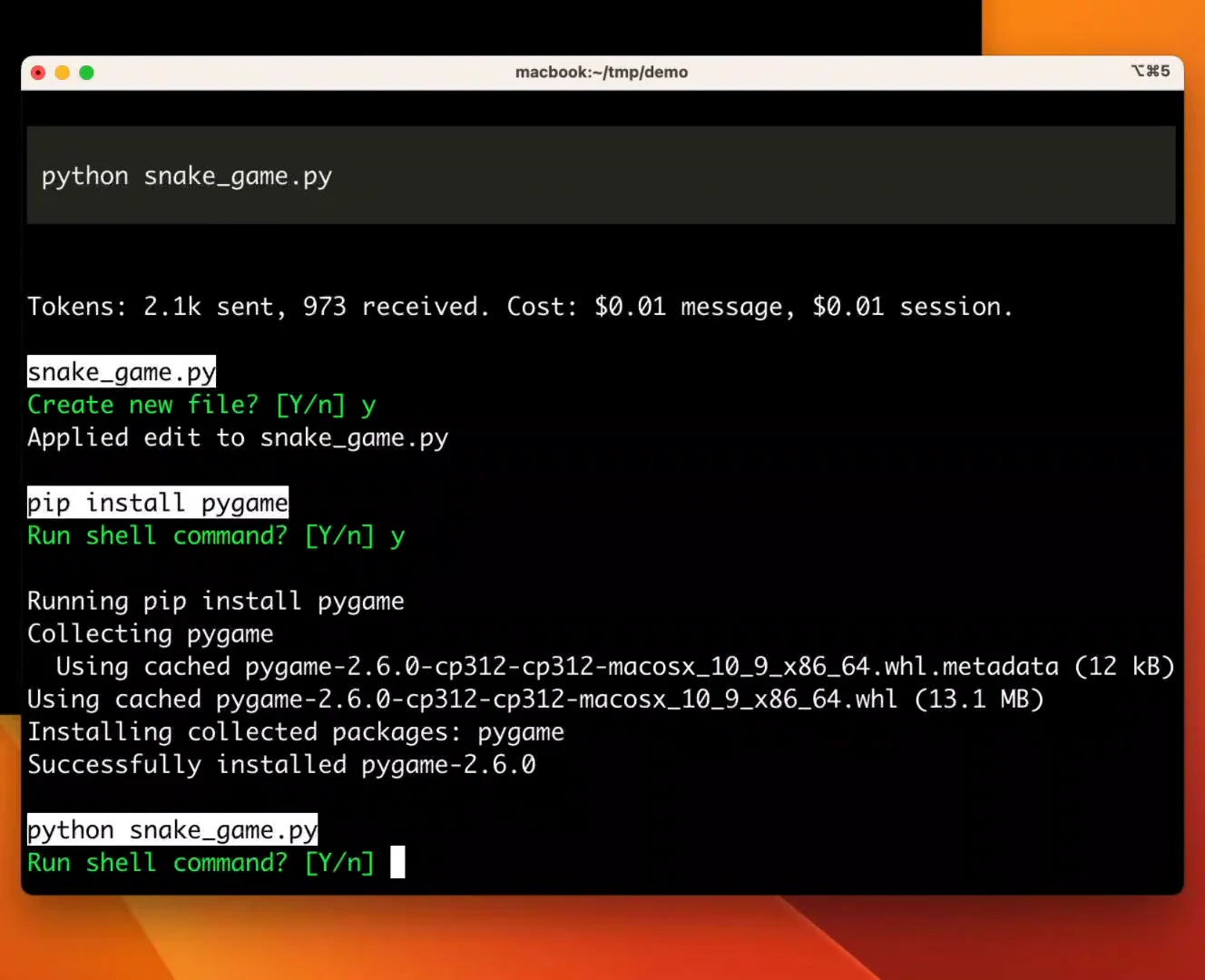
Aider is the original terminal pair programmer, Apache-2.0 licensed and close to 50,000 GitHub stars. It builds a map of your whole repository so the model understands how files relate, and it commits each change to git with a descriptive message. Undoing an AI edit is a normal git revert.
Aider works with almost any LLM, including local models, and supports over 100 programming languages. A watch mode lets you drop instructions as comments in your editor, and Aider picks them up.
Key Features and Considerations
Development has slowed. The last tagged release, v0.86.0, came out in August 2025, and the last commit to the main branch landed in May 2026. Aider still works well, but expect fewer new features than the rest of this list.
- Pros:
- The tightest git integration of any agent here.
- A repository map that helps on large codebases.
- Simple, scriptable and model-agnostic.
- Cons:
- No new release for over a year.
- Fewer agent features (subagents, MCP, skills) than newer tools.
Website: https://aider.chat/
6. Open Interpreter
Open Interpreter started as a general "let the LLM run code on your computer" project. Its current version is a fork of OpenAI's Codex CLI, Apache-2.0 licensed, with over 68,000 GitHub stars. The focus is getting good results from low-cost and open-weight models.
The feature that sets it apart is harness emulation. With /harness you can switch between agent harnesses modeled on Claude Code, Kimi Code, Qwen Code, SWE-agent and others, so each model runs inside the loop it performs best in. You switch providers with /model, and any OpenAI-compatible endpoint works.
Key Features and Considerations
Open Interpreter keeps its data in shared formats (AGENTS.md, .agents/skills, MCP), so moving to or from another agent is easy. It runs as an ACP agent inside compatible editors and speaks the Codex exec protocol, so tools built on the Codex SDK can swap it in.
- Pros:
- Built for cheap and open-weight models.
- Native sandboxing on macOS, Linux and Windows.
- Portable configuration with no lock-in.
- Cons:
- The project has changed direction more than once, so older tutorials no longer apply.
- Harness switching adds settings most users will never need.
Website: https://www.openinterpreter.com
7. OpenHands
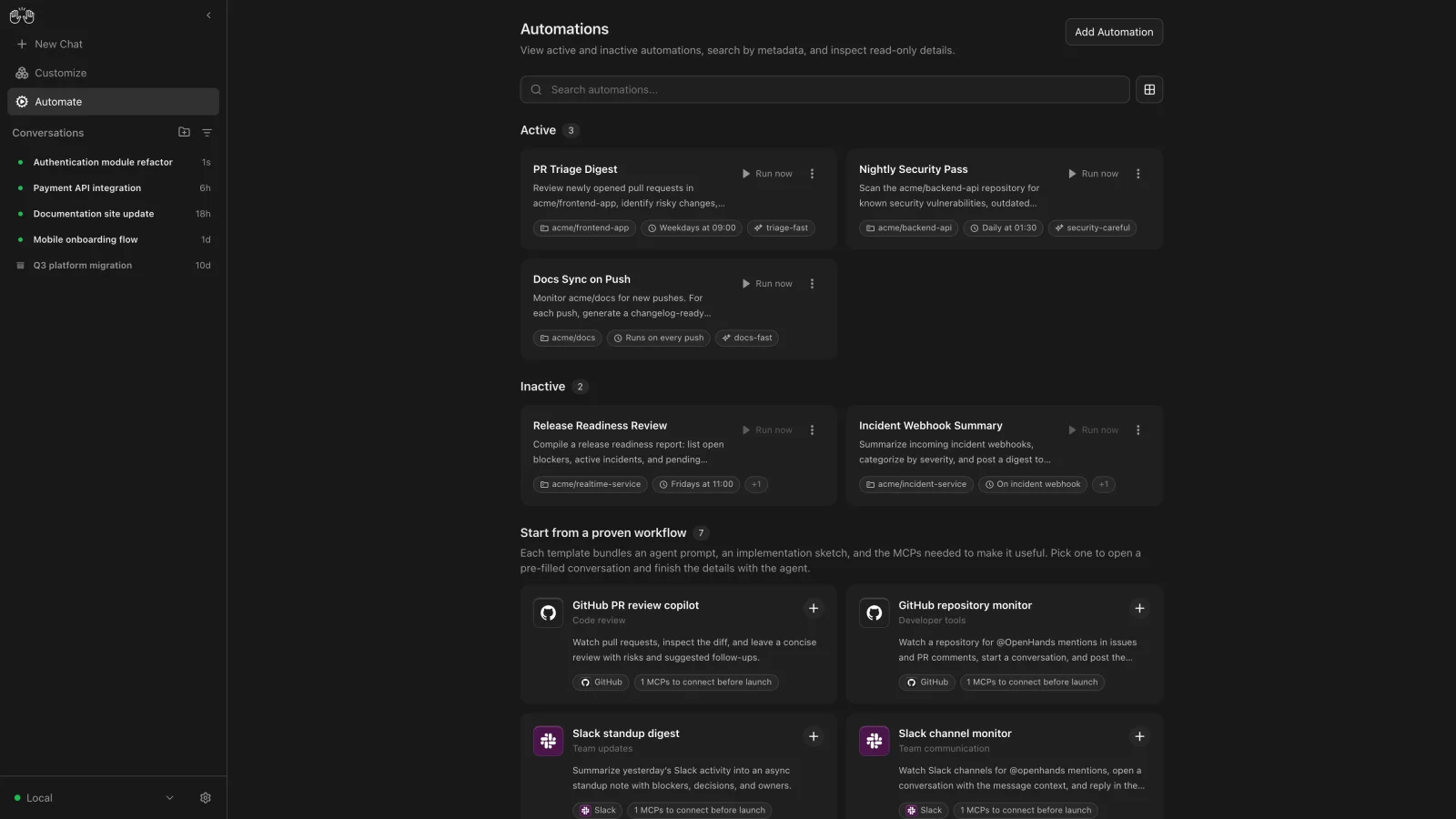
OpenHands is the autonomous option on this list, MIT-licensed with nearly 91,000 GitHub stars. Its current interface, Agent Canvas, is a self-hosted control center: you start conversations, set up automations, and let agents work in Docker containers, on VMs or in the cloud while you do something else.
Agent Canvas runs the OpenHands agent by default, but it can also run Claude Code, Codex, Gemini CLI, Pi, OpenCode or any other ACP-compatible agent. That makes OpenHands half agent and half orchestrator. Pick it when you want agents to handle routine work such as PR triage or dependency updates without you watching.
Key Features and Considerations
The project recommends running the backend on a server so agents keep working when your laptop is closed. The docs warn that the sandbox-free install gives the agent full access to your filesystem, so read the self-hosting guide first.
- Pros:
- Built for unattended, scheduled work.
- Runs its own agent or third-party ones from one interface.
- Self-hostable with Docker sandboxes.
- Cons:
- Agent Canvas is labeled beta.
- More setup than a single CLI.
Website: https://openhands.dev/
8. Pi
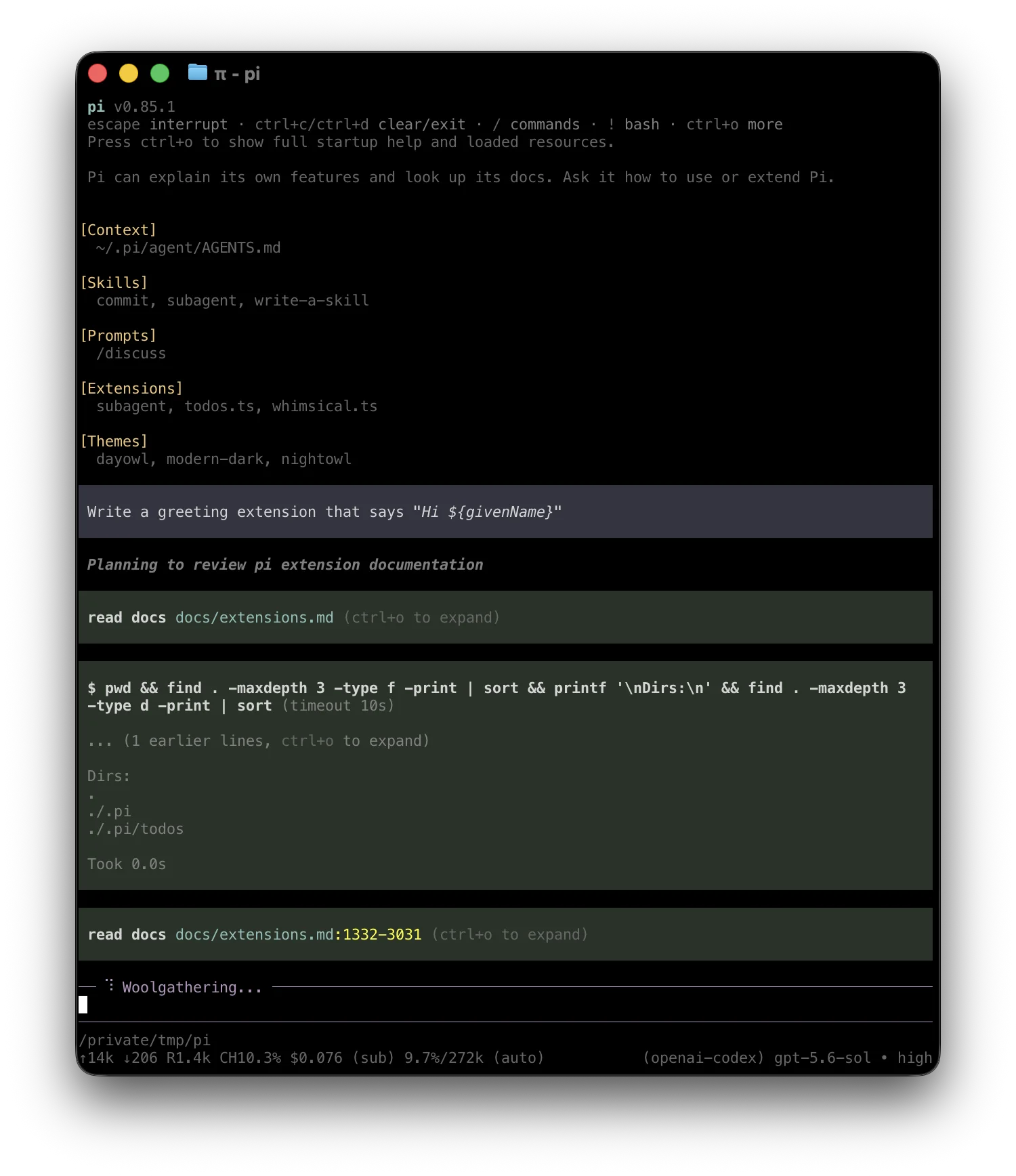
Pi is a deliberately minimal terminal agent, MIT-licensed and past 115,000 GitHub stars. Out of the box it skips features like subagents and plan mode. You add what you need through extensions, skills, prompt templates and themes, or ask Pi to write the extension for you.
It runs interactively, in print or JSON mode for scripts, over RPC, or embedded through its SDK. Run /login to connect a subscription or API key from any of the built-in providers. For local models, Pi manages a llama.cpp router directly with its /llama command, and Ollama, LM Studio and vLLM work as compatible endpoints.
Key Features and Considerations
Pi appeals to developers who want to understand and shape every part of their agent. It also runs well inside orchestrators, and both Zed and OpenHands support it out of the box.
- Pros:
- Small, readable core that you extend yourself.
- First-class llama.cpp support for local models.
- Scriptable through JSON mode, RPC and an SDK.
- Cons:
- You build features that other agents ship by default.
- Issues and pull requests from new contributors are auto-closed by default and reviewed later.
Website: https://pi.dev/
9. Goose
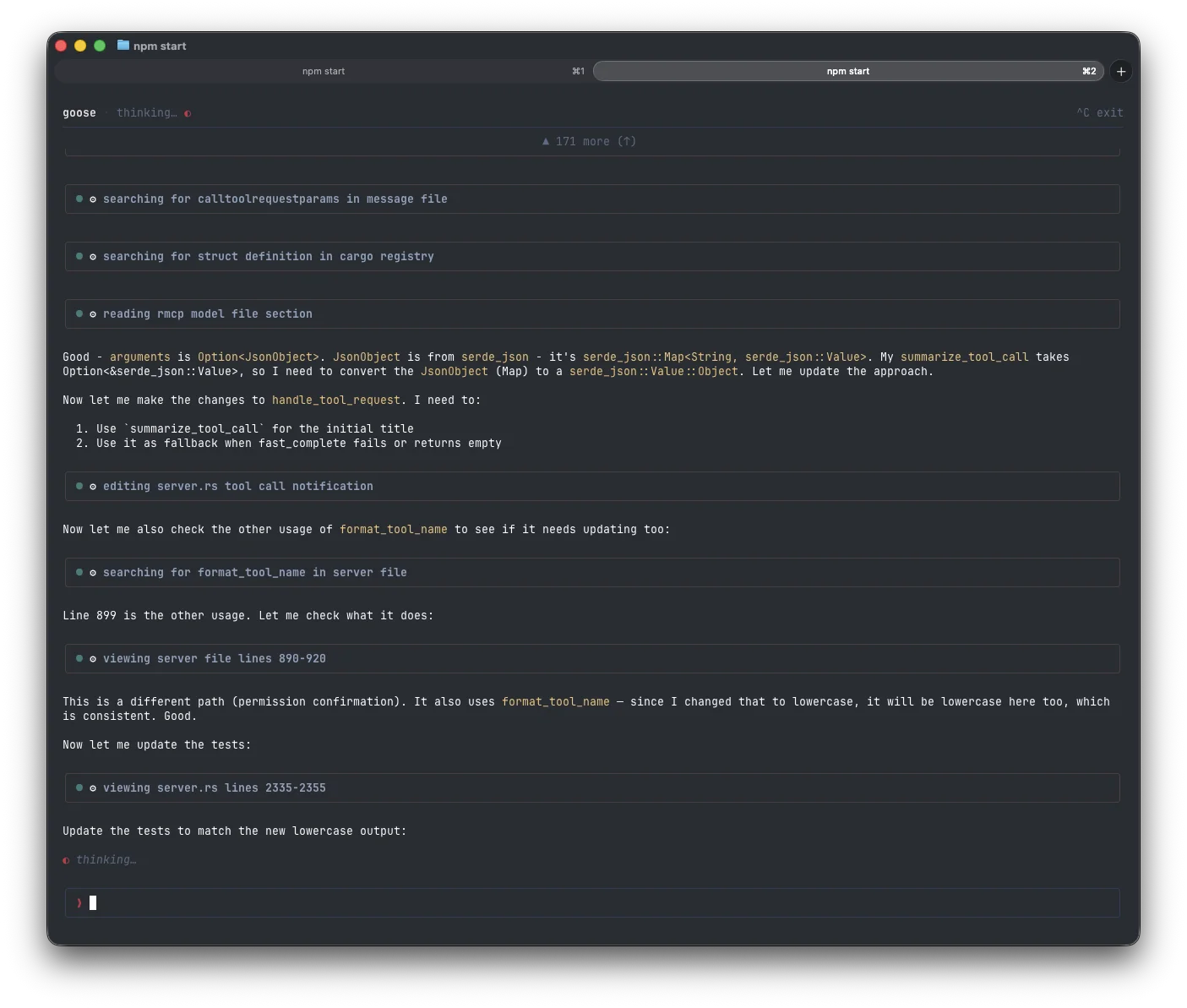
Goose is a general-purpose agent with a strong coding side, Apache-2.0 licensed with over 55,000 GitHub stars. It ships a native desktop app for macOS, Linux and Windows, a full CLI and an API. Goose is now part of the Agentic AI Foundation at the Linux Foundation, which gives it neutral governance.
It supports 15+ providers, including Anthropic, OpenAI, Google, Ollama and OpenRouter. Goose can also use the Claude, ChatGPT or Gemini subscriptions you already have through the Agent Client Protocol (ACP).
Key Features and Considerations
Goose is the best pick if you want one agent for code and for everything around it: research, writing, data analysis and automation. Extensions are MCP servers, so the ecosystem is large.
- Pros:
- A polished desktop app, rare among open source agents.
- Linux Foundation governance.
- Works with existing subscriptions through ACP.
- Cons:
- Less focused on coding than OpenCode or Codex.
- The general-purpose design means more setup before it feels like a coding tool.
Website: https://goose-docs.ai
10. Qwen Code
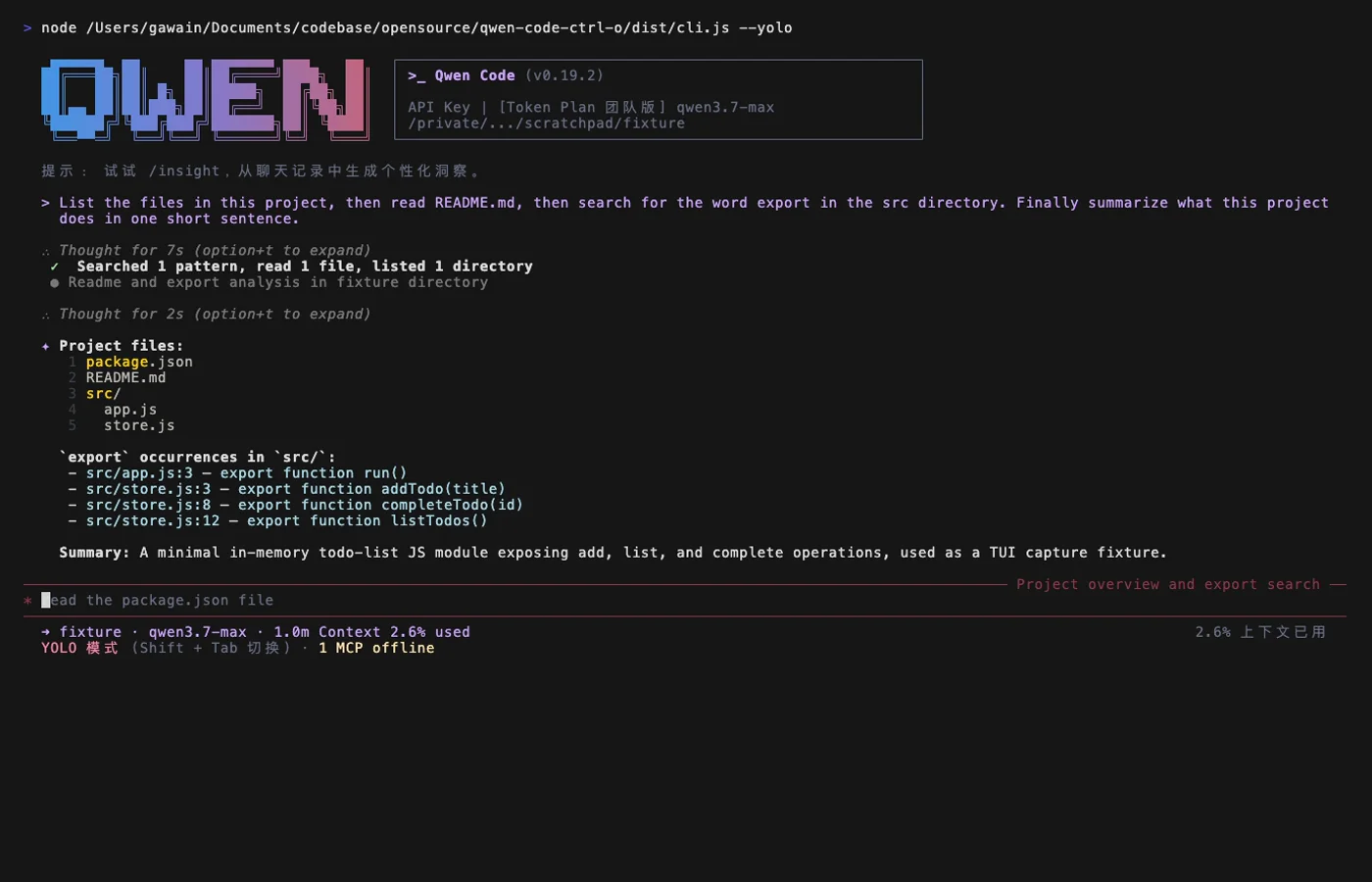
Qwen Code is the Qwen team's open source terminal agent, Apache-2.0 licensed with over 28,000 GitHub stars. It started as a fork of Google's Gemini CLI (v0.8.2) and has been developed independently since its v0.1 release.
The agent is optimized for Qwen models, and many of them are open-weight. You can run both the agent and the model on your own hardware through Ollama or vLLM. It also speaks the OpenAI, Anthropic and Gemini APIs, and you can switch providers mid-session.
Key Features and Considerations
Qwen Code reaches beyond the terminal with IDE plugins for VS Code, Zed and JetBrains, a desktop app, a web UI and chat integrations for Telegram, DingTalk, WeChat and Feishu. Subagents, agent teams, skills, auto-memory and MCP are all built in.
- Pros:
- One of the best pairings for fully local, open-weight coding.
- Multi-provider from the start.
- Wide range of clients, from terminal to chat apps.
- Cons:
- Best results come from Qwen models; other providers get less tuning.
- Most of the chat integrations target platforms popular in China, such as DingTalk and Feishu.
Website: https://qwenlm.github.io/qwen-code-docs/
11. Zed
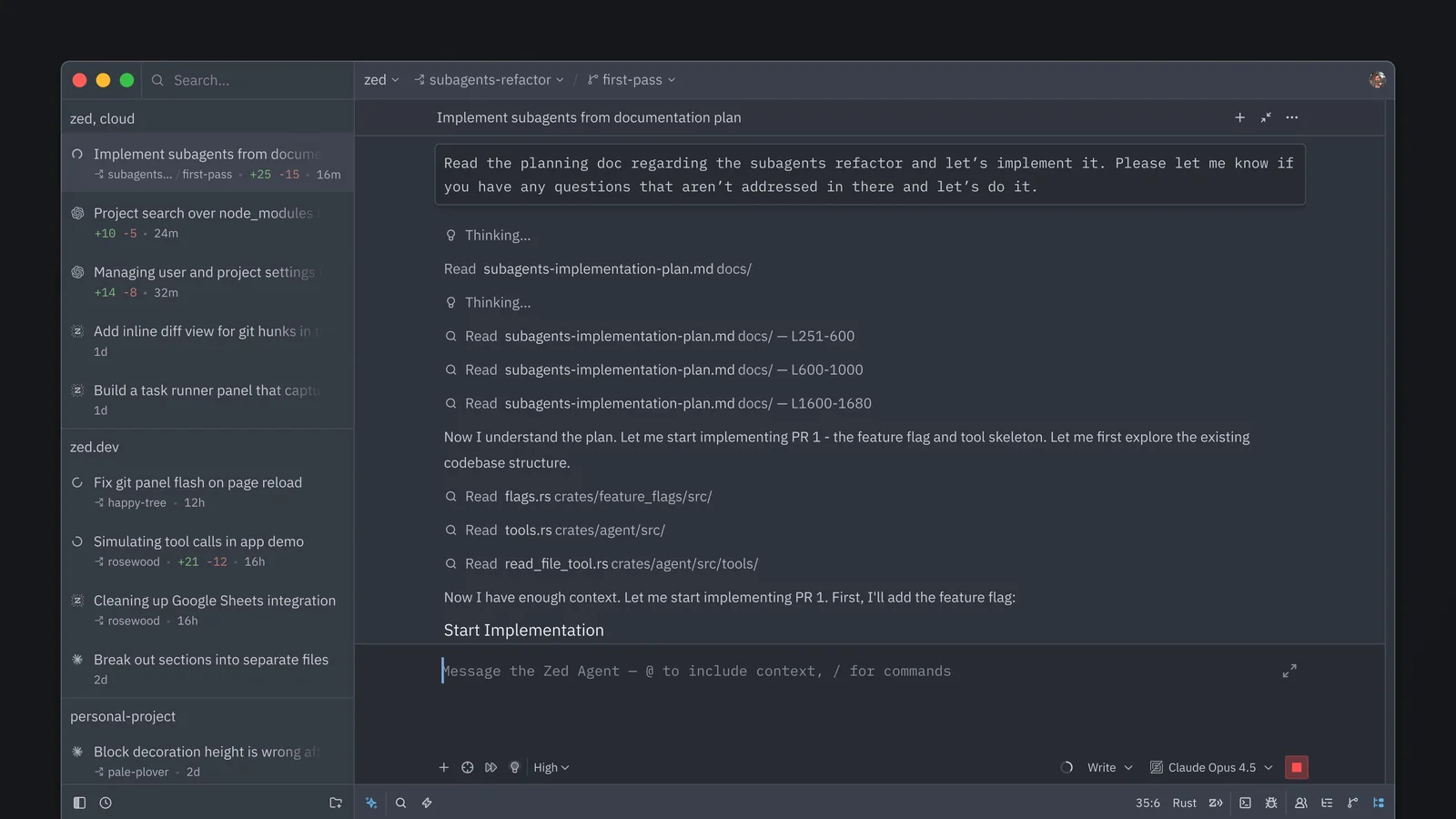
Zed is the editor pick: a fast, Rust-based code editor from the creators of Atom and Tree-sitter, licensed mainly under GPL-3.0 and close to 92,000 GitHub stars. Its agent panel can edit across files, run commands and follow your project rules, much like the standalone agents above.
Zed lets you choose how models are paid for: Zed-hosted models, your own API keys, gateways such as OpenRouter, or local models. It can also run external agents through the Agent Client Protocol (ACP), including Claude Code, Codex, OpenCode, Gemini CLI and Pi, inside the editor UI.
Key Features and Considerations
Pick Zed if you want an AI-native editor and do not want a closed VS Code fork. ACP support means you are not locked into Zed's own agent.
- Pros:
- A full editor with a built-in agent, under a copyleft license.
- Runs third-party agents through ACP.
- Very fast, with real-time collaboration built in.
- Cons:
- You have to switch editors, and the extension ecosystem is smaller than VS Code's.
- Zed-hosted models are billed through Zed, so free use means bringing your own keys or local models.
Website: https://zed.dev/
12. Grok Build
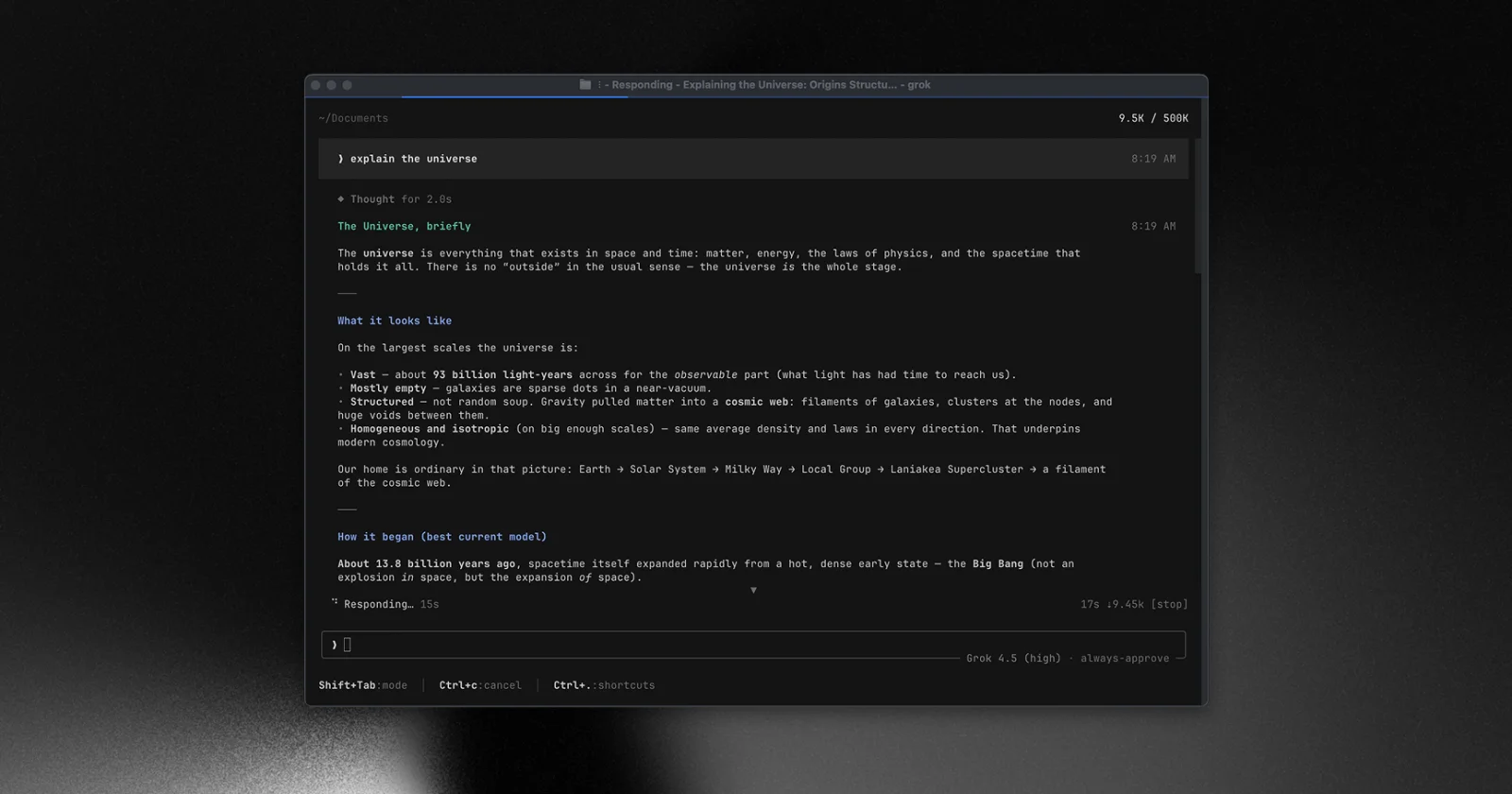
Grok Build is SpaceXAI's terminal coding agent, Apache-2.0 licensed with over 27,000 GitHub stars. It is a full-screen Rust TUI that edits files, runs shell commands, searches the web and manages long-running tasks. You can use it interactively, headless in CI, or inside editors through ACP.
By default it runs xAI's Grok models after you sign in with a grok.com account or an xAI API key. A custom models guide covers other providers and self-hosted models.
Key Features and Considerations
The repository is synced periodically from SpaceXAI's internal monorepo, so you are reading published snapshots, not following development in the open. It includes code ported from OpenAI's Codex.
- Pros:
- Polished TUI with headless and ACP modes.
- Apache-2.0, with prebuilt binaries for macOS, Linux and Windows.
- Custom endpoints for non-xAI and local models.
- Cons:
- Development happens in a private monorepo.
- Grok models are the default, so other providers need configuration.
Website: https://x.ai/cli
Other open source coding agents worth a look
A few more projects did not make the main list but are worth knowing:
- Tabby (Apache-2.0, about 34,000 stars) is a self-hosted code completion and chat server, an on-premises alternative to GitHub Copilot that runs on consumer GPUs. Development has slowed: the last release was in January 2026.
- ForgeCode (Apache-2.0, about 7,600 stars) lives inside ZSH. You type
:followed by a prompt at your normal shell prompt, which feels lighter than a separate TUI. - SWE-agent (MIT, about 20,600 stars) is a research agent from Princeton and Stanford that fixes GitHub issues autonomously. Its maintainers now recommend the smaller mini-SWE-agent for new work.
- Crush from Charm (about 28,600 stars) is a well-designed terminal agent, but its FSL-1.1-MIT license is not OSI open source. Each release only becomes MIT-licensed two years after it ships.
What changed in 2026
Four changes this year reshaped the list. If you read a "best open source coding agent" post from 2025, check it against these.
Roo Code was shut down. The Roo Code team announced in April 2026 that it would stop work on the VS Code extension and focus on Roomote, its cloud agent. The GitHub repository was archived on May 15, 2026. Kilo started as a fork of Roo Code and publishes a migration guide, so it is the easiest move. Cline, the project Roo Code originally forked, is the other option.
Continue joined Cursor. Continue's homepage now says the company was acquired by Cursor. The team shipped a final 2.0.0 release of the VS Code extension, CLI and JetBrains plugin, and the repository is no longer actively maintained. The code stays available under Apache-2.0, but we no longer recommend Continue for new setups.
Gemini CLI lost its subscription users. On June 18, 2026, Google stopped serving Gemini CLI requests for Google AI Pro and Ultra subscribers and for free Gemini Code Assist users, and pointed them to the new Antigravity CLI. Antigravity CLI is closed source. Gemini CLI itself is still Apache-2.0, still ships releases and still works with paid Gemini API keys and enterprise licenses.
OpenCode dropped Claude subscription logins. In March 2026, after legal requests from Anthropic, OpenCode removed its built-in plugin for signing in with a Claude Pro or Max account. Anthropic's terms now say third-party tools may not route requests through Free, Pro or Max plan credentials. You can still use Claude models in any agent on this list with an Anthropic API key.
Running coding agents with local models
Every agent on the main list can talk to a local model server, but the experience varies. Agents send long system prompts and many tool calls, so small models struggle. In practice you want a model with a large context window and solid tool-calling support.
The usual setup is Ollama or llama.cpp serving an OpenAI-compatible endpoint on your machine, with the agent pointed at that URL. OpenCode's docs include ready-made configs for Ollama, LM Studio and llama.cpp, and note that you may need to raise Ollama's context size (num_ctx) to 16k–32k before tool calls work reliably. Pi can start and manage a llama.cpp router itself. Qwen Code and Open Interpreter are the most deliberate about getting good results from open-weight models.
For a wider look at model runners and front ends, see our guide to the best local LLM tools.
Open source AI coding agents compared
| Agent | License | Stars | Form factor | Editor support | Local models |
|---|---|---|---|---|---|
| OpenCode | MIT | 214k | Terminal, desktop | Via ACP and extensions | ✅ |
| Codex CLI | Apache-2.0 | 129k | Terminal | VS Code extension | ✅ via Ollama |
| Cline | Apache-2.0 | 70k | Editor extension, CLI, desktop | VS Code, JetBrains | ✅ |
| Kilo | MIT | 28k | Editor extension, CLI | VS Code, JetBrains | ✅ |
| Aider | Apache-2.0 | 50k | Terminal | Watch mode for any editor | ✅ |
| Open Interpreter | Apache-2.0 | 69k | Terminal | Via ACP | ✅ |
| OpenHands | MIT | 91k | Self-hosted web app | n/a | ✅ |
| Pi | MIT | 115k | Terminal | Via ACP (Zed) | ✅ |
| Goose | Apache-2.0 | 55k | Desktop, CLI | n/a | ✅ |
| Qwen Code | Apache-2.0 | 29k | Terminal, desktop, web | VS Code, Zed, JetBrains | ✅ |
| Zed | GPL-3.0 | 92k | Code editor | Is the editor | ✅ |
| Grok Build | Apache-2.0 | 27k | Terminal | Via ACP | ✅ custom endpoint |
| Claude Code | Proprietary | n/a | Terminal, IDE, desktop | VS Code, JetBrains | ❌ |
Legend: ✅ supported · ❌ not supported · n/a not applicable. Stars are GitHub stars from the OpenAlternative database, and all licenses and features were verified as of October 2026. Claude Code is included as a reference point only.
Which one should you choose
- You want the best general-purpose open source agent: OpenCode. The largest community, the most providers, and a terminal plus desktop app.
- You already pay for ChatGPT: Codex CLI. It is included in your plan and it is Apache-2.0.
- You live in VS Code or JetBrains: Cline if you like approving each step, Kilo if you want built-in autocomplete and an easy move from Roo Code.
- You want everything on your own hardware: Qwen Code with an open-weight Qwen model, or Pi with a llama.cpp router.
- You want agents that run unattended: OpenHands, self-hosted on a server.
- You want an AI-native editor: Zed, which can also run most of the agents above.
- You want one agent for code and everything else: Goose.
Once you have picked an agent, an orchestrator lets you run several of them in parallel. Our AI coding agent orchestrators guide covers the best options.
Frequently asked questions
Is Claude Code open source?
No. Anthropic publishes a public GitHub repository for Claude Code, but it holds documentation, plugins and the issue tracker, not the source code of the CLI. The license file reads "All rights reserved", and use falls under Anthropic's commercial or consumer terms. For open source options, see our list of every Claude Code alternative.
Is OpenAI Codex open source?
Partly. The Codex CLI is open source under Apache-2.0 and its full Rust source is on GitHub. The cloud agent at chatgpt.com/codex and the hosted models are proprietary. You can use the CLI with a ChatGPT plan, an API key or a local model through Ollama. We also track Codex alternatives.
OpenCode vs Claude Code: which should you use?
Claude Code is proprietary and runs Anthropic models, usually through a Claude subscription. OpenCode is MIT-licensed and works with 75+ providers and local models. Since March 2026, OpenCode cannot use a Claude Pro or Max login, so Claude models there require an API key. Choose OpenCode for model freedom and Claude Code for the Claude subscription.
OpenCode vs Cline: what is the difference?
OpenCode is terminal-first, with a desktop app, and works best when you let it run through a task. Cline started as a VS Code extension, asks for approval at each step by default, and now also ships a CLI and a JetBrains plugin. Both are open source and support local models. See the full OpenCode vs Cline comparison.
What is the best free Cursor alternative?
For an AI-native editor, Zed is the closest open source match: free, GPL-licensed and able to run several agents. If you want to stay in VS Code, add Cline or Kilo. Our Cursor alternative page lists every open source option we track.
Can I run an AI coding agent with local models?
Yes. Every agent on the main list can connect to a local server such as Ollama or llama.cpp. Results depend on the model: you need a large context window and reliable tool calling. Qwen Code, Pi and Open Interpreter put the most effort into open-weight models. For editor-based completion, there is also the GitHub Copilot alternative list.
Final thoughts
The open source coding agent space looks very different from a year ago. The two most-starred agents, OpenCode and Codex CLI, are both open source, and you can run a capable agent against an open-weight model on your own machine. The year also showed the risk on the other side: Roo Code and Continue are gone, and Google moved subscribers to a closed CLI. An open license is what lets the code outlive the company behind it, which is a good reason to prefer the tools on this list.
We track all of these tools in our AI coding agents category and keep it updated as new ones launch. For broader agent frameworks beyond coding, see the best open source AI agents. If you are building or using an agent we should know about, submit it to OpenAlternative.

 Openlane – Open-source, developer-first platform for automated compliance, risk management, and built-in Trust Center.
 InfluxDB