Run LLMs Locally: 8 Best Open Source Tools Compared (2026)
Ollama, llama.cpp, Jan, Open WebUI and 4 more free tools to run LLMs locally. Compare setup, hardware needs and licenses, plus open LM Studio alternatives.

Written by Piotr Kulpinski

In early 2023, running a language model on your own computer meant compiling C++ and hunting for the right quantized file on Hugging Face. Today it takes one command. The models got smaller and smarter, laptops got more memory, and a set of open-source projects turned "local AI" from a weekend experiment into something you can use every day.
People want to run LLMs locally for plain reasons: privacy, no per-token bills, offline access, and control over which model answers. US searches for "local LLM" grew more than tenfold between September 2025 and August 2026, and the tools have kept pace. The hard part now is choosing between them, because they are not interchangeable. Some are engines, some are chat apps, and some are servers built for a room full of GPUs.
This guide compares the 8 best open-source local LLM tools in 2026. We looked at what each one is for, checked licenses and release activity, and noted where the catch is.
TL;DR: Ollama is the easiest way to run LLMs locally and the one most other tools plug into. Jan is the best private ChatGPT-style desktop app with everything built in. llama.cpp gives you maximum control, and Open WebUI is the pick when a whole team needs a local ChatGPT. The full comparison table is further down.
Engines, Runners, and Front Ends: How the Pieces Fit
Most confusion about local LLMs comes from mixing up three kinds of tools:
- Engines load the model file and generate text. llama.cpp is the engine underneath most of this list, and vLLM is the engine for serving many users on GPUs.
- Runners wrap an engine with model downloads and a local API. Ollama and LocalAI live here.
- Front ends give you the chat window, document chat, and agents. Open WebUI and Cherry Studio need a runner behind them. Jan and AnythingLLM bundle one, so they work on their own.
Almost everything here speaks the OpenAI API format on a local port. This matters in practice: you can mix a runner from one project with a front end from another, and swap either later without changing the rest.
How We Picked
Every tool below is open source, actively maintained as of September 2026, and runs models on hardware you control. We judged them on ease of setup, hardware support, the local API, multi-user support, and how honest the business model is. We track the whole category in Local Model Runners and the chat front ends in AI Chat Interfaces.
The Closed-Source Baseline: LM Studio
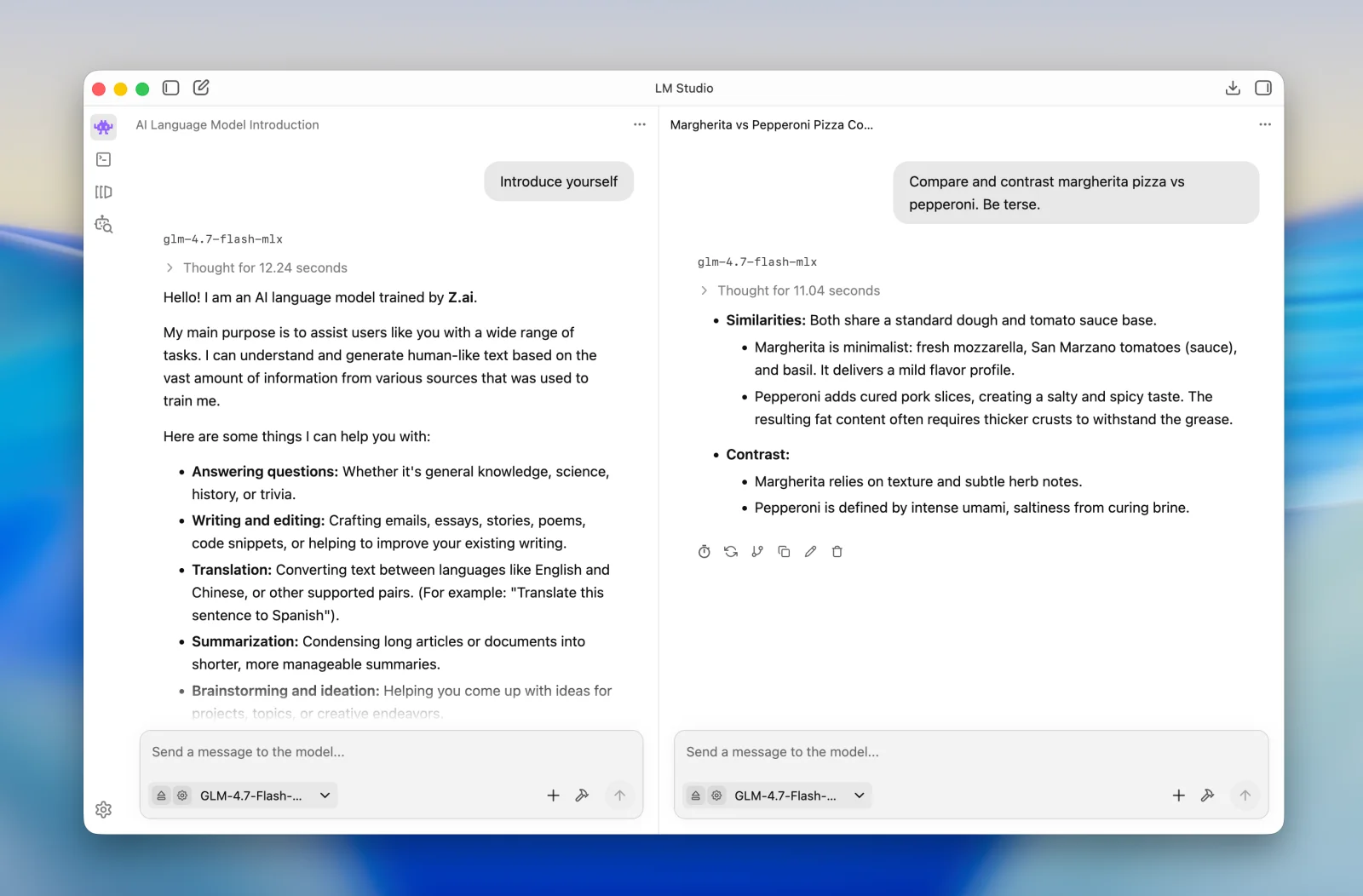
LM Studio is the benchmark most people use for local AI apps. It isn't open source, so it doesn't make the list, but you should know what the others are measured against. It is the most polished desktop app for downloading and chatting with local models, it runs llama.cpp and Apple's MLX under the hood, and its local server on port 1234 speaks the OpenAI API. It has been free for work use since July 2025, and version 0.4 added a headless background service called llmster.
The catch is the license. The app is proprietary (only its lms CLI and SDKs are MIT), on macOS it needs an Apple Silicon Mac, and the company's newest product, the Bionic agent app, is built around paid cloud plans starting at $20/month. If you want the same experience with code you can read, Jan is the closest match. We keep a full list of open-source LM Studio alternatives.
Website: https://lmstudio.ai
The 8 Best Open Source Tools to Run LLMs Locally
1. Ollama
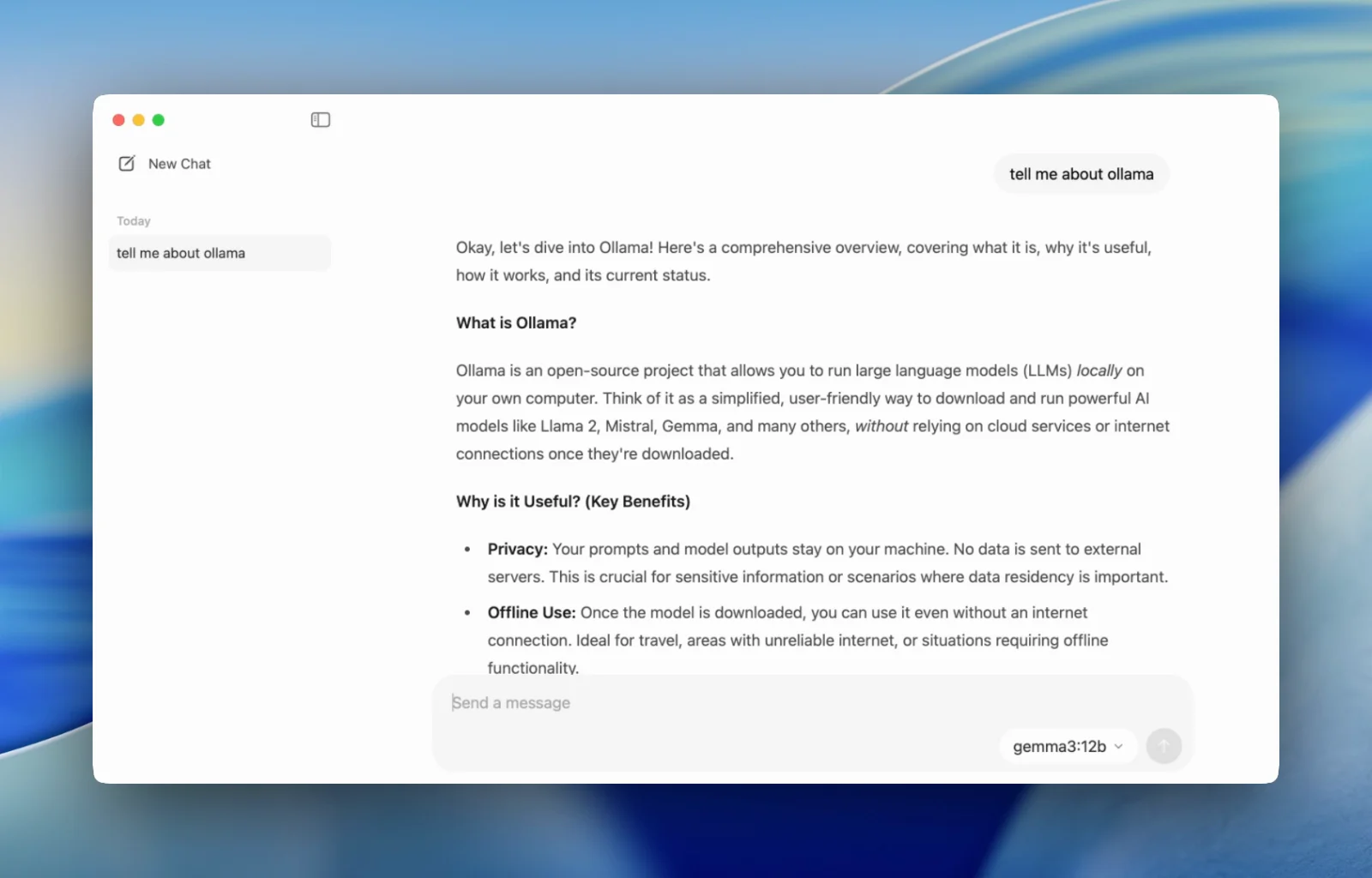
Ollama is the default way to run LLMs locally, and at over 181,000 GitHub stars it is the most popular project in this space. You install it, type ollama run with a model name, and it downloads the model and starts chatting. Behind that sits a local server on port 11434 with an OpenAI-compatible API, which is why nearly every other tool in this article lists Ollama as a supported backend.
It is MIT-licensed and runs on macOS, Windows, and Linux, with a desktop chat app since July 2025. Hardware support is wide: NVIDIA CUDA, AMD ROCm, Apple Metal, and Vulkan (on by default since version 0.30, which helps many AMD and Intel GPUs). In 2026 Ollama moved GGUF models onto llama.cpp's own server under the hood and added Apple's MLX engine on Apple Silicon, which nearly doubled generation speed in Ollama's own test (58 to 112 tokens per second on Qwen3.5-35B-A3B). It also added ollama launch, which wires local models into coding agents like Claude Code, Codex, and OpenCode.
Key Features and Considerations
The trade-off is abstraction. Ollama hides llama.cpp's settings behind its own Modelfile format, uses a small default context window (4k tokens on GPUs under 24 GB of VRAM), and handles one request per model at a time unless you change OLLAMA_NUM_PARALLEL. The company also sells cloud models now (Pro at $20/month, Max at $100/month). Local use stays free and unlimited, but recent releases give those cloud models more and more space.
- Pros:
- The fastest setup of any tool here: one command to a working model.
- MIT license, all three desktop platforms, and wide GPU support.
- The de facto standard local API that other apps connect to.
- Cons:
- Small default context and one request at a time out of the box.
- Fewer tuning options than raw llama.cpp.
- Growing emphasis on paid cloud models.
Website: https://ollama.com
2. llama.cpp
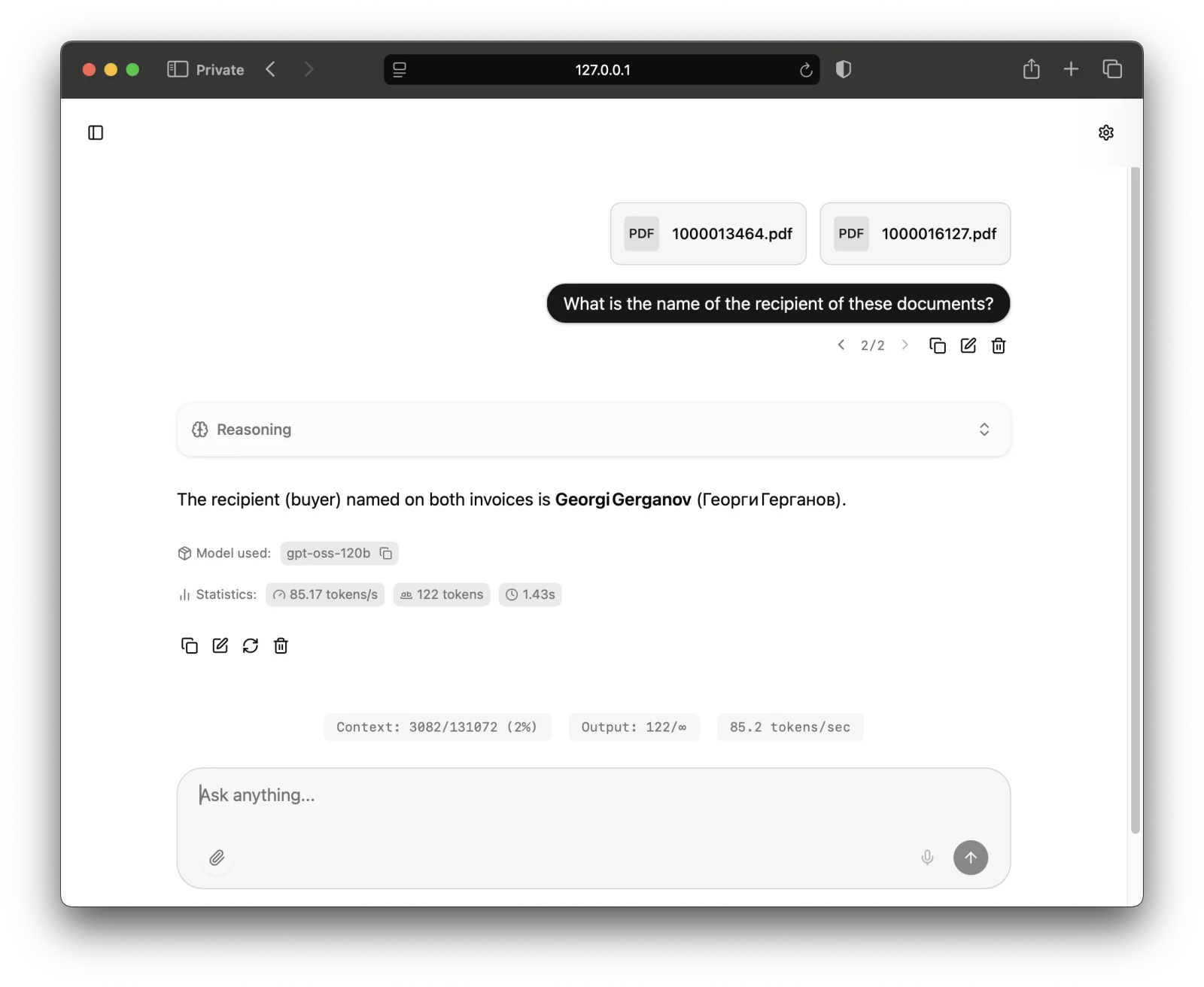
llama.cpp is the engine that made local LLMs practical, and it still runs under the hood of Ollama, Jan, and LM Studio. It is MIT-licensed, past 129,000 stars, and supports more hardware than anything else: CUDA, ROCm, Metal, Vulkan, SYCL for Intel, and plain CPUs from x86 to ARM and RISC-V. When a model is too big for your GPU, it can split the layers between GPU and system memory.
It is no longer only for people who enjoy compiling. The llama-server binary ships a clean web UI with document uploads, reasoning display, and MCP tool support, and it exposes an OpenAI-compatible API on port 8080. A new installer at llama.app and stable version tags (starting in August 2026) make it far easier to install and update. The ggml.ai team behind it joined Hugging Face in February 2026; the project remains MIT and community-run.
Key Features and Considerations
You get the newest model support first and every setting exposed, at the price of learning a long list of flags. It only loads GGUF files, and the web UI is simpler than a dedicated chat app. If you already use Ollama and keep running into its limits, llama.cpp is where you go next. Our llama.cpp vs Ollama comparison covers the differences in detail.
- Pros:
- The widest hardware support of any local LLM tool.
- New models and features land here first.
- Built-in web UI and OpenAI-compatible server in one binary.
- Cons:
- Many flags to learn for good performance.
- GGUF format only.
Website: https://github.com/ggml-org/llama.cpp
3. Jan
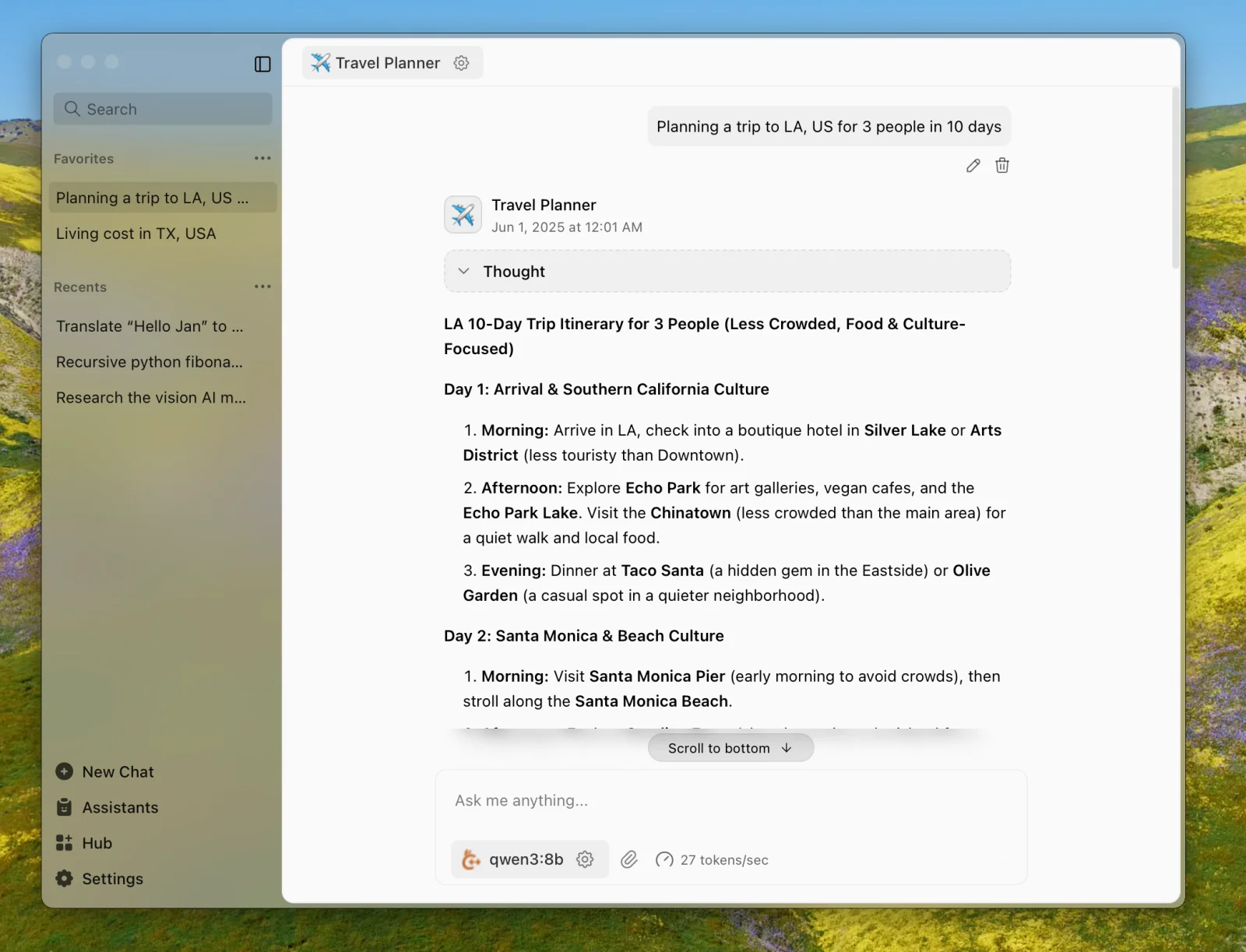
Jan is the closest open-source match for LM Studio: a desktop app for Windows, macOS, and Linux that downloads models from Hugging Face and runs them with a bundled llama.cpp engine (plus MLX on Macs). Nothing else needs installing. It moved from AGPL to Apache-2.0 in May 2025, so you can fork and embed it freely.
Beyond chat, Jan has custom assistants, MCP tool support with inline approval, message branching, and a local API server on port 1337 for other apps. You can also add cloud providers like OpenAI or Anthropic and switch between local and hosted models in the same conversation list.
Key Features and Considerations
Jan is a single-user desktop app. There is no server or web version for a team. Stable releases have also slowed: the last one, v0.8.4, shipped in July 2026, and the newer agent features are still in nightly builds. For one person who wants a private ChatGPT on their own machine, it is the easiest recommendation on this list.
- Pros:
- Everything bundled: install the app, pick a model, start chatting.
- Apache-2.0 license and all three desktop platforms.
- Local API server for connecting other tools.
- Cons:
- Desktop only, no multi-user option.
- Slower stable release cadence in 2026.
Website: https://jan.ai
4. Open WebUI
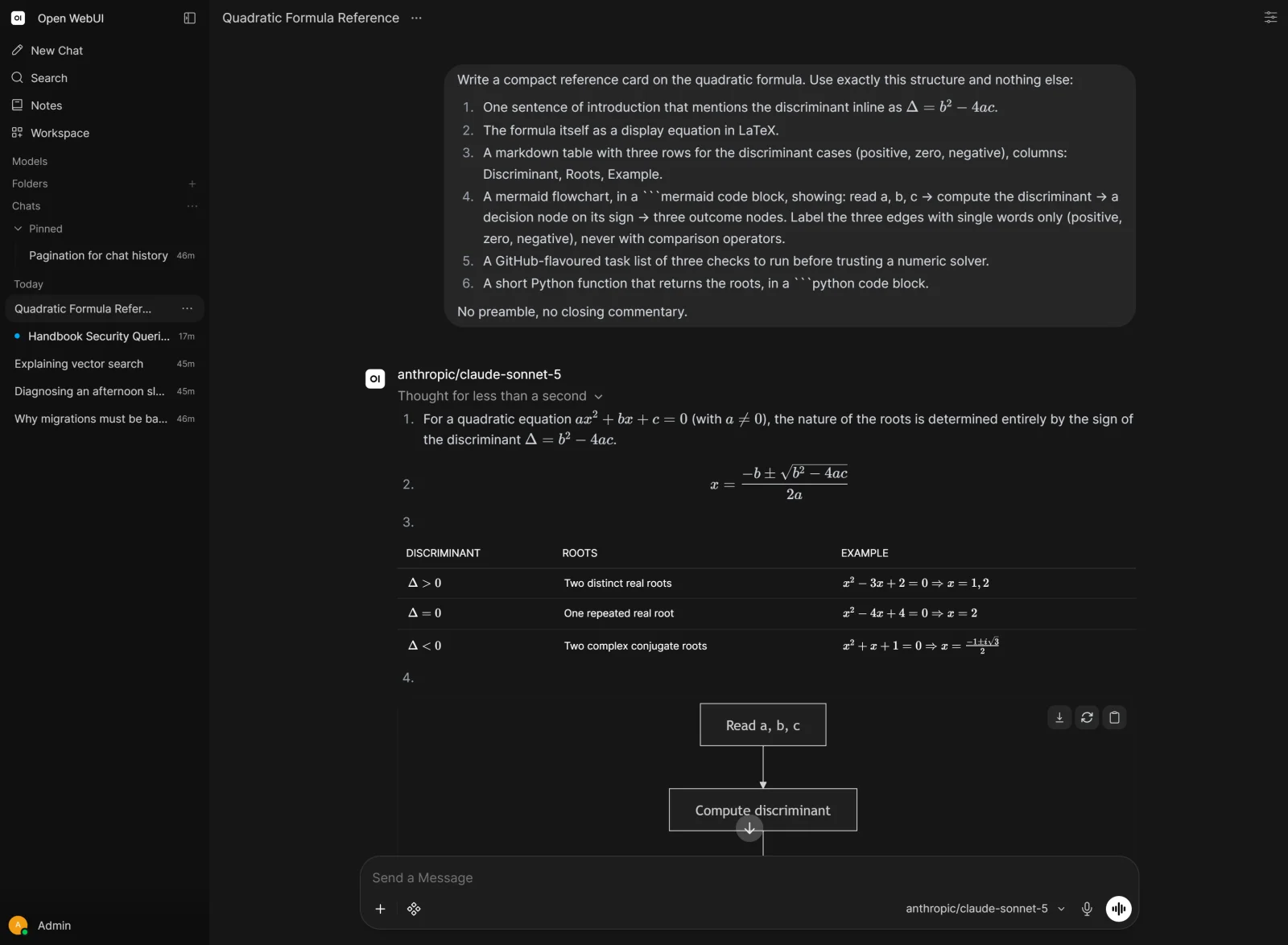
Open WebUI is the self-hosted ChatGPT for teams. With nearly 153,000 stars it is second only to Ollama in this article, and it is a front end rather than an engine: you point it at Ollama, llama.cpp, vLLM, or any OpenAI-compatible API, and it gives you a polished web interface with user accounts, permissions, document chat (RAG), web search, voice, and MCP tools.
It installs with Docker or pip, and the :ollama Docker image bundles Ollama for a one-container setup. The 2026 releases added native tool calling, scheduled automations, shared folders, and a full redesign in v0.11. An official desktop app also arrived in April 2026, though it is still labeled early alpha.
Key Features and Considerations
Read the license before you rebrand it. Open WebUI uses a BSD-3-based license with an added clause: deployments serving more than 50 users in a 30-day period must keep the Open WebUI branding unless they buy an enterprise license. Because of that clause, the license is not OSI-approved open source. Updates also frequently include database migrations, so back up before upgrading.
- Pros:
- The most complete multi-user local ChatGPT interface available.
- Works with any local or cloud backend.
- RAG, tools, voice, and SSO built in.
- Cons:
- Needs a separate runner such as Ollama.
- Branding clause for deployments over 50 users.
- Heavy for a single person on a laptop.
Website: https://openwebui.com
5. AnythingLLM
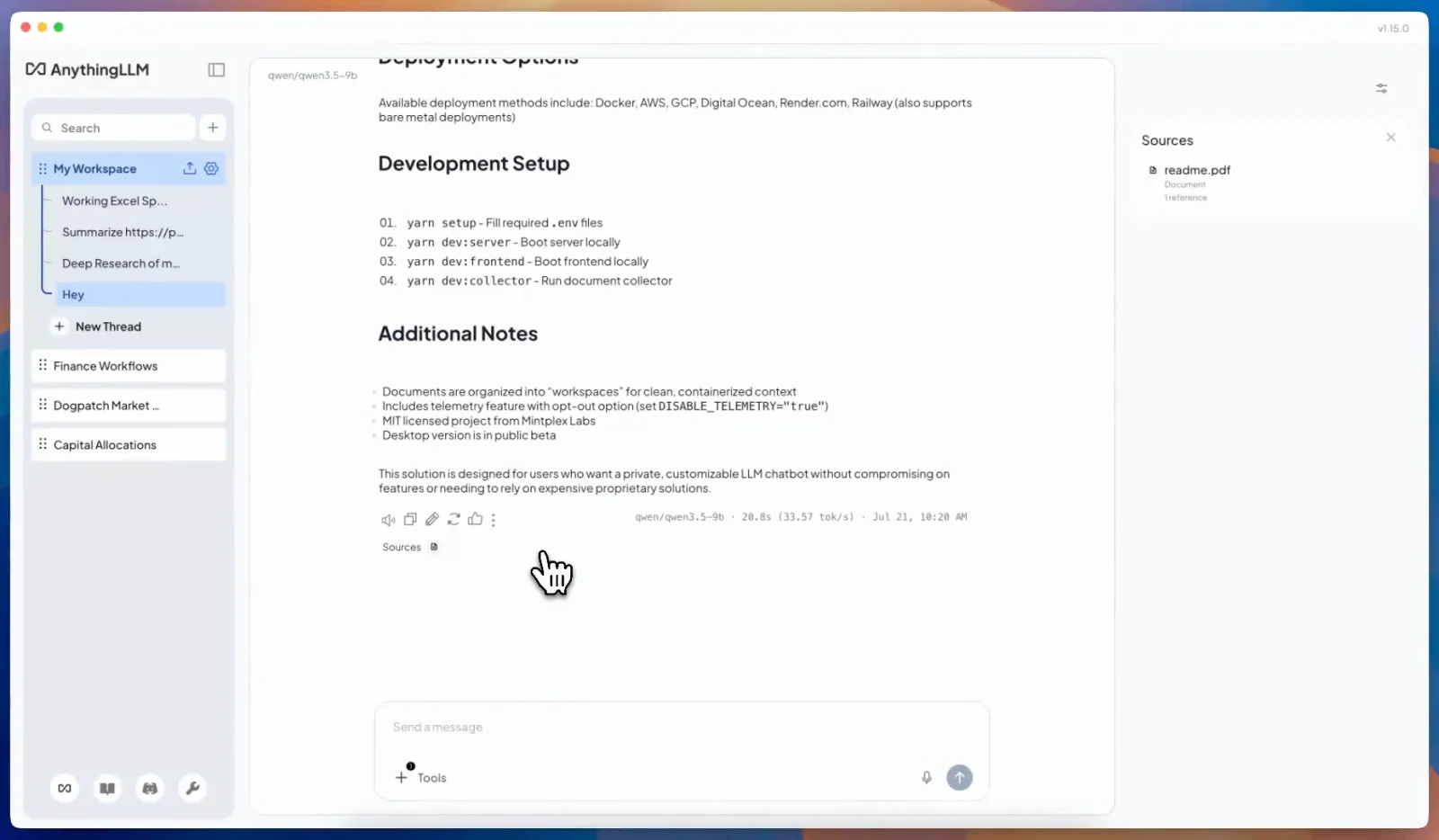
AnythingLLM is built around one job: chatting with your documents privately. Drop in PDFs, websites, or code, organize them into workspaces, and ask questions with citations. The MIT-licensed desktop app for Windows, macOS, and Linux bundles an Ollama runtime, so it works without any other install. It can also connect to an existing Ollama, LM Studio, or LocalAI server, or to cloud providers.
It has grown well past document chat. 2026 releases added no-code agents that work with files and generate documents, a model router that mixes local and cloud models, scheduled jobs, and image generation. A Docker version adds multi-user support and an embeddable chat widget.
Key Features and Considerations
Anonymous telemetry is on by default (you can turn it off in settings), and multi-user features only exist in the Docker version. There is also a hosted cloud edition starting at $50/month, but the self-hosted desktop and Docker versions are free.
- Pros:
- The best document chat (RAG) experience on this list.
- Works standalone thanks to the bundled runtime.
- MIT license with desktop, Docker, and Android apps.
- Cons:
- Telemetry on by default.
- Multi-user features require the Docker version.
Website: https://anythingllm.com
6. LocalAI
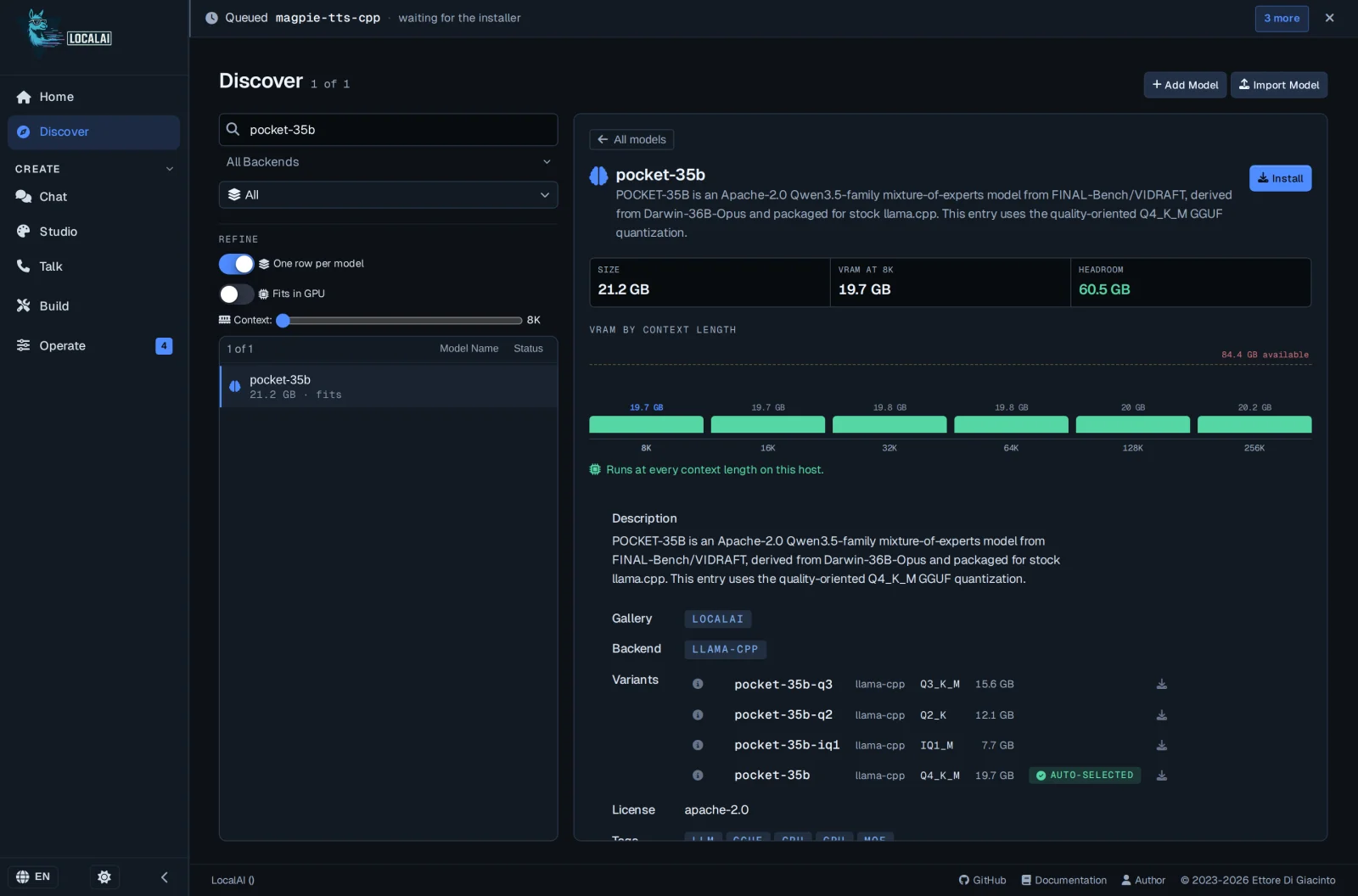
LocalAI aims to replace every cloud AI API you use with one self-hosted server. It speaks the OpenAI API (including the Realtime API), the Anthropic API, and the Ollama API, and covers text, vision, speech-to-text, text-to-speech, images, and video. Under the hood it can pull more than 60 backends, from llama.cpp and vLLM to whisper.cpp and diffusers, each as a separate container image loaded only when a model needs it.
The project is MIT-licensed and moves fast. Version 4.0 in March 2026 added built-in agents, MCP support, and a rewritten web UI; later releases added a distributed cluster mode, OIDC login, per-user quotas, and in-app fine-tuning. The September v4.10 release shipped a fleet dashboard for managing several GPU machines.
Key Features and Considerations
LocalAI is container-first and aimed at developers and teams replacing API calls on their own servers. There is no native Windows installer (Windows users run it in Docker), the macOS app is unsigned, and major versions have removed image types and backends that older setups relied on. If you want a chat app for yourself, pick Jan or Ollama instead.
- Pros:
- One endpoint for text, voice, vision, images, and video.
- Compatible with OpenAI, Anthropic, and Ollama clients.
- MIT license with active, frequent releases.
- Cons:
- More complex to understand and run than single-purpose tools.
- Breaking changes between major versions.
Website: https://localai.io
7. vLLM
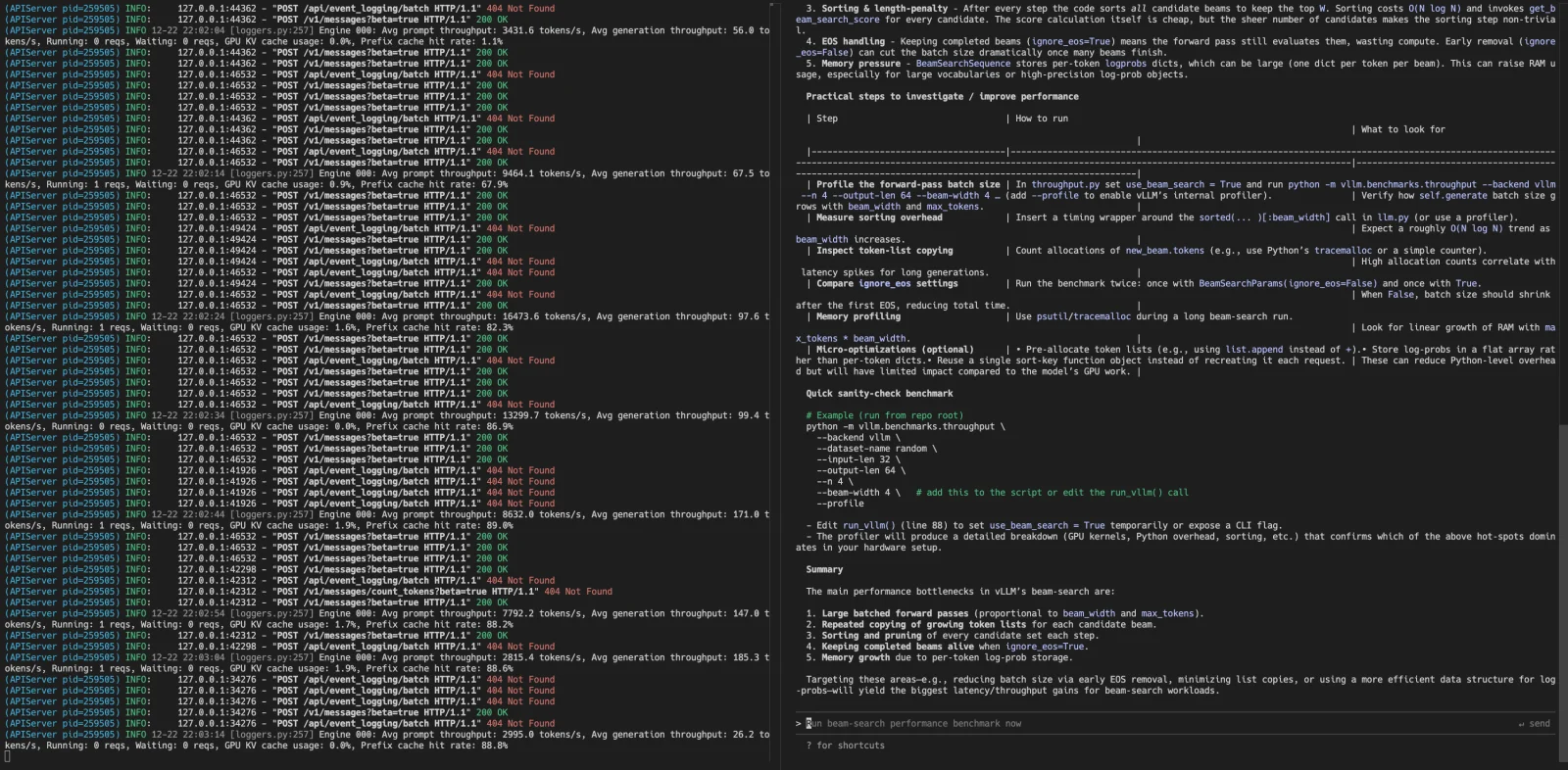
vLLM is a different kind of tool from everything above. It is the Apache-2.0 serving engine that companies use to run open models for many users at once, with over 92,000 GitHub stars. Continuous batching, tensor and pipeline parallelism across several GPUs, and careful memory management let it handle far more concurrent requests than Ollama on the same hardware.
Running it is one command, vllm serve with a model name, which starts an OpenAI-compatible server on port 8000 (it also speaks the Anthropic Messages API). It supports NVIDIA and AMD GPUs, Intel accelerators, and CPUs, with plugins for TPUs and other hardware. If your "local" means a GPU server in your office or home lab that several people or agents share, vLLM is the right engine.
Key Features and Considerations
vLLM is built for Linux and GPUs. Windows needs WSL, Macs need a separate plugin, and by default it reserves most of your VRAM up front. Installation pulls in a large Python and PyTorch stack, and releases arrive roughly every two weeks with frequent breaking changes. For one person on a laptop, it is overkill.
- Pros:
- The highest throughput for many concurrent users.
- Multi-GPU and multi-node serving built in.
- Apache-2.0 with a very active community.
- Cons:
- Linux and GPU focused, awkward on Windows and Mac.
- Heavy install and fast-changing APIs.
Website: https://vllm.ai
8. Cherry Studio
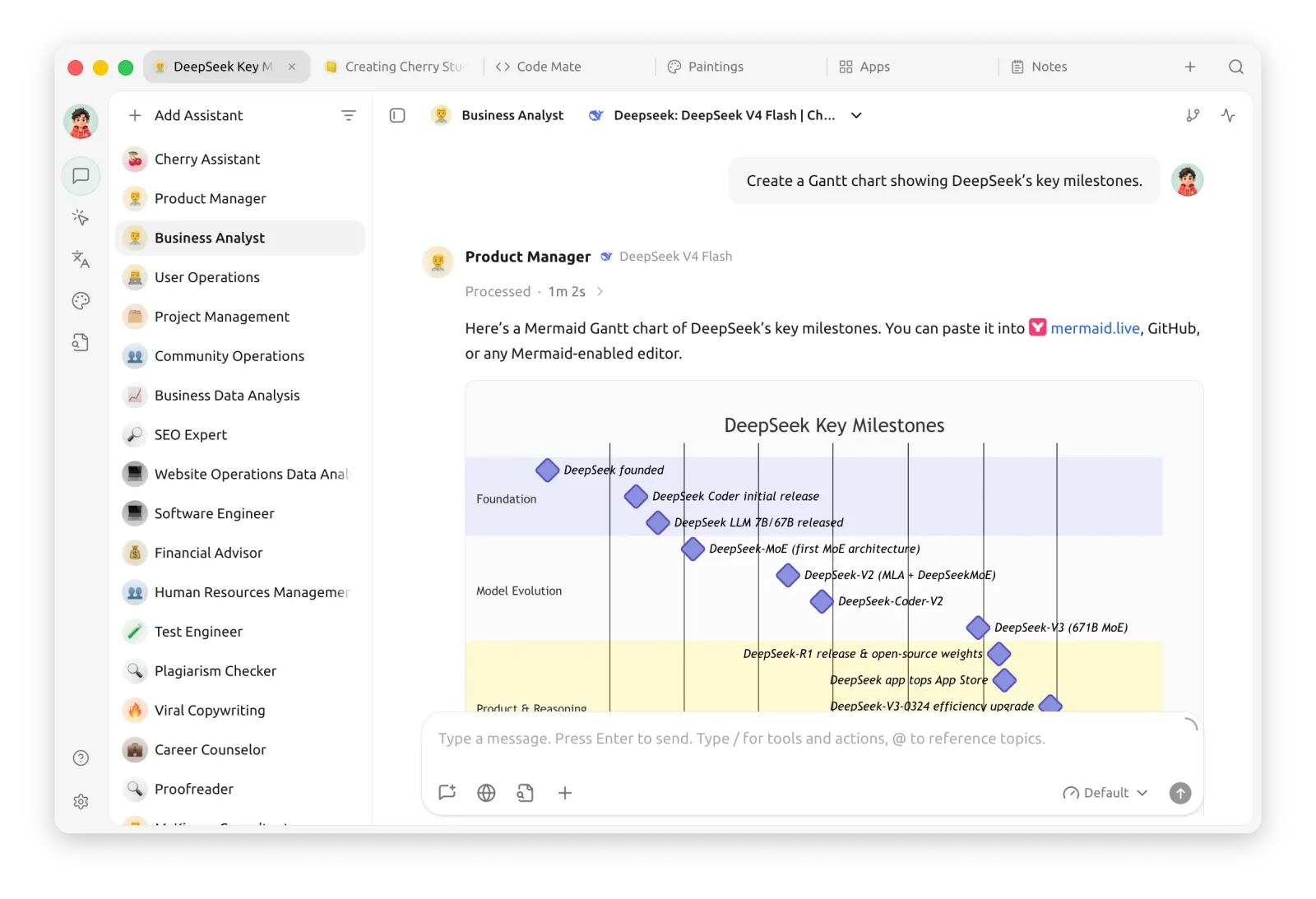
Cherry Studio is a desktop client for people who use many models: local ones through Ollama or LM Studio, plus around 60 cloud providers, all in one app. It ships with more than 300 ready-made assistants, knowledge bases, and MCP tools. Version 2.0 (August 2026) added a built-in agent runtime and a multi-window interface with split view. A mobile app for iOS and Android launched in September 2026.
It is licensed under AGPL-3.0. An earlier rule requiring a commercial license for organizations over 10 people was dropped in September 2025, so the plain AGPL terms now apply.
Key Features and Considerations
Cherry Studio does not run chat models itself, so you still need Ollama or another runner. Its default provider list leans toward China-based services, which you can ignore or remove. It is the best fit if you switch between local and cloud models all day and want one interface for both.
- Pros:
- One desktop app for local and cloud models.
- Large library of assistants, plus agents and MCP.
- Free and AGPL-3.0 licensed.
- Cons:
- Needs a separate local runner for chat models.
- Provider defaults skew toward China-based services.
Website: https://cherryai.com
What About GPT4All?
GPT4All was one of the first easy local AI apps, and it still shows up in many "best local LLM" lists. We left it out on purpose. Its last release was v3.10.0 in February 2025, and in December 2025 Nomic's co-founder said on GitHub that the team is working to put the app into non-maintained mode. Users report that newer model families such as Qwen3 fail to load, and community fixes are not being merged. If you use it today, Jan is the closest replacement, and our GPT4All vs Jan comparison shows how they line up.
A few other projects are worth knowing about: KoboldCpp (a single-file llama.cpp runner popular for fiction and roleplay), llamafile (a Mozilla project that packs a model into one executable), text-generation-webui (a feature-packed app for power users), SGLang (a high-throughput server in the same class as vLLM), RamaLama (runs models in Podman or Docker containers), and Lemonade (a local server tuned for AMD Ryzen AI and Radeon hardware).
How Much Hardware Do You Need?
The model file size is the best guide to how much memory you need. Most people run models at 4-bit quantization (the Q4_K_M format in GGUF), which keeps quality close to the original at about 30% of the size. Here are the download sizes of popular models at that setting, from Ollama's library and Hugging Face:
| Model size | Example | Q4_K_M file | Comfortable machine |
|---|---|---|---|
| 7-8B | Llama 3.1 8B | 4.9 GB | 8 GB GPU or 16 GB RAM |
| 14B | Qwen2.5 14B | 9.0 GB | 12-16 GB GPU or 16-24 GB RAM |
| 32B | Qwen2.5 32B | 20 GB | 24 GB GPU or 32 GB RAM |
| 70B | Llama 3.3 70B | 43 GB | Two 24 GB GPUs or 64 GB RAM |
Plan for a few extra gigabytes on top of the file size for the context window and your operating system. The "comfortable machine" column is our rule of thumb, not a vendor requirement. Apple Silicon Macs handle this well because the CPU and GPU share one memory pool, so a Mac with 64 GB of unified memory can load models that would need several consumer graphics cards on a PC. You can run small models on CPU alone, but expect a few tokens per second instead of dozens.
Comparison Table
| Tool | License | Stars | Type | Runs Models Itself | Platforms | OpenAI API | Multi-User |
|---|---|---|---|---|---|---|---|
| Ollama | ✅ MIT | 181k | Runner + app | ✅ | Mac, Win, Linux | ✅ :11434 | 🟧 |
| llama.cpp | ✅ MIT | 129k | Engine + web UI | ✅ | Mac, Win, Linux | ✅ :8080 | 🟧 |
| Jan | ✅ Apache-2.0 | 45k | Desktop app | ✅ | Mac, Win, Linux | ✅ :1337 | ❌ |
| Open WebUI | 🟧 BSD-3 + branding clause | 153k | Web front end | ❌ | Docker, pip | 🟧 | ✅ |
| AnythingLLM | ✅ MIT | 66k | Desktop app + server | ✅ | Mac, Win, Linux, Docker | ✅ | ✅ Docker only |
| LocalAI | ✅ MIT | 49k | API server | ✅ | Docker, Linux, Mac | ✅ :8080 | ✅ |
| vLLM | ✅ Apache-2.0 | 92k | Serving engine | ✅ | Linux (GPU) | ✅ :8000 | ✅ |
| Cherry Studio | ✅ AGPL-3.0 | 52k | Desktop client | ❌ | Mac, Win, Linux | n/a | ❌ |
| LM Studio | ❌ Proprietary | n/a | Desktop app | ✅ | Mac (Apple Silicon), Win, Linux | ✅ :1234 | ❌ |
Legend: ✅ yes · 🟧 partial or with caveats · ❌ no · "Runs Models Itself" means it can load and run a model without a separate runner. "OpenAI API" shows whether it serves an OpenAI-compatible endpoint for other apps, and on which default port. Stars are GitHub stars as of September 2026, when all licensing and feature details in this article were last verified.
Which Local LLM Tool Should You Choose?
- You want the quickest path to a working local model: Ollama. One command, and most other apps can connect to it.
- You want a private ChatGPT-style app with nothing else to install: Jan.
- You want full control and the newest model support first: llama.cpp.
- You want a local ChatGPT for your team or family: Open WebUI on top of Ollama.
- You mostly want to ask questions about your documents: AnythingLLM.
- You want to replace cloud AI APIs across text, voice, and images: LocalAI.
- You are serving many users or agents from a GPU server: vLLM.
- You juggle local and cloud models all day: Cherry Studio.
A common setup combines two of these: Ollama or llama.cpp as the engine, with Open WebUI or Cherry Studio as the interface. If you are here because of a closed tool you already use, we also keep lists of open-source ChatGPT alternatives and Msty Studio alternatives.
Frequently Asked Questions
What is the best tool to run LLMs locally?
For most people, Ollama is the best place to start: it installs in minutes, runs on Mac, Windows, and Linux, and nearly every other local AI app can connect to it. If you prefer a complete desktop app with a chat window and no terminal, Jan is the best open-source choice.
Is LM Studio open source?
No. The LM Studio desktop app is proprietary software from Element Labs, free for personal and work use under its own terms. Only its lms command-line tool, SDKs, and MLX engine are open source under MIT. Jan is the closest fully open-source alternative, with a similar model browser and chat interface.
Is Ollama free and open source?
Yes. Ollama is open source under the MIT license, and running models locally is free with no usage limits. The company also sells optional cloud models, with paid plans starting at $20 per month, but you never need them to use Ollama on your own hardware.
What is the difference between Ollama and llama.cpp?
llama.cpp is the inference engine that loads and runs GGUF model files. Ollama is a runner built on top of it that adds one-command model downloads, a model library, a desktop app, and a stable API. Choose Ollama for convenience and llama.cpp when you want every setting and the newest features first.
Should I use vLLM or Ollama?
Use Ollama for one person on a laptop or desktop, on any operating system. Use vLLM when you serve many users or agents at once from a Linux machine with NVIDIA or AMD GPUs, since its batching handles far more concurrent requests. For a single user, vLLM's setup cost rarely pays off.
Can I run an LLM locally without a GPU?
Yes. Ollama, llama.cpp, Jan, and LocalAI all run on CPU alone. Small models with 1 to 8 billion parameters run on a modern laptop CPU at a few tokens per second, which is usable for chat. On Apple Silicon Macs the built-in GPU uses system memory, so even an entry-level MacBook Air runs small models quickly.
How much RAM do I need to run a local LLM?
A 7-8B model at 4-bit quantization is about 5 GB, so 16 GB of RAM or an 8 GB graphics card is a comfortable minimum. 32 GB handles models around 32B parameters, and 70B models need roughly 48 to 64 GB. Leave a few gigabytes free for context and your operating system.
Final Thoughts
Local AI is a real option in 2026 for many everyday tasks, and the open-source tools are the ones setting the pace. The pattern across this list is healthy: engines like llama.cpp and vLLM stay permissively licensed, runners like Ollama and LocalAI agree on the OpenAI API format, and front ends like Open WebUI, Jan, and AnythingLLM compete on the interface. That means you can switch any layer without starting over.
Two things to watch are licensing and business models. Open WebUI added a branding clause, Ollama and LM Studio now sell cloud plans, and GPT4All shows that a popular app can still be left behind. Check the license and the release history before you build on any of them.
We'll keep the Local Model Runners category updated as new tools launch. If you build or use a local LLM tool we should know about, submit it to OpenAlternative.

 Openlane – Open-source, developer-first platform for automated compliance, risk management, and built-in Trust Center.
 Sent
Sent