Ad
 
Learn more

Open Source TickTick Alternatives

A curated collection of the 8 best open source alternatives to TickTick.

The best open source alternative to TickTick is Plane. If that doesn't suit you, we've compiled a ranked list of other open source TickTick alternatives to help you find a suitable replacement. Other interesting open source alternatives to TickTick are: Huly, Focalboard, Super Productivity, and OpenProject.

TickTick alternatives are mainly Project Management Suites but may also be Task Management Tools or Collaborative Workspaces. Browse these if you want a narrower list of alternatives or looking for a specific functionality of TickTick.

Piotr Kulpinski's profile

Written by Piotr Kulpinski

Open source project management platform combining issues, wikis, and AI agents in one workspace. Available on cloud, self-hosted, and air-gapped deployments.

Screenshot of Plane website

Plane is an open source project management platform that combines issue tracking, documentation, and AI-powered workflows into a single workspace. It's built for software teams that want the flexibility of self-hosting without giving up the polish of tools like Jira or Linear. Projects, wikis, cycles, and dashboards all live in one place, and the AI layer is woven throughout rather than bolted on afterward.

The AI side is genuinely central to how Plane works. Plane AI reads across your entire workspace, including projects, cycles, docs, and threads, so you can ask it about blockers, cycle status, or recent doc changes and get answers grounded in your actual data. Built-in agents can triage incoming requests, assign owners, and post updates automatically. There's also a Slack integration that lets you describe work in a channel and have Plane create, assign, and track it without switching tools.

For teams managing work across different roles, Plane offers board, spreadsheet, list, and Gantt views. Cycles handle time-boxed sprints with burndown charts and velocity tracking built in. Initiatives and epics let you roll team-level work up to org-level goals. Dashboards populate automatically from live data, so there's no manual reporting.

Self-hosting is a first-class option. Plane supports Docker and Kubernetes deployments and includes a God Mode admin panel for configuring SSO, SAML, LDAP, SMTP, and workspace security. Air-gapped environments are explicitly supported, which is rare among modern project management tools. If you're comparing open source alternatives, that air-gap support is a meaningful differentiator.

For teams migrating from Jira, ClickUp, Asana, or Monday, Plane offers full data migration including issues, attachments, comments, and automations. The open API, webhooks, OAuth apps, and a native MCP server make it extensible for teams that want to build custom integrations or AI agents on top of the platform. Projects-as-Code via YAML definitions lets engineering-oriented teams version and deploy project configuration from Git.

Looking for open source alternatives to other popular services? Check out other posts in the alternatives series and openalternative.co, a directory of open source software with filters for tags and alternatives for easy browsing and discovery.

Combines project management, team chat, virtual office, and collaborative docs into a single platform. A self-hostable alternative to Linear, Jira, Slack, and Notion.

Screenshot of Huly website

Huly brings together the tools that most teams spread across four or five separate apps. Project management, real-time chat, collaborative documents, and a virtual office all live in one workspace. It's built for product and engineering teams who are tired of context-switching between a task tracker, a Slack alternative, and a Notion alternative.

The project management side covers what you'd expect from a modern tracker:

  • Team Planner consolidates individual tasks into a shared calendar so you can see workload across the whole team at a glance.
  • Time-blocking lets you turn tasks into structured time slots in your personal planner.
  • GitHub sync works both ways. Huly connects to GitHub Issues and GitHub Projects, syncing changes instantly, supporting multiple repositories, and migrating milestones between them.
  • Advanced filtering makes it practical to search and slice project data across large backlogs.

The virtual office is a built-in audio and video conferencing environment. Teams can create custom rooms for departments or recurring meetings, and invite guests without sending them to a separate tool. No third-party conferencing app required.

Documents in Huly support rich text, images, attachments, and code blocks. Live real-time collaboration means multiple people can edit simultaneously. You can tag teammates, link directly to issues, and assign action items from within a document, which keeps planning and execution connected. Version history tracks every edit.

The collaborative workspace also includes a unified inbox and instant notifications, so updates from tasks, documents, and chats surface in one place rather than scattered across tools.

Huly is self-hostable, which matters for teams with data residency requirements or those who simply want control over their infrastructure.

Self-hostable project management tool with Kanban boards, calendars, and table views, built for teams using Mattermost or standalone.

Screenshot of Focalboard website

Important: This repository is currently not maintained.

Focalboard is a self-hosted project management tool that organizes tasks and projects using boards, lists, and cards. It's built for teams who want to keep their work data on their own infrastructure rather than relying on a third-party SaaS platform.

It comes in two forms: a standalone desktop and server app, and an integrated plugin for Mattermost. The Mattermost integration is particularly useful for teams already using that platform for messaging, since boards live alongside conversations without requiring a separate login or tool.

The core interface will feel familiar if you've used tools like Trello or Notion. You can switch between multiple views of the same data:

  • Board view for Kanban-style task tracking with drag-and-drop cards
  • Table view for a spreadsheet-like overview of all items
  • Gallery view for visual, image-forward layouts
  • Calendar view for deadline and date-based planning

Each card supports properties like assignees, status, priority, dates, and custom fields. You can filter and group cards by any property, which makes it practical for sprint planning, bug tracking, content calendars, or general project tracking.

Because it's self-hosted, your data stays on your servers. There's no usage cap, no per-seat pricing, and no vendor lock-in. Teams with compliance requirements or data sovereignty concerns get full control over storage and access.

Focalboard is written in Go and React, and it supports SQLite for small deployments or PostgreSQL for larger ones. The standalone personal edition runs as a local desktop app, making it a solid option for individuals who want a private, offline-capable task board without any cloud dependency.

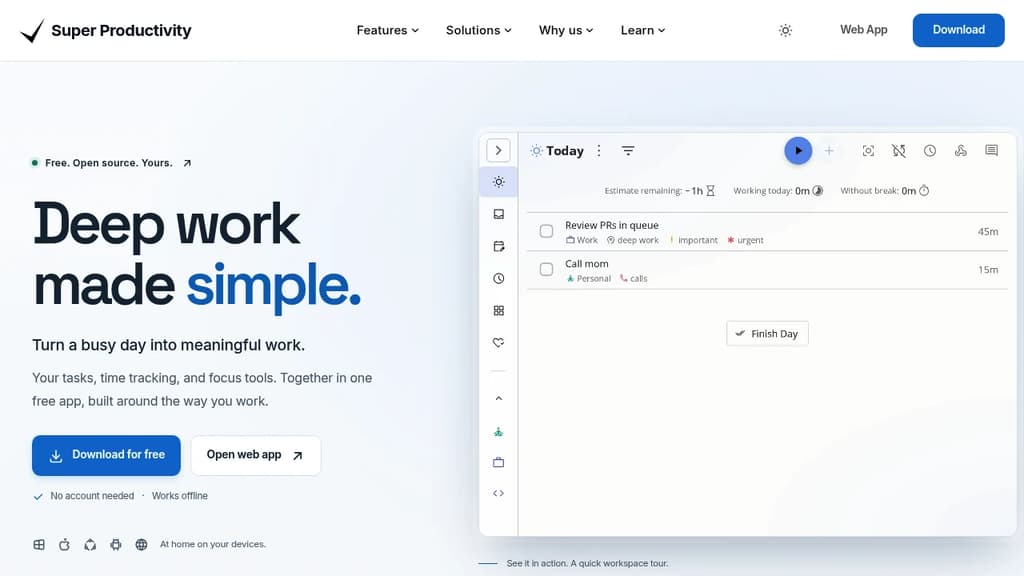
Combines task management, time tracking, Pomodoro focus sessions, and GitHub/Jira integration in a local-first app for Windows, macOS, Linux, Android, and iOS.

Screenshot of Super Productivity website

Super Productivity is a task management app built around the idea that your tools shouldn't interrupt you. Everything runs locally by default. No accounts, no telemetry, no subscription. Your data stays on your device unless you actively choose to sync it via WebDAV or Dropbox.

It's aimed at developers, freelancers, and anyone who does focused, heads-down work and wants a single place to manage tasks, track time, and review progress without switching between five different tools.

Core task management covers quick-add, subtasks, notes, due dates, repeating tasks with granular schedules, and automatic rollovers for anything you didn't finish.

Board layouts are flexible. Flip between Kanban, Eisenhower matrix, compact list, or a custom view. Projects, tags, and folders let you organize work the way you actually think about it.

Focus and time tracking are built in. One-click timers with keyboard shortcuts, Pomodoro sessions with configurable breaks, and a distraction-free focus mode that hides everything except the task at hand.

Integrations pull work in from outside. GitHub, GitLab, and Jira issues import directly into your boards. Calendar sync via CalDAV gives you a full picture of your day alongside your tasks.

A few things that stand out compared to other workspace organizers:

  • Work logging and reports generate timesheets and summaries instantly, which is useful for freelancers billing by the hour or consultants tracking project time.
  • Procrastination helper uses CBT-based prompts to help you actually start a task, not just look at it.
  • Plugin system lets you extend the app with custom automation and quick commands.
  • Keyboard-first design means most actions have shortcuts, so you rarely need to reach for the mouse.
  • No vendor lock-in: export everything as JSON or CSV at any time.

The app runs on Windows, macOS, Linux, Android, and iOS. It's free, built in the open, and has an active contributor community.

Powerful classic, agile or hybrid project management software with a focus on data privacy and security

Screenshot of OpenProject website

OpenProject is a leading open source project management software that offers powerful features for classic, agile or hybrid project management approaches. Some key benefits include:

  • Data sovereignty and security: OpenProject can be self-hosted on-premises, giving you full control over your data. It offers high security standards and transparency as open source software.

  • Flexible project management: Supports classic Gantt charts, agile boards, team planners and more to adapt to your preferred methodology.

  • Comprehensive feature set: Includes project planning, task management, time tracking, team collaboration tools, reporting and more.

  • Open source with a large community: Benefit from continuous improvements and the ability to customize the software to your needs.

  • Enterprise options available: Choose between the free Community edition or Enterprise editions with additional features and support.

  • Integrations: Connects with tools like Nextcloud, GitHub, GitLab and more.

OpenProject aims to boost team productivity and satisfaction by providing a centralized platform for seamless collaboration and project organization. It's trusted by major companies and organizations across industries.

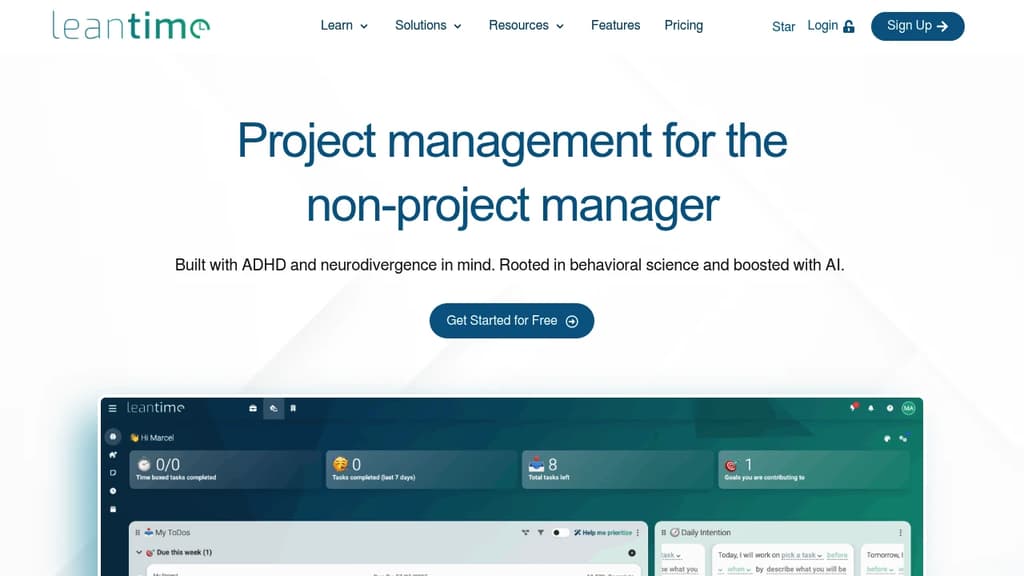
Open-source software designed to streamline tasks, boost productivity, and enhance collaboration for teams of all types, including those with ADHD and neurodiversity.
Screenshot of Leantime website

Leantime is an innovative, open-source project management tool that caters to diverse thinking styles, including those with ADHD, ADD, and other neurodivergent conditions. Its goal-driven approach transforms traditional task management into a more engaging and productive experience.

Key features include:

  • Strategy-focused workflow: Start with defining goals and objectives before diving into tasks
  • Flexible visualization: Multiple views (Kanban, list, timeline) to suit different cognitive styles
  • AI-powered assistance: Helps break down large tasks and generates personalized project descriptions
  • Time management tools: Built-in Pomodoro timer and time tracking capabilities
  • Personal organization: My Work dashboard, time blocking, and note-taking features

Leantime stands out by:

  • Prioritizing user experience for neurodivergent individuals
  • Offering a comprehensive suite of tools from strategic planning to task execution
  • Providing both team collaboration features and personal productivity tools
  • Being open-source, allowing for customization and community-driven improvements

Whether you're managing complex projects or organizing personal tasks, Leantime offers a uniquely adaptable platform that turns project management into a more accessible and motivating experience for all types of thinkers.

Looking for open source alternatives to other popular services? Check out other posts in the alternatives series and openalternative.co, a directory of open source software with filters for tags and alternatives for easy browsing and discovery.

Worklenz is a comprehensive project management platform that helps agencies organize tasks, track resources, and boost productivity.

Screenshot of Worklenz website

Worklenz is an open-source agency management tool designed to streamline your workflow and boost productivity. With its user-friendly interface and powerful features, Worklenz offers a comprehensive solution for project management, resource allocation, and team collaboration.

Key benefits include:

  • All-in-one solution: Manage projects, tasks, time tracking, and team resources in a single platform.
  • Resource overview: Gain insights into team member workloads, task progress, and project health at a glance.
  • Project visualization: Utilize Kanban boards and project overviews to track progress and milestones effectively.
  • Time tracking: Monitor time spent on tasks and projects to improve efficiency and billing accuracy.
  • Collaboration tools: Foster teamwork with file sharing, comments, and real-time updates.
  • Customizable workflows: Adapt the platform to fit your agency's unique processes and requirements.

Worklenz empowers agencies to deliver projects on time and within budget while maintaining clear communication with clients and team members. Its open-source nature allows for community-driven improvements and customizations, making it a flexible and evolving tool for agencies of all sizes.

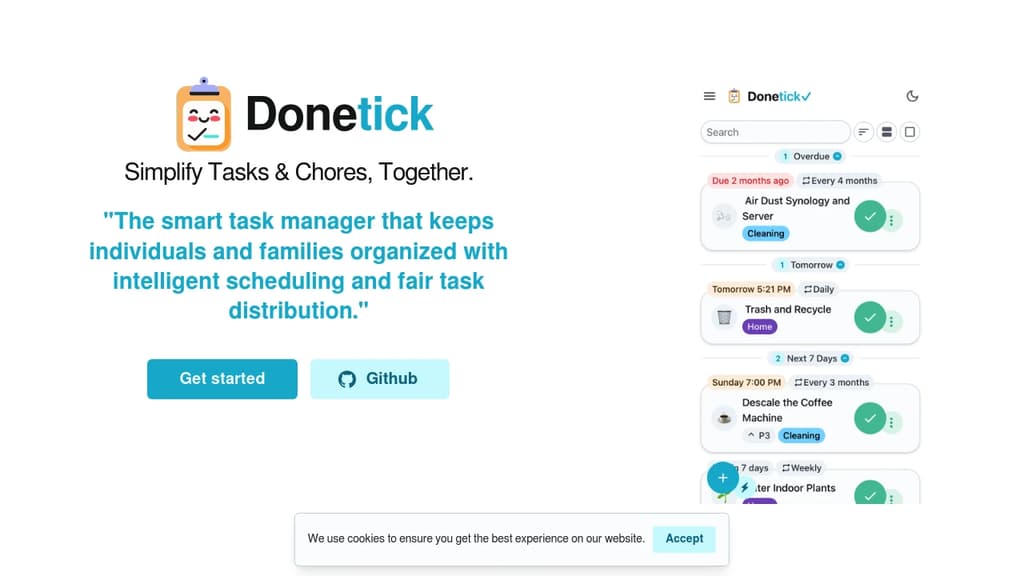
Organize tasks and chores with intelligent scheduling, fair assignment, and collaboration features. Perfect for families and teams with smart notifications.
Screenshot of Donetick website

Smart task management that keeps individuals and families organized with intelligent scheduling and fair task distribution. Whether managing personal tasks or coordinating household chores, this tool provides robust assignment options and flexible scheduling.

Key features include:

  • Natural language input - Add tasks simply by typing with automatic date and priority recognition
  • Smart assignment algorithms - Distribute tasks fairly using round-robin, least busy, or random assignment
  • Flexible recurring schedules - Set daily, weekly, monthly, or custom intervals with adaptive scheduling
  • Group collaboration - Create groups for family, friends, or teams to share and assign tasks
  • Gamification system - Earn points and climb leaderboards for completing tasks
  • Visual calendar view - See all tasks in color-coded calendar with filtering options
  • Built-in time tracking - Track work sessions with timer and analyze productivity patterns
  • Smart notifications - Get timely reminders via app, Telegram, push, or webhooks
  • Task automation - Link tasks with API triggers for automatic initiation
  • Detailed history tracking - Record due dates, completion dates, assignees, and notes

Perfect for tablet installations in kitchens or offices, providing always-accessible task management for shared spaces. Open-source with privacy focus, offering web app, mobile apps, and self-hosted options.

Share:

Favicon of DatabuddyDatabuddy
AI-Native Web & Product Analytics you can trust, turn manual dashboards into automated insights.
Start Tracking Free
Favicon of Databuddy

People are looking for alternatives to...

Favicon


Favicon


Favicon


Favicon


Favicon


Favicon