Ad
 
Learn more

Open Source Firebase Studio Alternatives

A curated collection of the 7 best open source alternatives to Firebase Studio.

The best open source alternative to Firebase Studio is Zed. If that doesn't suit you, we've compiled a ranked list of other open source Firebase Studio alternatives to help you find a suitable replacement. Other interesting open source alternatives to Firebase Studio are: Aider, Pythagora, Continue, and Void.

Firebase Studio alternatives are mainly AI Coding Assistants but may also be AI-Powered Editors or General Purpose Editors. Browse these if you want a narrower list of alternatives or looking for a specific functionality of Firebase Studio.

Piotr Kulpinski's profile

Written by Piotr Kulpinski

A Rust-built code editor from the creators of Atom and Tree-sitter, combining native performance with multiplayer collaboration and deep AI integration.
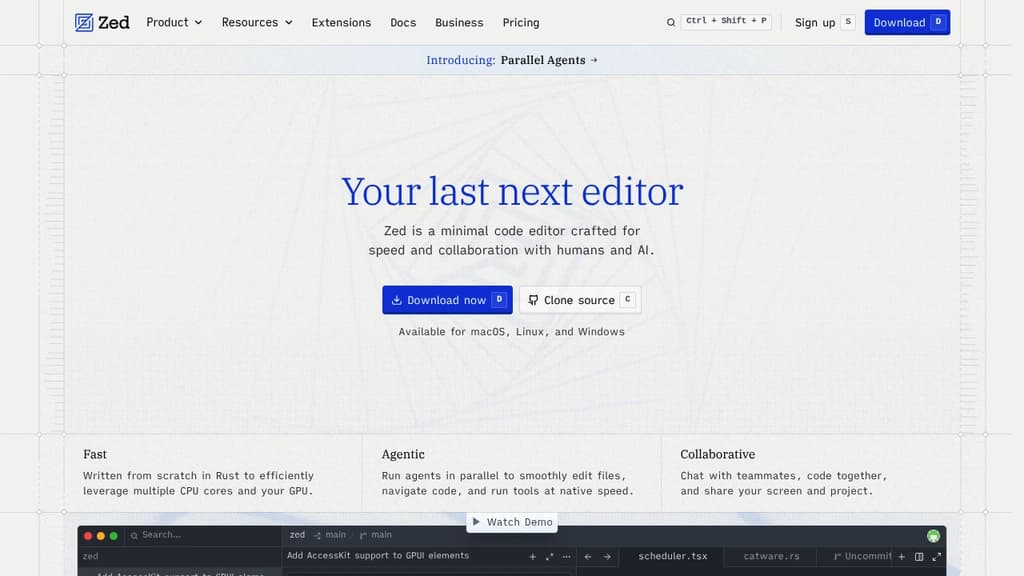
Screenshot of Zed website

Zed is a code editor built from scratch in Rust, designed to make full use of multiple CPU cores and your GPU. The result is an editor that feels noticeably faster than most alternatives at startup, during file navigation, and while typing. It comes from the team behind Atom and Tree-sitter, and that experience shows in how carefully each feature is implemented.

The AI integration goes well beyond a chat sidebar. Zed lets you run multiple agents in parallel across different projects, delegate tasks and watch changes happen live, and bring in models from providers like Anthropic, OpenAI, or others via ACP. If you prefer a lighter touch, the inline assistant lets you send selected code directly to a model for transformation without breaking your flow. Edit prediction, powered by Zeta (an open-weight model), anticipates your next edit as you type. Tools like Aider take a similar agentic approach, but Zed does it natively inside the editor itself.

Collaboration is built in at a deep level. You can code with teammates in real time, share your screen and project, and chat without leaving the editor. Remote development is also supported: the UI runs locally while the actual codebase lives on a remote server.

Key capabilities include:

  • Multibuffer editing: compose excerpts from across the codebase into one editable surface
  • Native Git support: stage, commit, diff, pull, and push without plugins
  • Debugger: built on the Debug Adapter Protocol with multi-language support
  • LSP support: full language server integration for diagnostics, completions, and more
  • Vim and Helix modes: first-class modal editing with text objects and marks
  • Built-in REPL: run code interactively through Jupyter kernels
  • Dev Containers: consistent environments across machines
  • Extensions ecosystem: hundreds of extensions for language support, themes, and tooling

Zed targets developers who've felt the sluggishness of Electron-based editors and want something that keeps up with how fast they think. It's a strong alternative to editors like CodeEdit for macOS users who want a native feel, but with broader platform support (macOS, Linux, and Windows) and a more mature feature set. The combination of raw speed, real-time collaboration, and deep AI tooling in a single editor is what makes it stand apart.

Looking for open source alternatives to other popular services? Check out other posts in the alternatives series and openalternative.co, a directory of open source software with filters for tags and alternatives for easy browsing and discovery.

A terminal-based coding assistant that helps you write, modify and understand code through natural language conversations with AI models

Screenshot of Aider website

Aider transforms your terminal into an intelligent coding companion. It seamlessly integrates with your existing workflow, supporting over 100 programming languages and working directly with your codebase through Git integration.

Key capabilities include:

  • Works with leading AI models like Claude 3, DeepSeek, and OpenAI
  • Automatically commits changes with meaningful messages
  • Maps and understands your entire codebase for better context
  • Integrates with your IDE through comments
  • Supports voice commands for hands-free coding
  • Handles images and web pages for visual context
  • Includes built-in linting and testing

Perfect for both starting new projects and maintaining existing codebases, Aider helps you code faster and smarter through natural conversation with AI.

AI development platform that builds React and Node.js apps inside VS Code, with 14 specialized agents handling planning, coding, debugging, and one-click deployment.

Screenshot of Pythagora website

Pythagora is an AI development platform that runs as a plugin inside VS Code or Cursor. Give it a plain-language description of what you want to build, and 14 specialized agents handle the rest: planning the architecture, writing React front-end code, building a Node.js backend, connecting databases (MongoDB, PostgreSQL, MySQL), and deploying the finished app. It's designed to go further than tools that hand you a rough prototype and leave the hard parts to you.

The back-end debugging layer is one of the more concrete differentiators. When something breaks, Pythagora tracks task flows, inspects dependencies, suggests fixes, and re-runs failed jobs automatically. You get error logs and step-through debugging, not a blank error message and a forced rebuild from scratch.

The platform targets small teams, startups, and businesses that want custom internal tools or production apps without building everything by hand. A free tier is available. Pro and Premium plans start at $49/month, with custom Enterprise options for larger organizations.

A few things worth knowing about scope and ownership:

  • Pythagora currently builds React frontends and Node.js backends. Python support is listed as coming soon.
  • You own everything produced. Full VS Code access, Git history, and the ability to deploy wherever you want. No vendor lock-in.
  • The AI uses models from OpenAI and Anthropic but does not retain your data.
  • It supports role-based access control, workflow automations, third-party integrations (Slack, Notion, Airtable, HubSpot), and live database dashboards from a single interface.

The template library shows what it handles in practice: CRM pipelines, OKR trackers, employee onboarding flows, GitHub analytics dashboards, documentation sites with AI chat, and prompt management tools. These are real internal tools with auth, permissions, email notifications, and external API integrations, not toy demos.

If you're comparing options, Replit takes a browser-based approach rather than living inside your editor, while tools like Plandex or Dyad focus on different parts of the AI coding workflow. Pythagora's angle is the full pipeline from description to deployed app, inside the editor you're already using. Backed by Y Combinator and reported to have over 80,000 users.

Open-source AI code assistant that connects models and context to build custom autocomplete and chat experiences inside your IDE.

Screenshot of Continue website

Continue is an open-source AI code assistant that empowers developers to build custom autocomplete and chat experiences directly within their IDE.

Key features:

  • Flexible model integration: Connect any AI models and context sources
  • Customizable autocomplete: Get intelligent code suggestions as you type
  • In-IDE chat: Ask questions and get code-aware responses without leaving your editor
  • Context-aware: Leverages your codebase, documentation, and other sources for more relevant assistance
  • Open and extensible: Build on top of Continue to create tailored AI coding experiences

Continue aims to keep developers in flow while coding by removing productivity barriers. Its plug-and-play system makes it easy to get started and integrate with your entire development stack. As an open platform, Continue allows teams to evolve their AI assistant capabilities as new innovations emerge.

Whether you're looking to accelerate development, reduce context switching, or become a leader in AI-assisted coding, Continue provides a powerful foundation for amplifying your development workflow with artificial intelligence.

Void is an open-source alternative to Cursor, offering AI-powered coding features while maintaining full control over your data and privacy.

Screenshot of Void website

Important: Work on Void is currently paused. Some features may be outdated or broken.

Void is an innovative open-source AI code editor that combines the power of artificial intelligence with full privacy and control. As a fork of VS Code, it offers a familiar environment while introducing cutting-edge AI features to enhance your coding experience.

Key features:

  • AI-powered coding assistance: Leverage AI for autocomplete, inline editing, and contextual code suggestions
  • Full privacy: Retain complete control over your data and models
  • Customizable AI integration: Use any LLM model, including local options for enhanced privacy
  • VS Code compatibility: Seamlessly transfer your existing themes, keybinds, and settings
  • Community-driven development: Benefit from an active open-source community and contribute to the project's growth

Void stands out with its commitment to privacy and flexibility. Unlike proprietary alternatives, you can host your own models locally or connect directly to your preferred LLM providers. This approach ensures that your code and data remain under your control while still benefiting from advanced AI capabilities.

The editor offers a range of powerful features, including:

  • Tab-based autocomplete: Press 'Tab' to apply AI-suggested completions
  • Inline editing: Use Ctrl+K to edit selections with AI assistance
  • Contextual queries: Ask questions and include files in your prompts with Ctrl+L
  • Intelligent search: Utilize AI to perform advanced searches within your codebase
  • Fine-tuned generation: Create custom generators for tasks like docstring creation

Void is ideal for developers who value both innovation and privacy in their coding tools. Whether you're working on personal projects or sensitive enterprise applications, Void provides the AI-powered features you need without compromising on data security or flexibility.

Terminal-based AI coding assistant with 2M token context window, diff review sandbox, and smart context management for building production-ready software.

Screenshot of Plandex website

Plandex is a powerful terminal-based AI coding agent built for serious software development. With its industry-leading 2M token context window and tree-sitter project mapping, it excels at handling large codebases and complex tasks that overwhelm other AI tools.

The agent offers flexible autonomy levels - from fully automated coding to granular step-by-step control. Its diff review sandbox lets you safely stage and review changes across multiple files, execute commands, and automatically debug issues. The smart context management system ensures the AI maintains understanding across large projects.

Key capabilities:

  • Mix and match models from OpenAI, Anthropic, Google and others
  • Isolated change management with rollback support
  • Production-ready code generation
  • Automated debugging and testing
  • Support for projects with many large files

Available as both open source (MIT license) and cloud service. The cloud offering includes $20 monthly credits, quick 30-second setup, and access to fine-tuned models for faster/cheaper edits. With 10,000+ GitHub stars and an active community, Plandex is rapidly becoming an essential tool for AI-assisted development.

Looking for open source alternatives to other popular services? Check out other posts in the alternatives series and openalternative.co, a directory of open source software with filters for tags and alternatives for easy browsing and discovery.

Advanced AI coding assistant that helps enterprise teams write, fix, and maintain code with enhanced accuracy and consistency across large codebases

Screenshot of Cody website

Cody is a powerful AI coding assistant designed specifically for enterprise development teams. It goes beyond basic code completion by providing intelligent assistance for writing, fixing, and maintaining code across complex codebases.

Key benefits include:

  • Enterprise-grade capabilities that help maintain consistency and quality across large teams
  • Deep codebase understanding for more accurate and contextual suggestions
  • Multi-IDE support including VS Code, Visual Studio, Eclipse, and the full JetBrains suite
  • Customizable prompts that can be shared across teams to automate common tasks
  • Integration with non-code tools like Notion and Linear for comprehensive context

Trusted by major companies like Indeed, Dropbox, Reddit, and Uber, Cody helps development teams accelerate their workflow while maintaining high code quality standards.

Share:

Favicon of SentSent
A unified API for sending messages across SMS, RCS, and apps like WhatsApp.
Visit Sent
Favicon of Sent

People are looking for alternatives to...

Favicon


Favicon


Favicon


Favicon


Favicon


Favicon