Open Source Deta Surf Alternatives
A curated collection of the 1 best open source alternatives to Deta Surf.
The best open source alternative to Deta Surf is SurfSense. If that doesn't suit you, we've compiled a ranked list of other open source Deta Surf alternatives to help you find a suitable replacement.
Deta Surf alternatives are mainly Personal Knowledge Management (PKM) Tools but may also be Enterprise Knowledge Search. Browse these if you want a narrower list of alternatives or looking for a specific functionality of Deta Surf.

Written by Piotr Kulpinski


Self-hostable NotebookLM alternative that lets teams build searchable knowledge bases from diverse sources, with support for any LLM and no data limits.
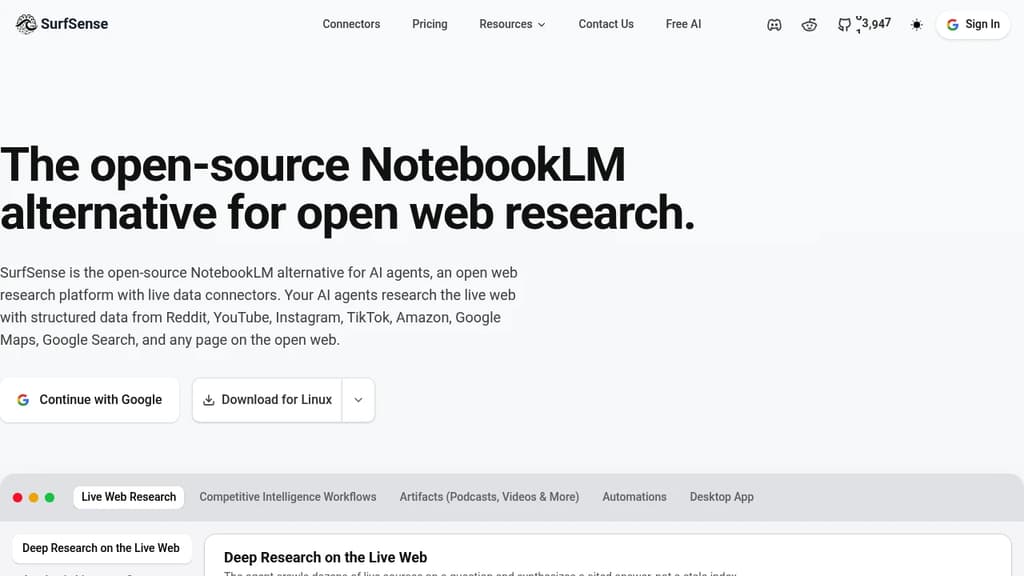
SurfSense is a self-hostable knowledge management tool built for teams who want the core appeal of NotebookLM – asking questions across a collection of documents – without handing their data to a third party or hitting usage caps.
The core idea is straightforward. You connect sources, and SurfSense builds a searchable knowledge base you can query through a chat interface. What sets it apart is the breadth of what counts as a source:
- Web content via a browser extension that saves pages directly to your knowledge base
- Documents including PDFs, slides, and text files
- YouTube videos with transcript ingestion
- Notion, OneDrive, and other integrations for pulling in existing work
- Podcast and audio files with automatic transcription
On the AI side, SurfSense doesn't lock you to one provider. You can point it at OpenAI, Anthropic, or any compatible model, including locally hosted ones. Teams that already use AnythingLLM or similar tools for document chat will recognize the pattern, but SurfSense leans harder into multi-source ingestion and team sharing rather than single-user document Q&A.
Because it's self-hosted, your documents stay on your infrastructure. There are no per-query fees tied to the platform itself, though you'll still pay your chosen LLM provider for API calls. That trade-off suits teams handling sensitive internal knowledge – legal, research, product documentation – where cloud-based tools create compliance friction.
The interface supports organized spaces, so different teams or projects can maintain separate knowledge bases without everything collapsing into one pile. Search pulls from across all ingested content, and responses cite their sources so you can trace answers back to the original material.

People are looking for alternatives to...
View all alternatives
Claude Code

Spotify

CapCut

Claude

Notion

Lovable
 Sent – Messaging Infrastructure for Developers. One API for SMS, WhatsApp, and RCS across 190+ countries.
 Sent
Sent