LibreOffice vs OpenOffice (2026): Which One Should You Use?
LibreOffice vs OpenOffice in 2026: release pace, security fixes, DOCX support and system requirements compared, plus the one case where OpenOffice still wins.

Written by Piotr Kulpinski

If you searched for LibreOffice vs OpenOffice, you are choosing between two suites that started as the same program. They split in 2010. Since then one of them has shipped a major release every six months, and the other is still on the 4.1 line it launched in 2014.
This comparison covers the fork, release pace, security response, Microsoft Office compatibility, the features that differ in daily use, and the one case where OpenOffice still makes sense. All facts were checked in September 2026 against LibreOffice 26.8 (released 26 August 2026) and Apache OpenOffice 4.1.16 (released 10 November 2025).
TL;DR: Install LibreOffice. It gets two feature releases a year, patches security bugs within weeks, and can save DOCX, XLSX and PPTX files. Apache OpenOffice can open those formats but cannot save them, and its last feature release was in 2014. The only reason to run OpenOffice today is a machine that LibreOffice no longer supports, such as a 32-bit PC or Windows 7. If you mainly need a spreadsheet, our list of open-source Excel alternatives has more options.
How one suite became two
Both projects descend from OpenOffice.org, the suite Sun Microsystems open-sourced in 2000. Oracle bought Sun in January 2010. Within months, most of the volunteer developers left to form The Document Foundation and released their own build under the name LibreOffice.
Oracle stopped funding the original project in 2011 and donated the code and trademark to the Apache Software Foundation. Apache relicensed it under the Apache License 2.0 and shipped Apache OpenOffice 3.4 in 2012.
The licences explain why the code never flowed back. LibreOffice is under the Mozilla Public License 2.0, which is copyleft. Apache OpenOffice is under the permissive Apache License 2.0. LibreOffice can import Apache-licensed code, but OpenOffice cannot take LibreOffice's fixes without relicensing them. So every improvement made on the LibreOffice side since 2011 stayed there.
The two suites at a glance
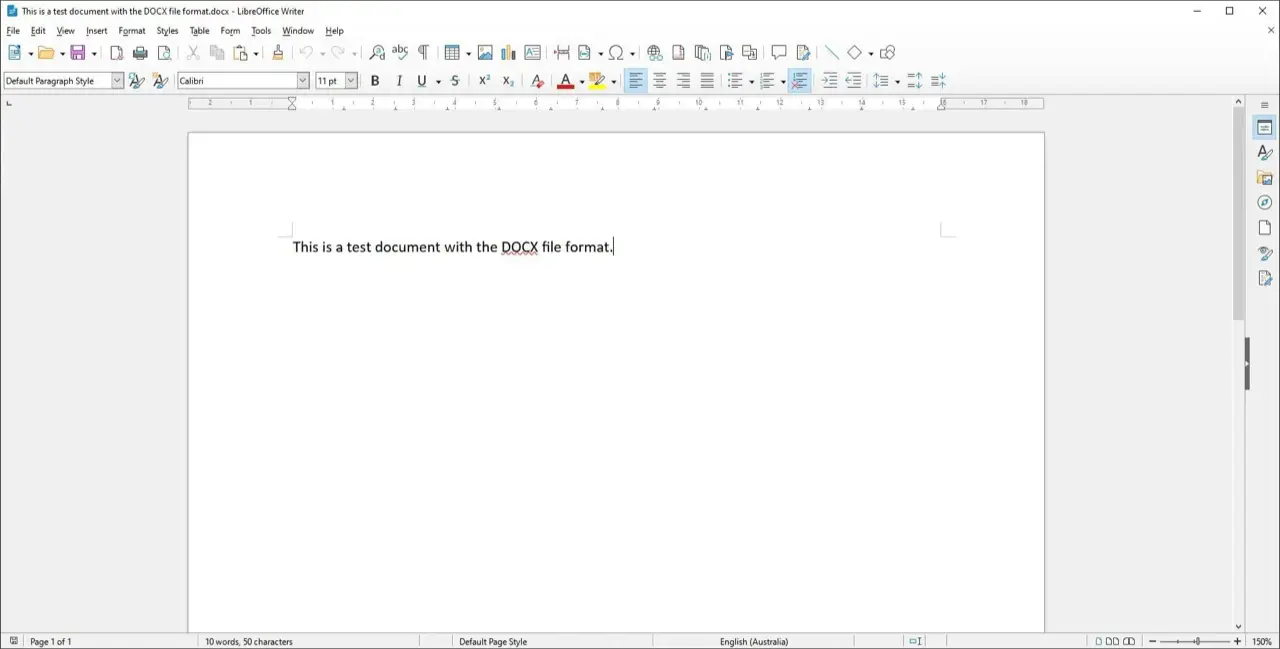
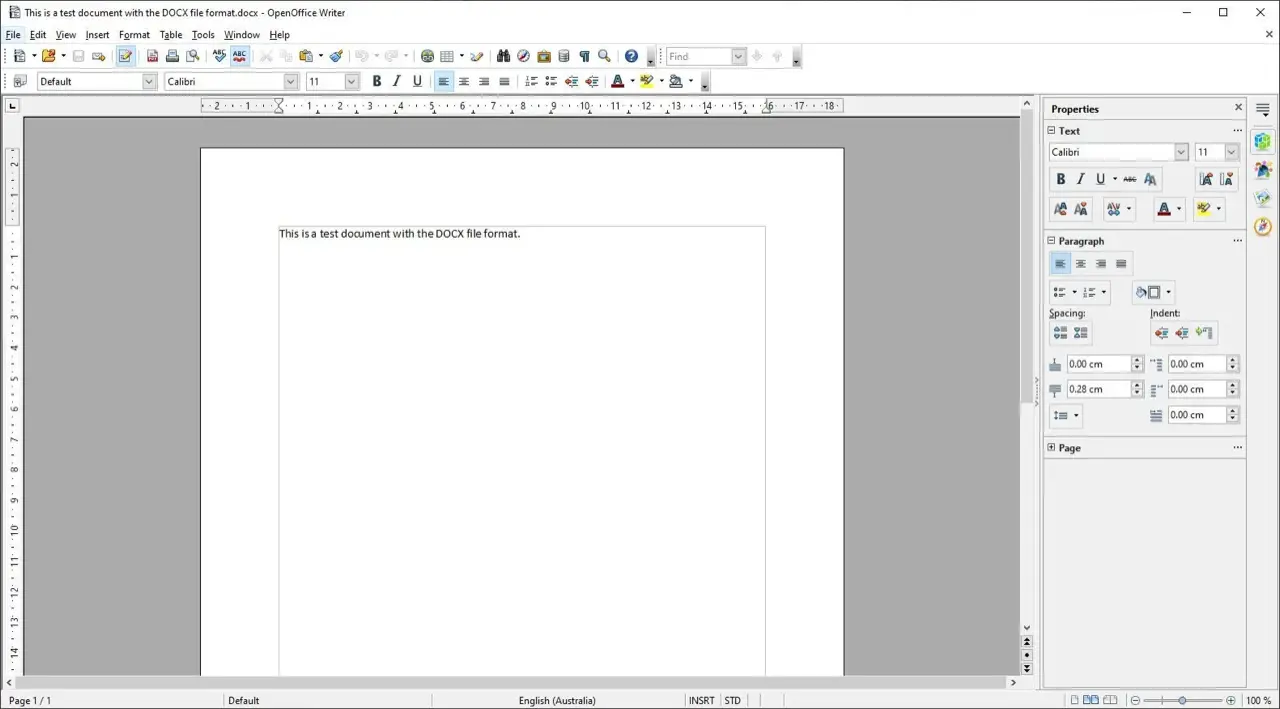
| LibreOffice | Apache OpenOffice | |
|---|---|---|
| Current version | 26.8 (26 August 2026) | 4.1.16 (10 November 2025) |
| Last feature release | 26.8, August 2026 | 4.1.0, April 2014 |
| Release cadence | Major release every February and August, bugfix releases roughly monthly | About one maintenance release a year; 4.2.0 listed as "2026, exact date TBD" |
| Commits in the past 12 months | 10,488 | 389 |
| Contributors | 206 people worked on 26.8, 155 of them volunteers | Under ten people committed in the past year |
| Save DOCX, XLSX, PPTX | Yes | No, open only |
| Default document format | ODF 1.4 Extended | ODF 1.2 Extended |
| Windows | 10 and 11, 64-bit only | XP through 11, 32-bit and 64-bit |
| macOS | 11 or newer, Intel and Apple silicon | 10.7 or newer, Intel builds (Rosetta on Apple silicon) |
| Licence | Mozilla Public License 2.0 | Apache License 2.0 |
| Price | Free | Free |
Commit counts are from the GitHub mirrors of LibreOffice core and Apache OpenOffice, measured over the 365 days to 14 September 2026. Version and platform facts were verified as of September 2026.
Release pace and who is doing the work
LibreOffice ships on a fixed schedule. A major version lands every February and August, with bugfix point releases in between. The 26.8 release announcement lists 206 contributors over the eight-month development cycle, 155 of them volunteers, and the suite is translated into 120 languages. The Document Foundation now employs 18 people, 11 of whom work on development or quality assurance, and hired three more developers in 2026, according to its August 2026 post on how LibreOffice is funded.
Apache OpenOffice has not shipped a feature release since 4.1.0 in April 2014. Everything since has been a 4.1.x maintenance build: 4.1.14 in February 2023, 4.1.15 in December 2023, 4.1.16 in November 2025. The project's release wiki lists 4.2.0 as due "2026, exact date TBD", and the quarterly board reports describe the remaining work as building a 64-bit Windows version and cleaning up the code.
To be fair to the OpenOffice volunteers, the repository is not dead. There were 389 commits in the past year, most of them from a small group working on macOS notarisation, FreeBSD builds and code hygiene. That is real work. It is also less than four percent of LibreOffice's output over the same period.
Downloads tell a similar story. LibreOffice was downloaded 44.8 million times from its own site in 2025, and 26.8 set a first-week record with 1,031,162 downloads. OpenOffice reports 396 million cumulative downloads since 2012, so plenty of people still install it.
Security: the same bugs, fixed years apart
Because the two suites share most of their code, they often share vulnerabilities. What differs is how fast each one closes them.
OpenOffice 4.1.16 fixed seven CVEs, listed on the project's security bulletin. Four of them are variants of the same problem: a document could make the suite load remote content without asking the user, through IFrames, OLE objects, Calc external data sources, or background images. LibreOffice fixed the IFrame version of that bug as CVE-2023-2255 in May 2023. OpenOffice users got their fix in November 2025, about two and a half years later.
LibreOffice's own advisory page shows the other side. It published eight advisories between May and June 2026, covering buffer overflows in PPT, DXF, EMF+ and OOXML import. Every one shipped in a point release (26.2.3 or 26.2.4) within the normal monthly cadence, with backports to the 25.8 branch.
If you open documents from people you do not know, this gap matters more than any feature.
Microsoft Office compatibility
This is the difference most people hit first. Apache OpenOffice can open DOCX, XLSX and PPTX files, but it cannot save them. The Save As dialog only offers the old binary formats (DOC, XLS, PPT) and ODF. The project's own forum has a long-running thread titled "Save as .docx in OpenOffice [you can't]", and the answer has not changed: nobody has written the export filters.
In practice that means every document you exchange with a Microsoft Office user goes out as a 2003-era DOC file, and every round trip strips anything the old format cannot hold.
LibreOffice treats Office formats as a core feature and revises the filters every release. Recent additions:
- 26.2 (February 2026) added Markdown import and export, Excel's BIFF12 clipboard format, and better rendering of tracked changes in DOCX.
- 26.8 (August 2026) preserves the newer Microsoft chart types (waterfall, treemap, sunburst, funnel, box-and-whisker, Pareto) when a file is opened and re-saved, and reads hidden and gallery style properties from DOCX so they survive a round trip.
Neither suite is a perfect Word clone. Complex layouts still shift. But LibreOffice fails less often, and when it does, the fix usually lands in a later release rather than never.
Open Document Format
Both suites use ODF as their native format, and both can read each other's files. The versions differ. LibreOffice has saved ODF 1.4 Extended by default since 25.2 (February 2025). OpenOffice still writes ODF 1.2 Extended and will open newer files, but features it does not understand are dropped silently.
If you must share ODF files with OpenOffice users, set LibreOffice to save ODF 1.2 under Tools, Options, Load/Save, General.
Features that differ in daily use
The core applications look alike, and for a plain letter or a small budget you will not notice much. The differences show up once you push past the basics.
| Area | LibreOffice 26.8 | Apache OpenOffice 4.1.16 |
|---|---|---|
| Writer typography | Paragraph Composer balances word spacing across lines, OpenType variable fonts, automatic paragraph direction | Line-by-line justification, no variable font support |
| Writer views | Draft view that hides headers, footers and margins; side-by-side document comparison groundwork | Web layout and print layout only |
| Grammar | Works with the LanguageTool extension and other checkers through a built-in API | Spellcheck only |
| Calc pivot tables | Calculated fields, data validity that silently rejects bad input | Basic DataPilot |
| Calc functions | Modern statistical, text and lookup functions kept in sync with Excel | Function set frozen in 2014 |
| Impress templates | 16:9 and 4:3 templates bundled; presentation sections to group slides | 4:3 templates only |
| Draw | Multiple page sizes in one document | Single page size per document |
| Base | Multi-user editing without file locking (26.2), date and time filters on embedded Firebird | HSQLDB only, needs a Java runtime |
| Interface | Tabbed Notebookbar with per-module colours, classic toolbars, sidebar | Classic toolbars and sidebar |
| Markdown | Import and export since 26.2 | n/a |
| Generative AI | None by policy, nothing leaves the machine | None |
One thing the two share is worth stating plainly. The 26.8 announcement says LibreOffice "contains no generative AI features" and that "no component of the suite requires network access to function". OpenOffice predates the trend entirely. If you want an office suite that never phones home, both qualify.
Where OpenOffice still wins: old computers
LibreOffice dropped Windows 7, 8 and 8.1 and all 32-bit Windows builds in version 25.8 (August 2025). Since 26.2 it needs macOS 11 or newer. The official system requirements now list Windows 10 or 11 on 64-bit hardware.
Apache OpenOffice's requirements still go back to Windows XP, 32-bit processors, macOS 10.7 and a 2003-era Linux kernel. If you are keeping a 2009 netbook alive, OpenOffice may be the only current office suite that installs on it.
Two caveats. The last 32-bit LibreOffice build, 25.2, still installs and opens files, so even that machine has a better option for a while. And running an unsupported operating system on the internet carries its own risk, which no office suite fixes.
Which one should you use?
- Students and home users: LibreOffice. Assignments and CVs go out as DOCX and come back readable.
- Anyone working with Microsoft Office users: LibreOffice. OpenOffice cannot save the files your colleagues send you.
- Small businesses: LibreOffice, and consider Collabora Online or ONLYOFFICE Docs if you also want browser-based editing on your own server.
- Public sector and large deployments: LibreOffice. It has an active security team, and partners such as Collabora sell long-term support builds.
- Privacy-focused teams: LibreOffice on the desktop, or CryptPad if you want end-to-end encrypted collaboration in the browser.
- A 32-bit PC, Windows 7, or a 2012 Mac: Apache OpenOffice, or a frozen LibreOffice 25.2 for as long as it keeps opening your files.
Frequently asked questions
Is Apache OpenOffice still maintained?
Yes, but slowly. The last feature release was 4.1.0 in April 2014. Since then the project has shipped roughly one maintenance build a year, most recently 4.1.16 in November 2025. Fewer than ten people committed code in the past year, and the planned 4.2.0 has no firm date.
Can OpenOffice save DOCX files?
No. Apache OpenOffice can open DOCX, XLSX and PPTX documents but only saves to the older DOC, XLS and PPT formats or to ODF. LibreOffice can open and save all of them, and its Office filters are updated in every release.
Is LibreOffice safer than OpenOffice?
Both get security fixes, but LibreOffice gets them faster. A class of "load remote content without asking" bugs was fixed in LibreOffice in May 2023 and in OpenOffice in November 2025. LibreOffice publishes advisories and ships fixes in its monthly point releases.
Are LibreOffice and OpenOffice free?
Yes. Both are free to download, use and redistribute for personal, business, school and government use. LibreOffice is licensed under the Mozilla Public License 2.0 and OpenOffice under the Apache License 2.0. Neither has a paid tier or subscription.
Can I open LibreOffice files in OpenOffice?
Usually. Both use the OpenDocument format, but LibreOffice saves ODF 1.4 and OpenOffice reads ODF 1.2. Newer features are dropped without warning when OpenOffice opens the file. To be safe, switch LibreOffice's default format to ODF 1.2 before sharing with OpenOffice users.
Which is better for old computers?
Apache OpenOffice supports Windows XP, 32-bit processors and macOS 10.7. LibreOffice 26.x requires 64-bit Windows 10 or 11 and macOS 11. On hardware that cannot run current LibreOffice, OpenOffice or an older LibreOffice 25.2 build are the remaining choices.
Final thoughts
The LibreOffice vs OpenOffice question was open in 2012. It is not open in 2026. One project has about 200 people shipping twice a year, and the other has a handful of volunteers keeping a 2014 release alive. Use LibreOffice unless your hardware forces your hand.
Browse more open-source office suites and alternatives to Microsoft Office on OpenAlternative. If you maintain an office tool that belongs on the list, submit it.

 InfluxDB – The purpose-built time series platform for high-velocity ingestion and real-time queries at scale.
 Sent
Sent