Open Source Nuclino Alternatives
A curated collection of the 11 best open source alternatives to Nuclino.
The best open source alternative to Nuclino is AppFlowy. If that doesn't suit you, we've compiled a ranked list of other open source Nuclino alternatives to help you find a suitable replacement. Other interesting open source alternatives to Nuclino are: Affine, SiYuan, Outline, and Docmost.
Nuclino alternatives are mainly Collaborative Notes & Wikis but may also be Personal Knowledge Management (PKM) Tools or Collaborative Workspaces. Browse these if you want a narrower list of alternatives or looking for a specific functionality of Nuclino.

Written by Piotr Kulpinski


Open source collaborative workspace combining notes, databases, and AI with full data ownership, offline support, and self-hosting options.
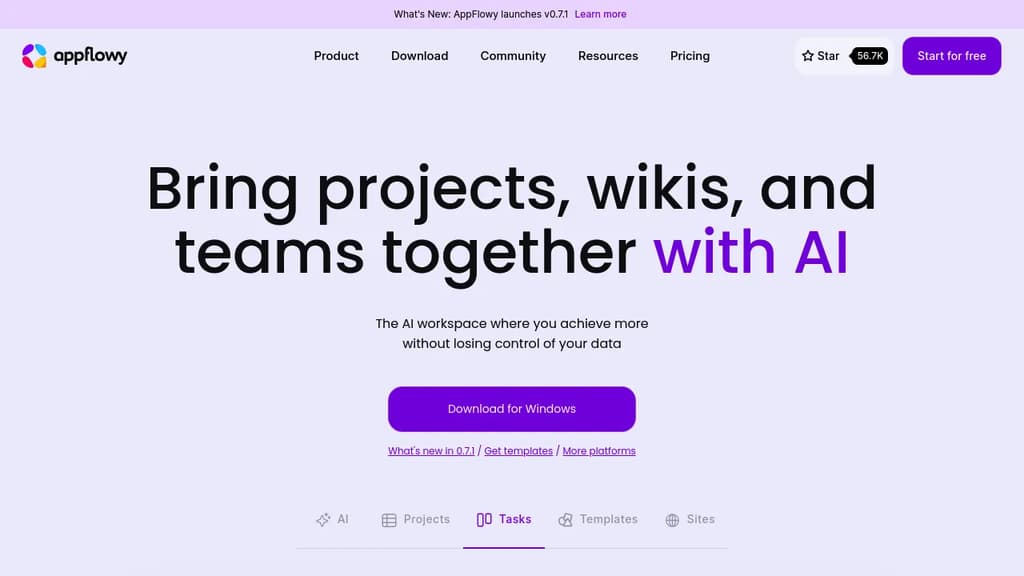
AppFlowy is an open source workspace that brings together documents, wikis, project tracking, and team collaboration in one place. It's built as a self-hostable alternative to tools like Notion, designed for people who want a modern workspace without handing their data to a third-party cloud.
The core of the product is a block-based editor paired with flexible databases. You can build pages with rich content types, attach properties and labels to records, and switch between different views of the same data. Grids, boards, and calendars are all available. Custom themes and fonts let you adjust the look to your preference.
AI is built directly into the workspace, not bolted on as a separate add-on. You can ask questions across your pages, generate and improve writing, and autofill database fields from existing content. AppFlowy supports multiple AI backends including GPT-5, Gemini 2.5, and Claude 3.7, and it also supports running local models like Mistral 7B and Llama 3 on your own machine. That local option matters for teams or individuals who need AI assistance without sending data to external servers — something tools like Flowise AI or Langflow approach from a different angle.
Offline mode is fully supported. The app works without an internet connection and syncs when connectivity returns, across desktop and mobile. iOS and Android apps are available alongside the desktop clients.
Self-hosting is a first-class option, not a workaround. You can run AppFlowy on your own infrastructure with no vendor lock-in. For teams that can't store sensitive information in someone else's cloud, this is a practical path. If you're also evaluating Baserow for database-heavy workflows or OpenWork for team collaboration, AppFlowy sits at the intersection of both.
The project has over 400 contributors and a community spanning more than 215 countries. A plugin and template ecosystem is actively growing, which extends the toolbox beyond what ships by default.

An open-source, local-first knowledge base that merges structured docs, infinite whiteboards, databases, and AI into a single workspace for teams and creators.
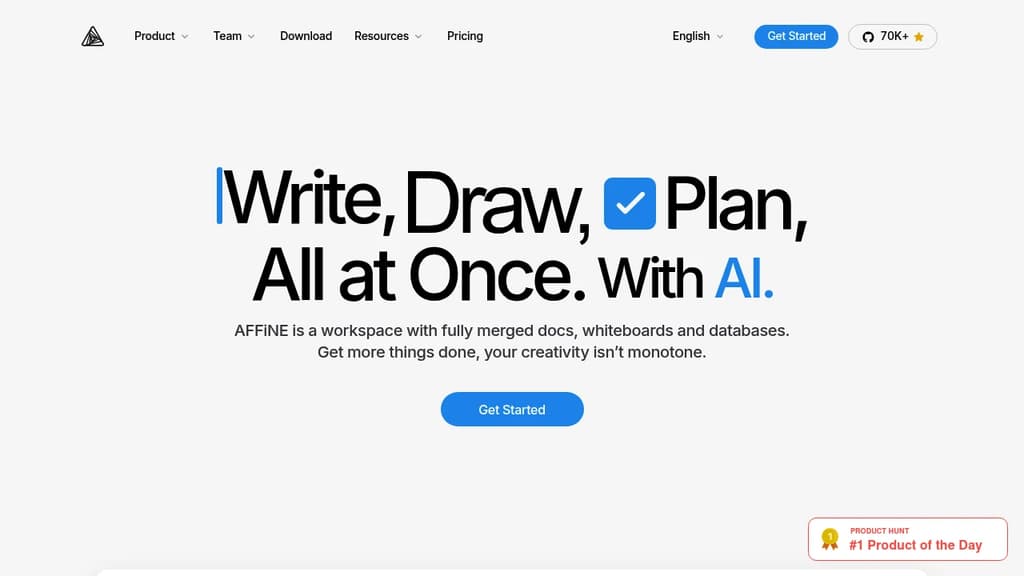
AFFiNE brings together the tools that most teams keep separate: a block-based document editor, an infinite whiteboard, Kanban boards, and a database layer, all inside one workspace. It's built for people who are tired of copying information between a wiki, a whiteboard app, and a project tracker. Everything lives in one place, and it's connected.
The local-first design is a genuine differentiator. Your data sits on your device by default, not on someone else's server. Sync is available, but you're not forced into a cloud subscription to use the core product. For teams with privacy requirements or individuals who want full ownership of their notes and plans, that matters.
Key capabilities:
- Edgeless mode turns any page into an infinite canvas where you can sketch, drag in documents, add sticky notes, and map out ideas spatially
- Block-based editing lets you build documents from reusable content blocks, mixing text, images, databases, and embeds freely
- Kanban boards sit alongside docs for project tracking without needing a separate tool like Trello or Jira
- AI integration assists with writing, summarizing, and planning directly inside the workspace
- Templates cover common use cases out of the box, from meeting notes to project plans
- Real-time collaboration lets teams work on the same page simultaneously
Compared to tools like AppFlowy or AnyType, AFFiNE leans harder into the visual side. The whiteboard isn't an afterthought; it's a first-class mode that can hold entire knowledge maps. Compared to Outline, it's less focused on structured wikis and more on freeform, mixed-media workspaces.
Free for individuals. Teams and commercial users pay for additional features. The source code is fully public, so self-hosting is an option for those who want it.

Personal knowledge management system with WYSIWYG block editing, bidirectional links, spaced repetition flashcards, a relational database, and end-to-end encrypted sync.
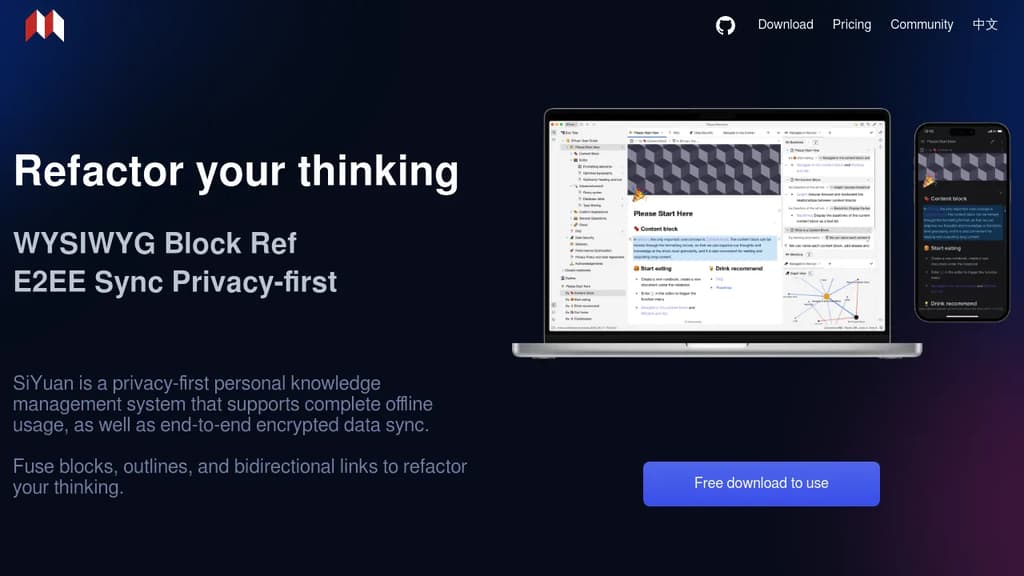
SiYuan is a personal knowledge management tool built around a single core idea: everything is a block. Documents, headings, paragraphs, lists, even pages themselves are all blocks you can reference, link, move, and reorganize without breaking existing connections. It's aimed at people who want a Logseq- or Obsidian-style networked knowledge system but with stronger privacy guarantees and a fully offline-capable architecture.
The editing experience is WYSIWYG with Markdown support. SiYuan ships with 20+ block-level element types and 10+ inline elements, covering most typesetting needs out of the box. Widget blocks handle more specialized cases. Large documents with millions of words load smoothly through dynamic rendering, so file size doesn't become a bottleneck.
Key capabilities:
- Bidirectional links at the block level, not just the page level. Backlinks show unlinked mentions, and a global relationship graph gives a visual map of how your knowledge connects.
- Database blocks with relation and rollup support, letting you link two databases and surface aggregated data across them.
- Spaced repetition flashcards built in, using an algorithm to schedule reviews based on memory decay.
- AI writing assistance for drafting, translation, summarization, grammar correction, and Q&A, accessed directly inside the editor.
- List outlines with folding, rich typography per item, and full integration with document structure.
- Zoom-in focus mode on any block, with breadcrumb navigation to keep context.
On the privacy side, all data lives on your device by default. Sync uses end-to-end encryption with incremental transfers to minimize bandwidth. No network connection is required to use it. SiYuan can also run as a local server accessible from a phone over a LAN, or be self-hosted via Docker for small-team collaboration with access controlled by an authorization code. For people comparing AppFlowy or AnyType, SiYuan's block-reference model and built-in spaced repetition are distinctive features that the others don't combine in one package.

Team knowledge base with real-time collaboration, AI-powered search, Slack integration, and self-hosting support for internal docs and wikis.
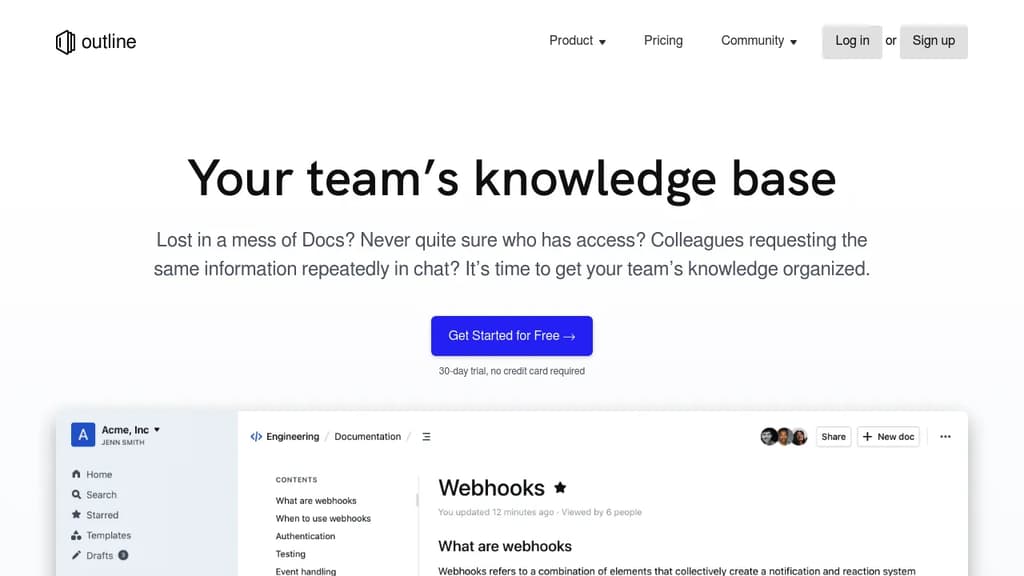
Outline is a team knowledge base built for companies that have outgrown scattered docs, messy shared drives, and repeated Slack questions. It gives teams a single place to write, organize, and find internal documentation, from product specs and onboarding guides to meeting notes and support answers. It's available as a cloud-hosted service or self-hosted on your own infrastructure.
The editor is fast. Documents load instantly, search returns results in milliseconds, and the UI stays snappy even in large workspaces. Writing feels close to plain text, with markdown support and slash commands, but you also get interactive embeds, real-time multiplayer editing, and threaded comments for keeping conversations tied to specific content.
Key capabilities include:
- AI-powered search that lets you ask questions about your documents and get direct answers, not just a list of links
- Slack integration for searching, sharing, and asking questions without leaving chat, plus channel notifications when docs change
- Granular permissions with read/write controls, user groups, guest access, and public sharing via link
- Custom branding with your own domain, colors, and logo
- 20+ integrations including Figma and Loom
- Localization with RTL support and translations in 20 languages
Outline sits in the same space as tools like Docmost or AppFlowy for collaborative wikis, but it's particularly focused on speed and team-wide usability rather than personal note-taking. Unlike personal tools such as Logseq, Outline is designed around shared workspaces with access controls from the start.
The codebase is open source, and self-hosting is a first-class option for teams that need to keep data on their own servers. A cloud-hosted plan with a 30-day free trial is also available for teams that want to get started without managing infrastructure.

Self-hosted wiki platform for enterprise teams with real-time collaboration, built-in AI, SSO, RBAC permissions, and compliance support for ITAR, FedRAMP, and GDPR.
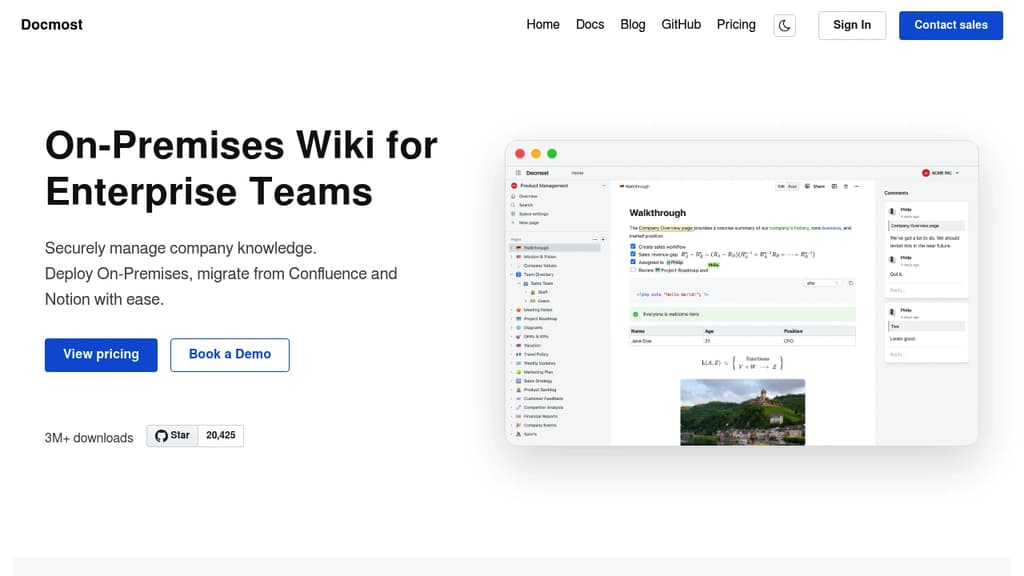
Docmost is a self-hosted wiki platform built for teams that need full control over their data. It's aimed at organizations where compliance isn't optional: defense contractors, regulated industries, and companies subject to GDPR or FedRAMP requirements. You deploy it on your own servers, including air-gapped or isolated environments, and your data never leaves your infrastructure.
The editor supports rich text, tables, code blocks, and real-time collaboration with live cursors. Multiple people can edit the same page simultaneously, with changes syncing instantly across devices. Pages are organized into team spaces, so departments or projects can maintain their own areas without everything bleeding together.
Key capabilities:
- AI assistant that works with self-hosted models (Ollama, vLLM) or cloud providers (OpenAI, Gemini, Azure OpenAI). Chat with your knowledge base, get answers with source citations, and search semantically across all spaces.
- MCP server support exposes your wiki to AI tools like Claude or Cursor via the Model Context Protocol, with no vendor lock-in.
- Built-in diagramming via Draw.io, Excalidraw, and Mermaid, covering everything from UML to quick whiteboard sketches.
- Page verification workflows for tracking reviews and approvals, supporting ISO 9001, ISO 27001, and SOC 2 compliance.
- Enterprise authentication with SAML 2.0, OpenID Connect, LDAP, and MFA.
- RBAC permissions with granular control over who can view, edit, or administer content.
Teams migrating from Confluence or Notion can import existing content directly, including HTML and Markdown files. Integrations cover Figma, Airtable, Google Drive, Miro, Loom, and others, so pages can embed content from tools teams already use.
Docmost sits in the same space as Outline and XWiki, but its combination of self-hosted AI, MCP support, and compliance-focused deployment options makes it a strong fit for organizations that need a collaborative knowledge base without relying on third-party cloud infrastructure.

Transform document collaboration with real-time editing, version control, and secure sharing features that enhance team productivity and communication.
A powerful document collaboration platform that brings teams together for seamless content creation and editing. Real-time collaboration allows multiple users to work simultaneously on documents, with changes reflected instantly across all users.
The platform offers robust version control to track changes and maintain document history, making it easy to review edits and revert to previous versions when needed. Smart commenting and annotation features enable contextual discussions right within documents.
Key features include:
- Intuitive rich text editing with formatting tools
- Secure document sharing with customizable permissions
- Automatic saving and backup
- Cross-platform compatibility for access anywhere
- Integration with popular productivity tools
- Offline mode for uninterrupted work
Whether you're writing business proposals, technical documentation, or creative content, Docs provides the tools needed for efficient document management and team collaboration.

A local-first, encrypted workspace for notes, tasks, databases, and chats. Your data stays on your device, syncs peer-to-peer, and never passes through a central server.
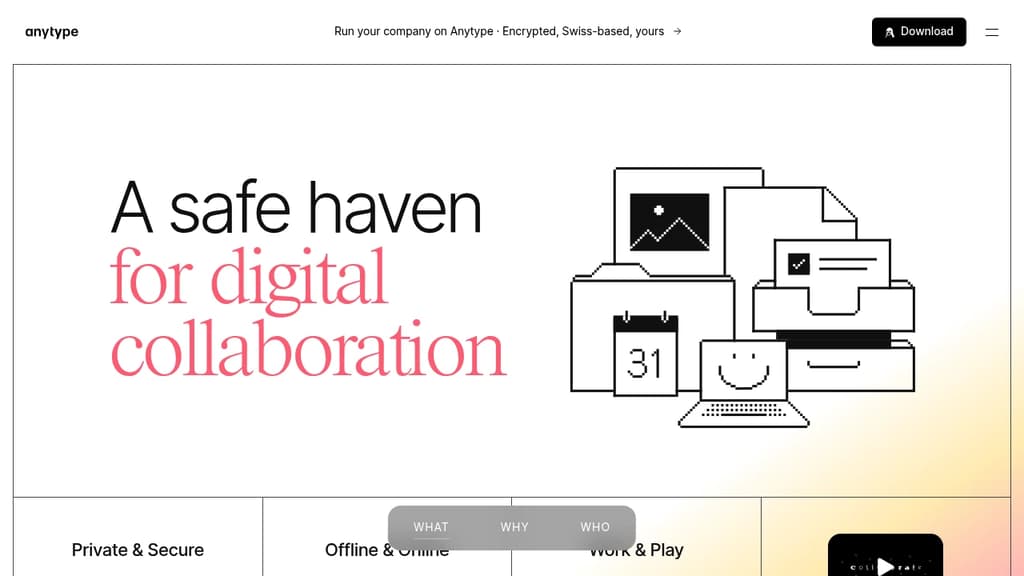
Anytype is a local-first workspace where your data lives on your device, encrypted with keys only you hold. It's built for people who want the flexibility of a tool like Notion or Nuclino without handing their data to a company's servers. Notes, tasks, databases, wikis, and chats all live in one place, and none of it is readable by anyone but you.
The privacy model is the core differentiator. Anytype uses on-device encryption by default. No server sits between your devices; sync happens peer-to-peer over local networks. You can also self-host your own backup node. There's no account recovery through a third party because no third party ever has your keys.
Beyond privacy, it's a capable creation tool:
- Block-based editor for composing pages, notes, and documents with rich formatting
- Databases with multiple views including table, kanban, and gallery layouts
- Templates to standardize recurring structures across your workspace
- Graph view to visualize relationships between objects
- Widgets for surfacing frequently used content on your home screen
- Offline-first operation, so the app works fully without an internet connection
- Native mobile apps for iOS and Android with touch-optimized navigation
The object model is flexible. Everything in Anytype is an "object" with its own type and relations, which means a task, a contact, a note, and a project can all link to each other in structured ways. It's closer to a personal knowledge graph than a simple note-taking app.
For teams, Anytype supports shared spaces with collaborative editing, making it a self-sovereign alternative to tools like Affine for groups that need both privacy and real-time collaboration. A business tier adds features for larger organizations.
The underlying protocols are open, built by Any, a Swiss non-profit association, so third-party developers can build on top of them without permission.

A self-hosted, browser-based note-taking system that turns plain Markdown pages into a queryable, scriptable knowledge base you control.
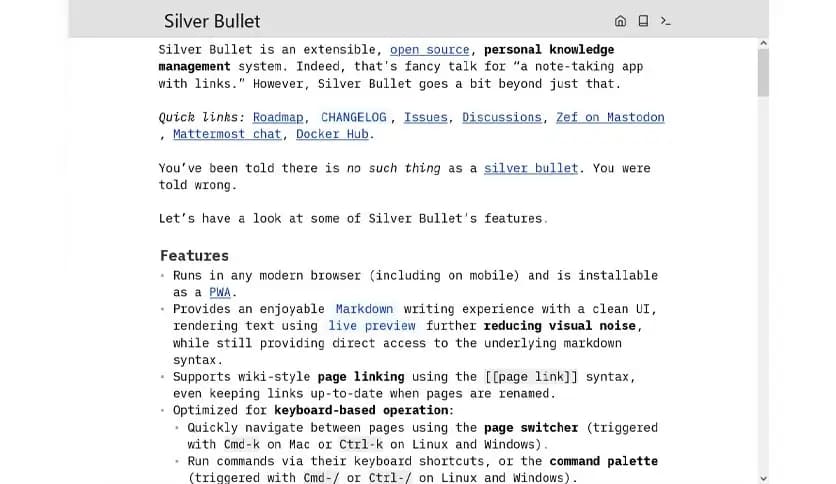
SilverBullet is a self-hosted web app that blends a clean Markdown editor with wiki-style linking, a built-in query language, and a Lua scripting environment. It's aimed at people who want more than a static notes app but don't want to stitch together separate tools to get there.
Your notes live as Markdown files in what SilverBullet calls a "space." You can browse them like a traditional app or follow bi-directional links like a wiki. The live-preview editor keeps things readable while you write, and a page picker lets you jump around quickly.
What sets it apart from tools like Logseq or SiYuan is the depth of its programmability:
- Space Lua scripting lets you write custom logic directly inside your notes, generating content dynamically at render time.
- SLIQ (Space Lua Integrated Query) lets you query your own notes like a database, pulling in tasks, tags, or page metadata on the fly.
- Templates can be driven by queries, so a "product features" page or a "recent pages" list stays current without manual updates.
- Bi-directional links connect pages automatically, and linked mentions surface everywhere a page is referenced.
- Tagging and custom attributes let you annotate pages with structured data that queries can sort, filter, and display.
- Task tracking works across your entire space, so you can collect incomplete tasks from all your pages in one view.
SilverBullet runs as a single self-contained server or container, which means you deploy it on a VPS, a Raspberry Pi, or anywhere you control. Your data stays yours. There's no account to create, no sync service to trust.
It's a good fit for writers who want structure without friction, for outliners who need hierarchy, and especially for people comfortable writing a little Lua who want their notes to do real work.

Local-first collaboration platform combining real-time chat, rich text pages, databases, and file management in a single self-hostable workspace.
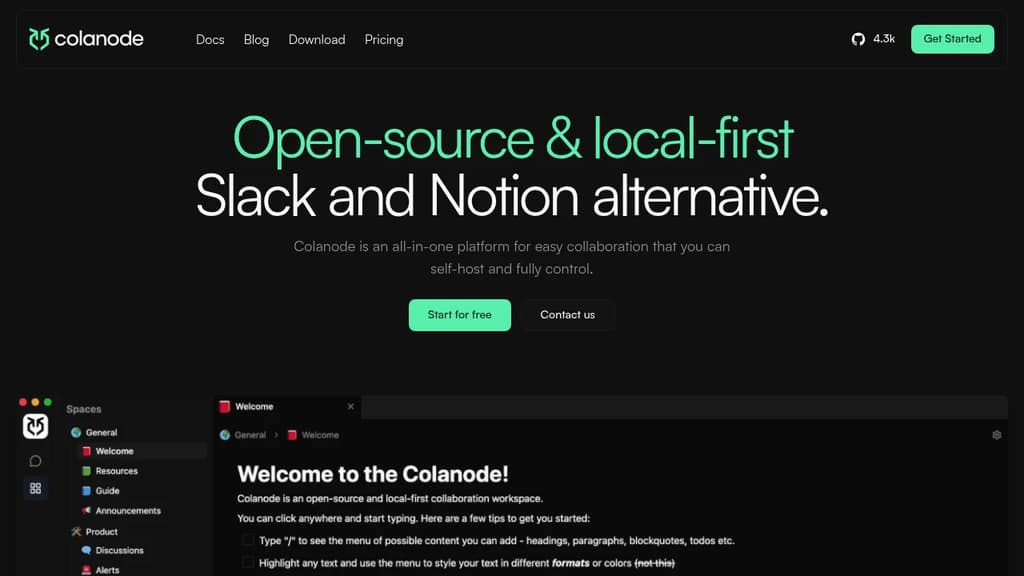
Colanode brings together the tools teams usually juggle across multiple apps: messaging, documents, wikis, databases, and file storage. It's a single workspace you can self-host and fully control, making it a practical Notion alternative and Slack alternative for teams that don't want their data living on someone else's servers.
The local-first architecture is what sets it apart. Changes save to your device first and sync in the background, so the app stays fast and responsive even on a spotty connection. Conflict-free collaboration is handled through CRDTs (Conflict-free Replicated Data Types), the same technology that powers tools like AnyType and AppFlowy, meaning multiple people can edit simultaneously without stepping on each other's work.
Key capabilities include:
- Real-time chat with direct messages and channels, covering the ground that tools like Rocket.Chat specialize in
- Rich text pages with an intuitive block-based editor for documents, wikis, and notes
- Databases with custom fields and multiple views including table, kanban, and calendar
- File management for storing and sharing files within workspaces
You can self-host the whole thing or use a cloud option. The workspace model means you only enable the features your team actually needs, rather than paying for a bundle of tools you'll ignore. Teams that want data sovereignty without stitching together separate tools for chat, docs, and project tracking will find it covers most of that ground in one place.

XWiki is a flexible, feature-rich wiki software that helps organizations structure and share knowledge efficiently.
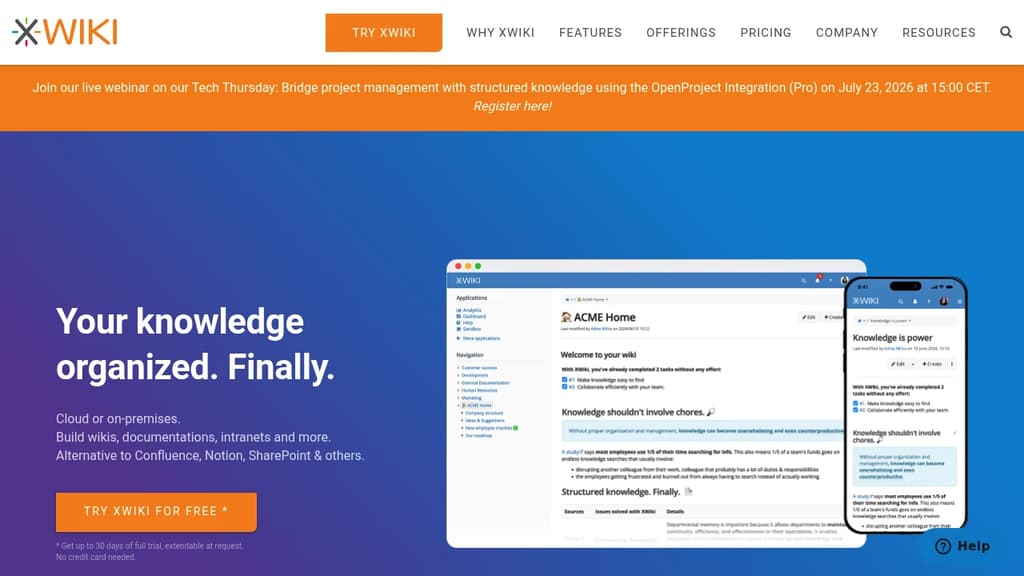
XWiki is an enterprise-grade, open-source platform for knowledge management and collaboration. It offers a unique "Structured Wiki" concept, combining the flexibility of wikis with powerful organization features.
Key benefits include:
-
Structured Knowledge: XWiki goes beyond traditional wikis by allowing users to create structured content, making information easier to organize and find.
-
Customization: The platform is highly adaptable, supporting custom applications and workflows to meet specific organizational needs.
-
Collaboration Tools: XWiki provides robust features for team collaboration, including real-time editing, comments, and version control.
-
Security and Access Control: Granular permissions and access controls ensure that sensitive information remains protected.
-
Integration: XWiki can integrate with various third-party tools and systems, enhancing its functionality and fitting into existing workflows.
-
Open Source: As an open-source solution, XWiki offers transparency, community support, and freedom from vendor lock-in.
-
Scalability: XWiki is designed to handle large amounts of data and users, making it suitable for organizations of all sizes.
-
Multiple Deployment Options: Available as a cloud service or for on-premises installation, providing flexibility in deployment.
XWiki is trusted by over 800 teams worldwide, including major organizations like Amazon, SNCF, and CNFPT. It's particularly well-suited for creating knowledge bases, managing procedures, building intranets, and developing custom collaborative applications.
Whether you're looking for a standard solution or a custom-tailored platform, XWiki offers the tools and services to streamline your organization's knowledge sharing and collaboration processes.

A versatile project management platform that combines task organization, team collaboration, and workflow automation in one intuitive interface.
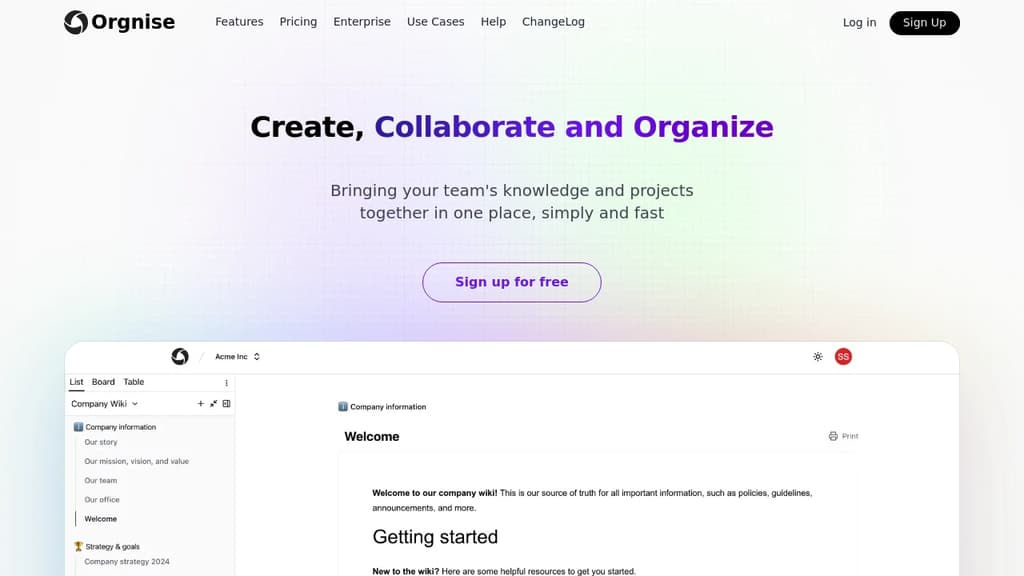
Orgnise is a powerful project management solution designed to help teams of all sizes streamline their workflows and boost productivity. With its user-friendly interface and comprehensive feature set, Orgnise makes it easy to plan, track, and execute projects from start to finish.
Key benefits of Orgnise include:
-
Intuitive Task Management: Create, assign, and prioritize tasks with ease. Use drag-and-drop functionality to organize tasks into customizable lists, boards, or timelines.
-
Team Collaboration: Foster seamless communication with built-in chat, file sharing, and commenting features. Keep everyone on the same page and reduce email clutter.
-
Workflow Automation: Set up automated workflows to handle repetitive tasks, notifications, and status updates, saving time and reducing human error.
-
Customizable Dashboards: Get a bird's-eye view of your projects with personalized dashboards. Monitor progress, track deadlines, and identify bottlenecks at a glance.
-
Time Tracking and Reporting: Log time spent on tasks and generate detailed reports to analyze team performance and project profitability.
-
Integration Ecosystem: Connect Orgnise with your favorite tools through a wide range of integrations, including calendar apps, file storage services, and communication platforms.
Whether you're managing complex projects or simply organizing your daily tasks, Orgnise adapts to your needs, helping you stay focused and productive. Experience the power of efficient project management with Orgnise today.

People are looking for alternatives to...
View all alternatives
Claude Code

Spotify

CapCut

Claude

Notion

Lovable
 CodeRabbit – The leading AI Code Review platform. Ship better quality code in 50% less time, with 90% fewer bugs.

 CodeRabbit