Top 12 Alternatives to GitHub for 2026: Hosted & Self-Hosted
Explore the 12 best alternatives of GitHub for 2026. This guide covers hosted and self-hosted options like GitLab, Gitea, and more for modern DevSecOps.

Written by Piotr Kulpinski

GitHub has become the de facto standard for version control, but its one-size-fits-all approach isn't always the best fit. Whether you are a startup founder aiming to optimize costs, a DevOps team requiring the granular control of a self-hosted solution, or a developer who prefers truly open-source platforms, exploring alternatives of GitHub is a strategic move. The reasons to look elsewhere are compelling: avoiding vendor lock-in, addressing specific data privacy and compliance requirements, or simply seeking a more streamlined, minimalist workflow without the extra noise.
This comprehensive guide is designed to help you navigate this diverse ecosystem. We will explore 12 powerful code hosting platforms, each with its unique strengths and ideal applications. For every option, you'll find a detailed analysis covering key features, practical pros and cons, and notes on how each project is governed and maintained, along with direct links to each project's page, saving you valuable research time.
This resource is structured to deliver clear, actionable insights, not just a surface-level list. We'll categorize the tools into two main groups:
- Fully Managed Platforms: For teams prioritizing convenience and rapid setup.
- Self-Hosted Forges: For organizations that demand ultimate control, security, and customization.
By the end of this article, you'll have a clear understanding of the leading alternatives of GitHub, enabling you to select the perfect code hub that aligns precisely with your project's technical, financial, and philosophical goals. All pricing and project details in this guide were verified as of August 2026.
TL;DR: For most teams, GitLab is the closest full replacement for GitHub, covering everything from planning to CI/CD in one application. If you want a lightweight self-hosted forge, Gitea, Forgejo, or Gogs will run happily on minimal hardware. For a free, community-governed home for open-source work, Codeberg is the standout.
1. GitLab
GitLab is arguably the most comprehensive, all-in-one DevSecOps platform and a leading contender among the alternatives of GitHub. It extends beyond mere source code management to offer a single application for the entire software development lifecycle, from project planning and CI/CD to monitoring and security. This integrated approach is its key differentiator, eliminating the "toolchain tax" of managing multiple disparate applications.
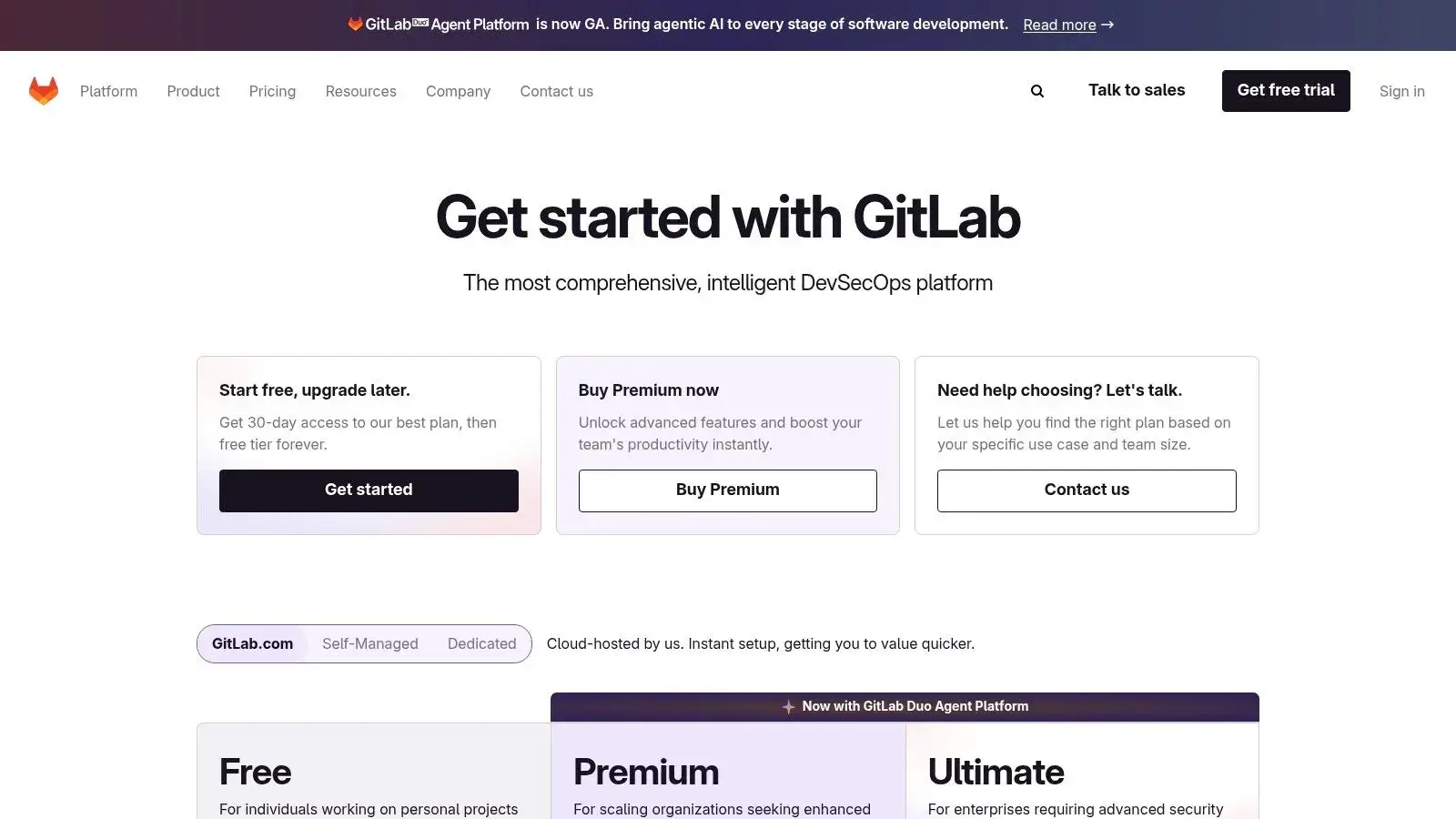
Its strength lies in providing a unified user experience where issue tracking, merge requests, and deployment pipelines are tightly interwoven. This makes it a popular choice for enterprises that need robust governance, compliance, and security features built-in. GitLab is available both as a SaaS (cloud) offering and a self-managed solution, giving teams complete control over their infrastructure and data. The user interface is clean and functional, though it can feel complex due to the sheer number of features available.
Key Details & Use Cases
- Best For: Enterprise teams, organizations requiring self-hosting for compliance (e.g., finance, healthcare), and developers seeking a single, unified DevOps platform.
- Deployment: SaaS, self-managed (on-prem or private cloud), or dedicated single-tenant instances.
- Pricing: Offers a generous free tier with core features. Paid tiers (Premium and Ultimate) add advanced security, compliance, and enterprise planning capabilities. The business model is a classic example of open-core; learn how GitLab and other open-source companies monetize their platforms.
- Unique Offering: The single-application model for the entire lifecycle is its core value proposition. Features like Auto DevOps aim to automate the full workflow from code to production with minimal configuration.
2. Atlassian Bitbucket
Atlassian Bitbucket is a strong contender in the list of alternatives of GitHub, especially for teams already embedded within the Atlassian ecosystem. Its primary strength is the seamless, native integration with other Atlassian products like Jira and Confluence. This creates a cohesive workflow where developers can create branches directly from Jira issues and project managers can track code progress without leaving their planning tools, making it an excellent choice for businesses prioritizing project management visibility alongside code hosting.
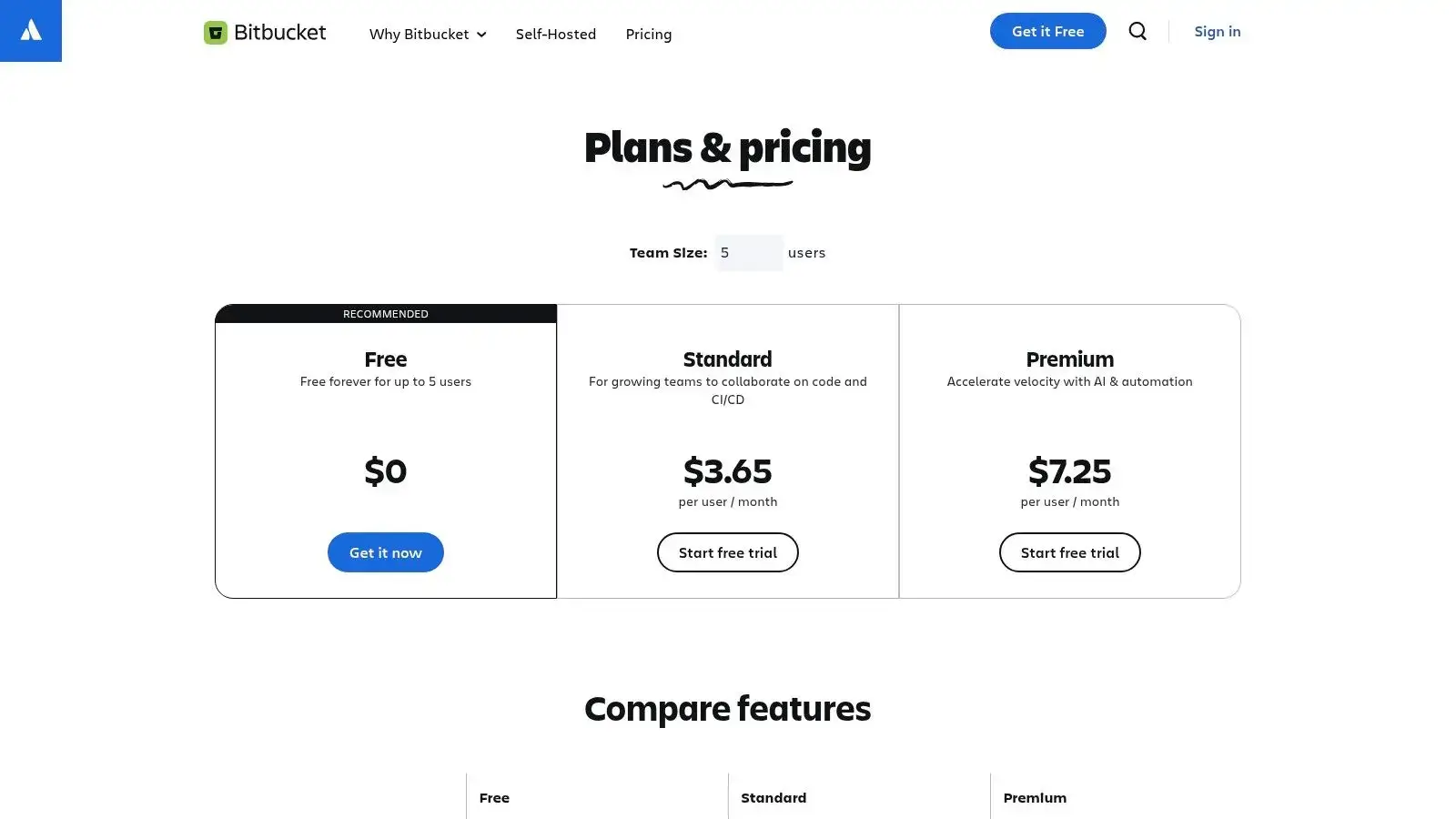
The platform goes beyond simple Git repository hosting by offering built-in CI/CD through Bitbucket Pipelines, allowing teams to build, test, and deploy directly from their repositories. The user interface is straightforward and aligns with the look and feel of other Atlassian products, providing a familiar experience for existing users. While its free tier is more restrictive than some competitors, its per-user pricing model for paid plans is highly competitive, particularly for small to medium-sized businesses looking for powerful integrations without enterprise-level complexity.
Key Details & Use Cases
- Best For: Small to medium-sized businesses, development teams heavily invested in the Atlassian suite (Jira, Confluence), and those who value tight integration between issue tracking and source code.
- Deployment: Cloud (SaaS) only going forward. The self-managed Bitbucket Data Center edition is being phased out: Atlassian ended new license sales in March 2026, full end of life arrives in 2029, and existing customers are offered dual Data Center + Cloud transition licenses in the meantime. Teams that need long-term self-hosting should look at the self-hosted forges later in this list.
- Pricing: Offers a free tier for up to 5 users with limits on storage and build minutes. Paid tiers (Standard and Premium) unlock advanced features like merge checks, IP allowlisting, and increased storage quotas. Additional build minutes can be purchased as needed.
- Unique Offering: The native, deep integration with Jira is its standout feature. This connection provides unparalleled traceability from issue creation to code deployment, which is a major advantage for teams focused on agile development and comprehensive project tracking. If you're looking for open-source project management tools, you might consider alternatives like:
- Leantime: An all-in-one project management system.
- OpenProject: A powerful tool for classic and agile project management.
- Taiga: An intuitive platform for agile teams.
3. Azure DevOps Repos (Microsoft)
For organizations deeply integrated into the Microsoft ecosystem, Azure DevOps Repos emerges as a natural and powerful alternative of GitHub. It is a suite of services that goes beyond just Git hosting, encompassing the entire development lifecycle with tools like Azure Boards for agile planning, Azure Pipelines for CI/CD, and Azure Artifacts for package management. Its primary differentiator is the seamless, native integration with Azure Active Directory (now Microsoft Entra ID), providing unparalleled enterprise-grade identity management, governance, and compliance controls.
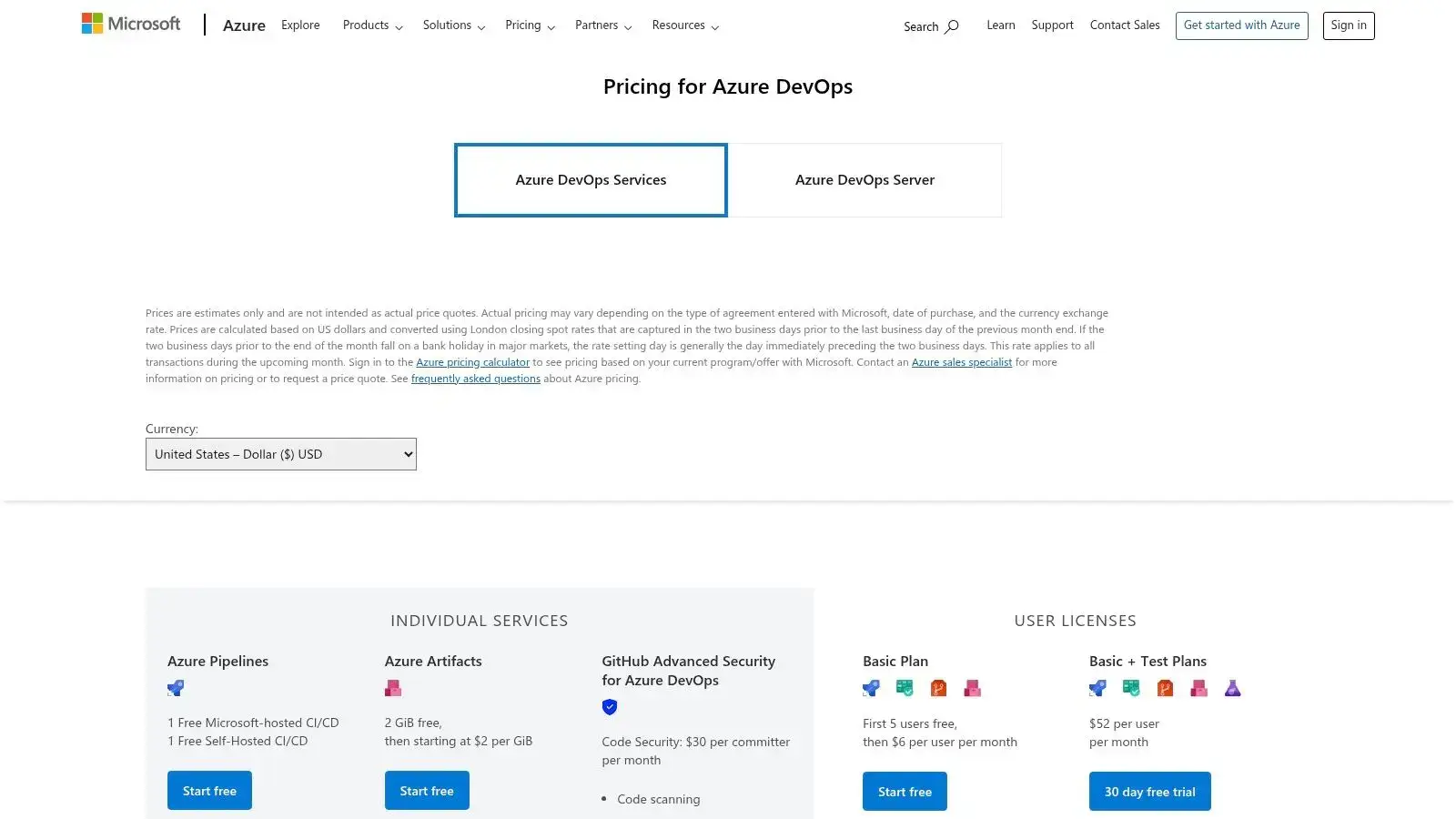
The platform is designed to offer a cohesive experience where code, work items, and build pipelines are intrinsically linked. This makes it a compelling choice for teams that require robust traceability from requirement to deployment, a common need in regulated industries. While the user interface is functional and aligns with other Microsoft cloud services, the true strength of Azure DevOps lies in its powerful permissions model and integration capabilities, which are tailored for corporate environments. Keep in mind that Microsoft's newest investment flows to GitHub, so Azure DevOps is best understood as a mature, well-maintained platform rather than a fast-evolving one.
Key Details & Use Cases
- Best For: Enterprises using the Microsoft stack (Azure, Microsoft 365), teams needing strong Active Directory/Entra ID integration, and organizations requiring strict compliance and audit trails.
- Deployment: Fully managed SaaS offering (Azure DevOps Services).
- Pricing: Features a generous free tier for small teams (first 5 users free) with unlimited private Git repos. Paid tiers are on a per-user basis, with optional add-ons like Azure Pipelines agents and Advanced Security scanning available. For more CI/CD options, you can explore alternatives to CI/CD tools like Jenkins.
- Unique Offering: The native, deep integration with Azure AD/Entra for granular access control and security policies is a key advantage. The all-in-one platform approach provides a unified solution for teams that want to manage their entire DevOps workflow within a single, Microsoft-managed environment.
4. SourceHut (sr.ht)
SourceHut represents a radically different philosophy among the alternatives of GitHub, embracing a minimalist, Unix-style, and text-first approach. It is not an all-in-one platform but a suite of distinct, composable tools including Git/Mercurial hosting, continuous integration, issue tracking, and mailing lists. This design choice appeals directly to developers who prefer simplicity, performance, and transparency over a feature-heavy graphical interface.

Its strength lies in its email-driven workflow, mirroring the traditional open-source development process used by projects like the Linux kernel. This can present a learning curve for those accustomed to pull requests but is highly efficient for others. SourceHut is fiercely independent, 100% open-source, and has no tracking or advertising, positioning itself as an ethical and sustainable forge. While its minimalist web UI is fast and functional, it lacks the visual polish of mainstream competitors.
Key Details & Use Cases
- Best For: Developers who value the Unix philosophy, prefer email-centric workflows, require Mercurial support, or prioritize ethical, minimalist, and high-performance tooling.
- Deployment: SaaS offering with a unique business model and fully self-hostable components.
- Pricing: SourceHut uses a choose-your-tier subscription: $4, $8, or $12 per month, with identical service at every tier. Payment is only required to host your own projects; contributing to projects owned by others is free, and financial aid is available. Its pages service is a simple static site host, perfect for project documentation; for more robust needs, you can explore other open-source tools for website analytics.
- Unique Offering: The suite of discrete, interoperable tools and the mailing-list-centric workflow are its core differentiators. This hacker-friendly ethos provides a powerful, scriptable, and no-nonsense environment for software development.
5. Codeberg
Codeberg is a unique, community-driven platform that stands out among the alternatives of GitHub by operating as a non-profit, donation-funded organization. Hosted in the European Union and running on the Forgejo software fork, it provides a powerful, privacy-focused space for free and open-source software (FOSS) projects. Its core mission is to offer a stable, independent home for collaborative development, free from the influence of corporate interests. This commitment to user freedom and data privacy makes it an attractive choice for developers seeking an ethical, community-governed alternative.
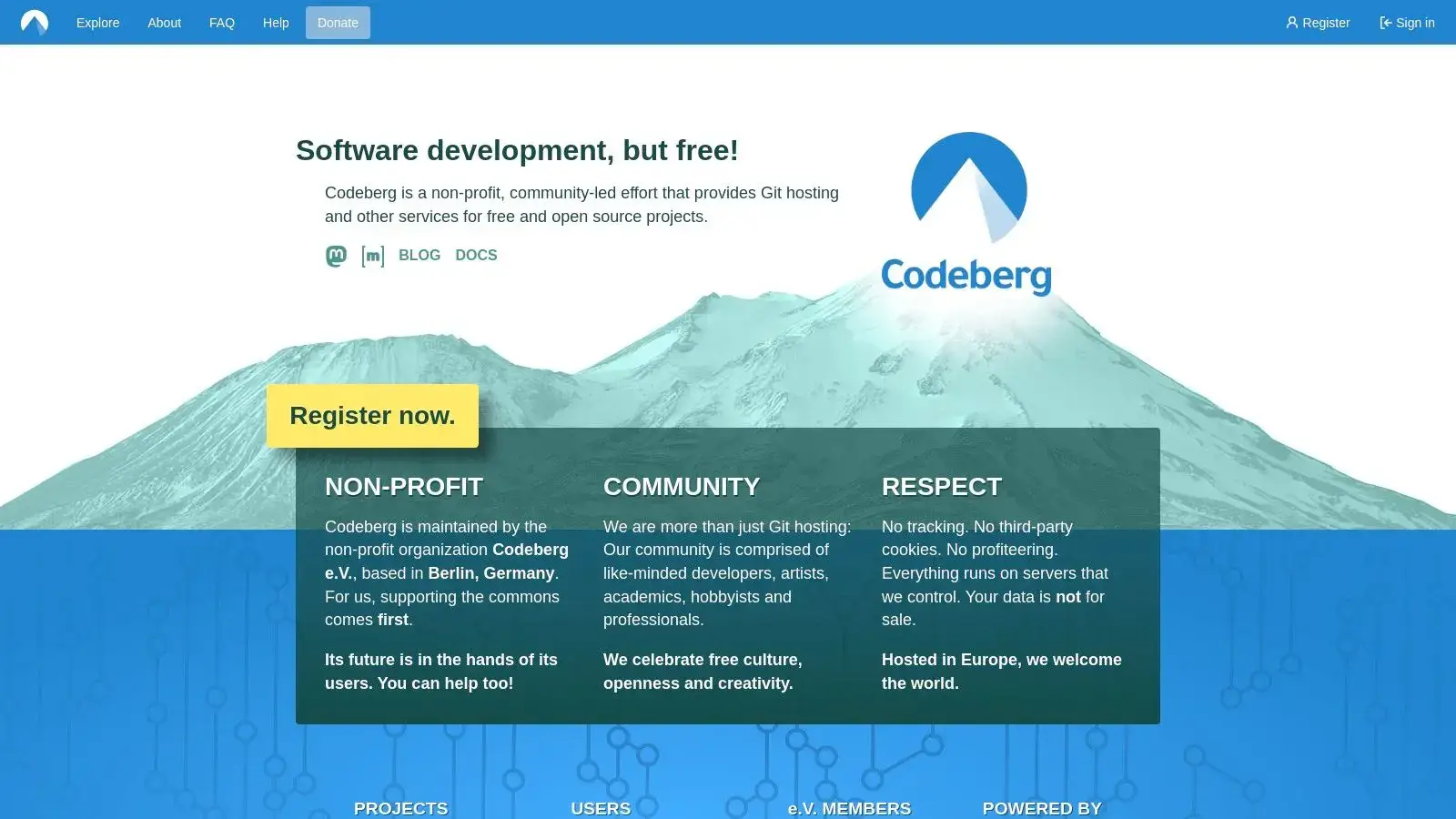
The platform is managed by the Codeberg e.V. non-profit association, ensuring that decisions are made transparently and in the best interest of its user community. Its reliance on donations and memberships for sustainability reinforces its independent nature. The user interface, powered by Forgejo, is clean, lightweight, and familiar to anyone who has used Gitea, offering core features like Git hosting, issue tracking, and pull requests without unnecessary bloat. While it has faced occasional spam incidents due to its open nature, the community and moderators are typically responsive.
Key Details & Use Cases
- Best For: FOSS projects, privacy advocates, developers seeking a community-run platform, and anyone wanting to host their code outside of Big Tech infrastructure.
- Deployment: Fully hosted SaaS platform.
- Pricing: Completely free for open-source projects. The platform is sustained through voluntary donations and memberships, not by selling user data or enterprise-level features.
- Unique Offering: Its non-profit, democratically-governed structure is its key differentiator. It provides a stable and ethical forge with features like CI/CD via Woodpecker and Forgejo Actions, Weblate integration for translations, and static site hosting with Codeberg Pages. Codeberg is just one of many essential open-source projects for developers building a more independent software ecosystem.
6. Gitea
Gitea is a lightweight, open-source code hosting solution that stands out as one of the most resource-efficient alternatives of GitHub. The project has been stewarded by the for-profit company Gitea Ltd since 2022, a governance change that prompted the community-run Forgejo fork covered later in this list. Written in Go, it can be deployed on almost any platform, including low-power devices like a Raspberry Pi. Its primary appeal is its simplicity and speed, offering core Git functionalities like pull requests, issue tracking, and a built-in package registry without the high overhead of larger platforms.
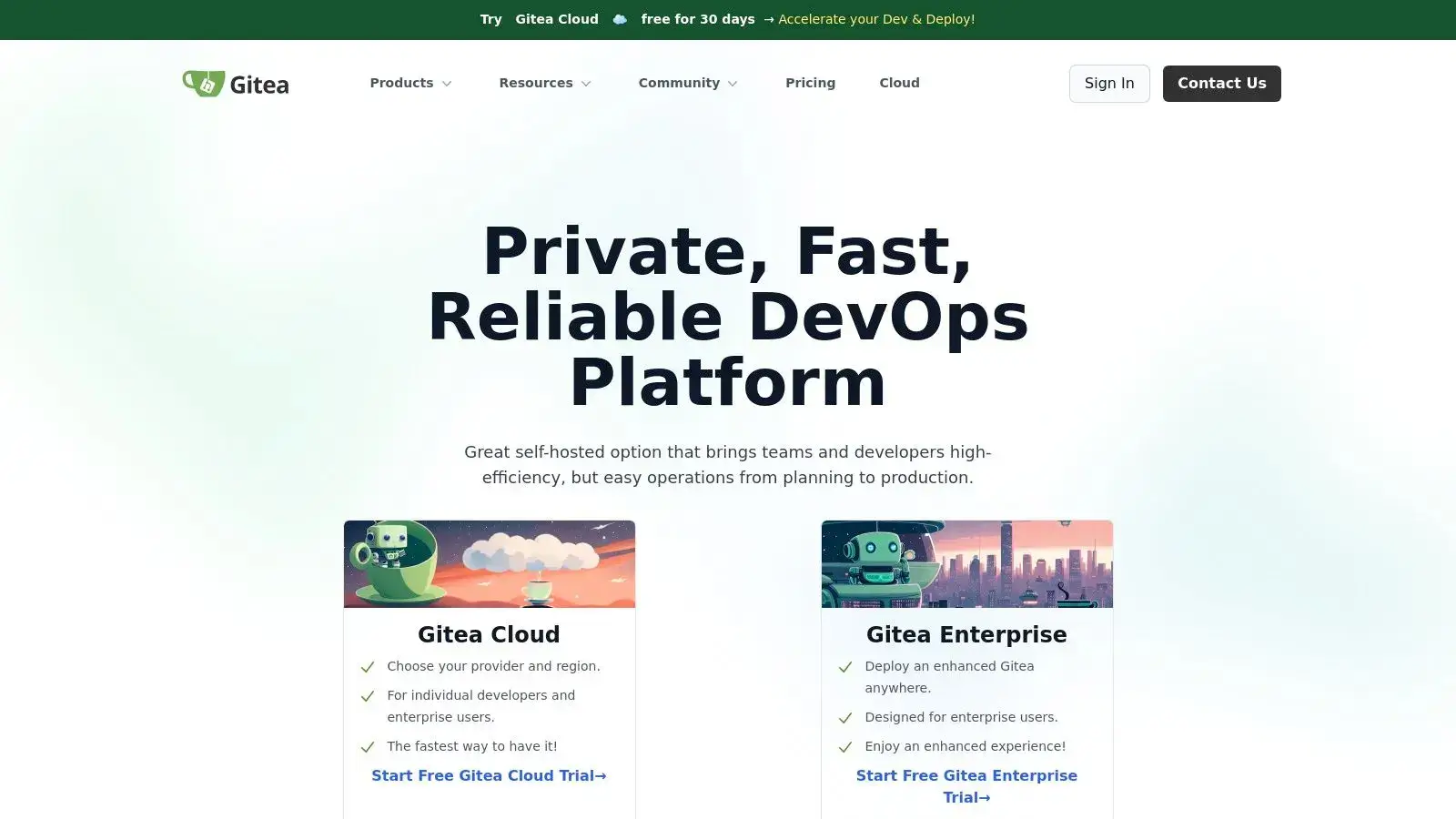
This makes Gitea an excellent choice for individuals, small teams, or organizations that need a private, self-hosted Git service but want to avoid complex installations and high server costs. The interface is clean, intuitive, and strikingly similar to GitHub, which lowers the learning curve for new users. Gitea also includes Gitea Actions, a CI/CD system compatible with GitHub Actions syntax.
Key Details & Use Cases
- Best For: Small to medium-sized teams, individual developers, and organizations looking for a fast, low-maintenance, and easy-to-deploy self-hosted Git service.
- Deployment: Primarily self-managed on-premise or any cloud provider. Gitea Cloud also offers managed, private instances for those who want to avoid maintenance.
- Pricing: The self-hosted version is completely free and open-source. Gitea Cloud offers tiered pricing based on resource needs, providing a commercial option for managed hosting.
- Unique Offering: Its incredibly low resource consumption is its main differentiator. Being able to run a full-featured Git forge on minimal hardware makes it uniquely accessible and cost-effective.
7. Forgejo
Forgejo is a community-governed software forge that forked from Gitea, positioning itself as a lightweight yet powerful alternative of GitHub. It champions a fully Free/Libre and Open Source Software (FLOSS) philosophy, emphasizing user freedom, privacy, and federation. Its core appeal lies in its efficiency and ease of installation, making it an excellent choice for self-hosting on modest hardware without sacrificing essential features like issue tracking, pull requests, and code management.
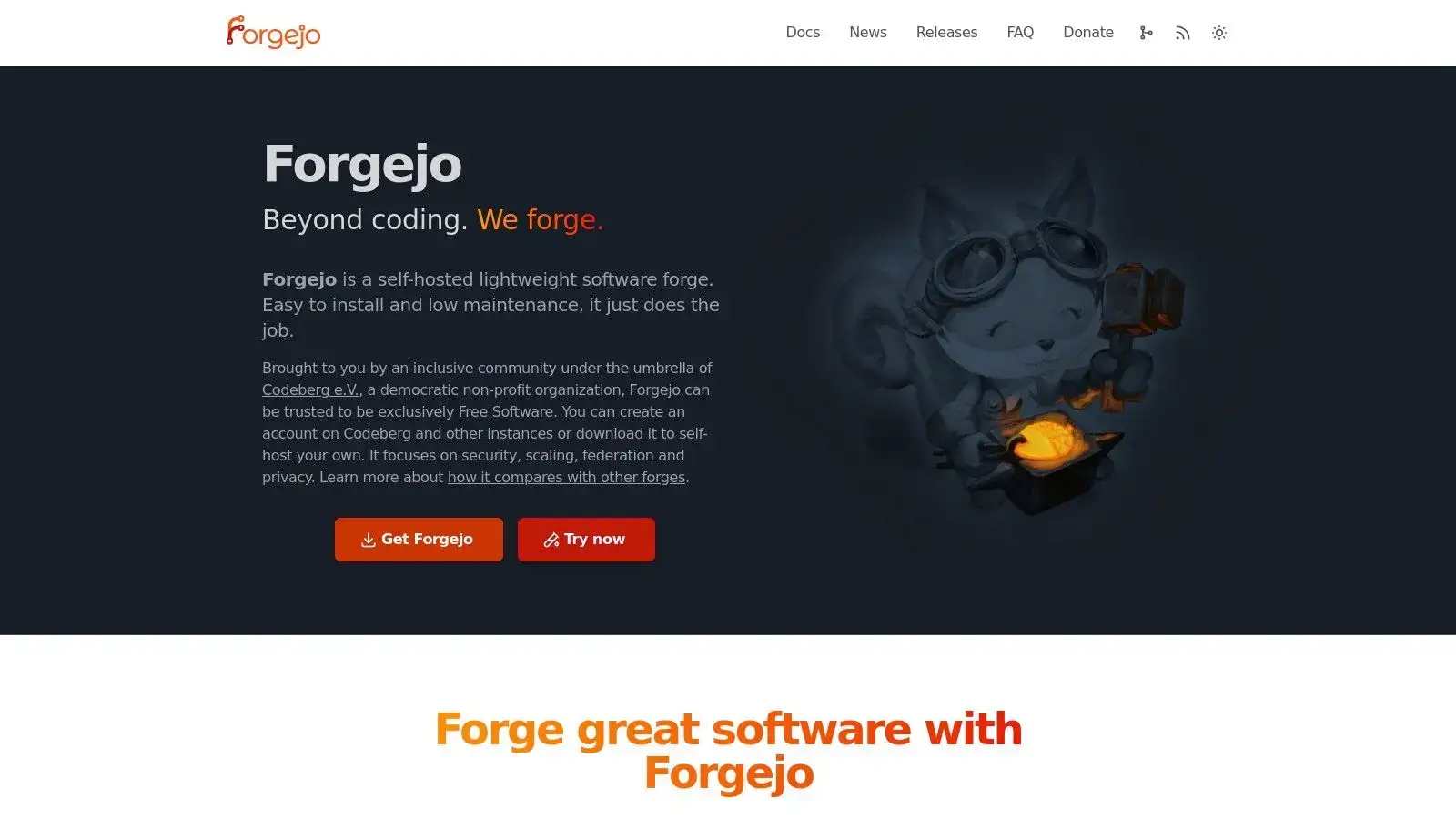
Unlike commercial platforms, Forgejo is governed by its community through Codeberg e.V., ensuring its development path remains aligned with user interests rather than corporate priorities. This governance model fosters a vibrant ecosystem of independent hosts, allowing teams to find a managed SaaS-like experience without being tied to a single vendor. While self-hosting requires some technical know-how, the process is well-documented, and the low resource requirements make it highly accessible for individuals and small organizations concerned with data sovereignty.
Key Details & Use Cases
- Best For: Individuals, open-source projects, and organizations prioritizing data ownership, privacy, and a community-driven development model. Ideal for those needing a resource-efficient self-hosted solution.
- Deployment: Primarily self-managed on-premise or private cloud. Managed hosting is also available through a network of independent third-party providers.
- Pricing: 100% free and open-source software with no paid tiers or enterprise licenses. Costs are limited to your own hosting infrastructure or fees from a managed provider.
- Unique Offering: Its community-governed, non-commercial nature is its key differentiator. Forgejo offers long-term support (LTS) releases, providing stability for users who prefer not to update with every minor version. The focus on federation also aims to connect disparate forges into a decentralized network.
8. Launchpad
Launchpad is Canonical's software collaboration platform, deeply integrated with the Ubuntu ecosystem. While historically known for its support of the Bazaar version control system, it has evolved to support Git, making it a viable, though niche, alternative of GitHub, especially for projects tied to Ubuntu. It goes beyond simple code hosting, offering a unified environment for bug tracking, blueprint (feature) planning, translations, and building packages for Ubuntu. This holistic approach to managing the lifecycle of an open-source project is its core strength.
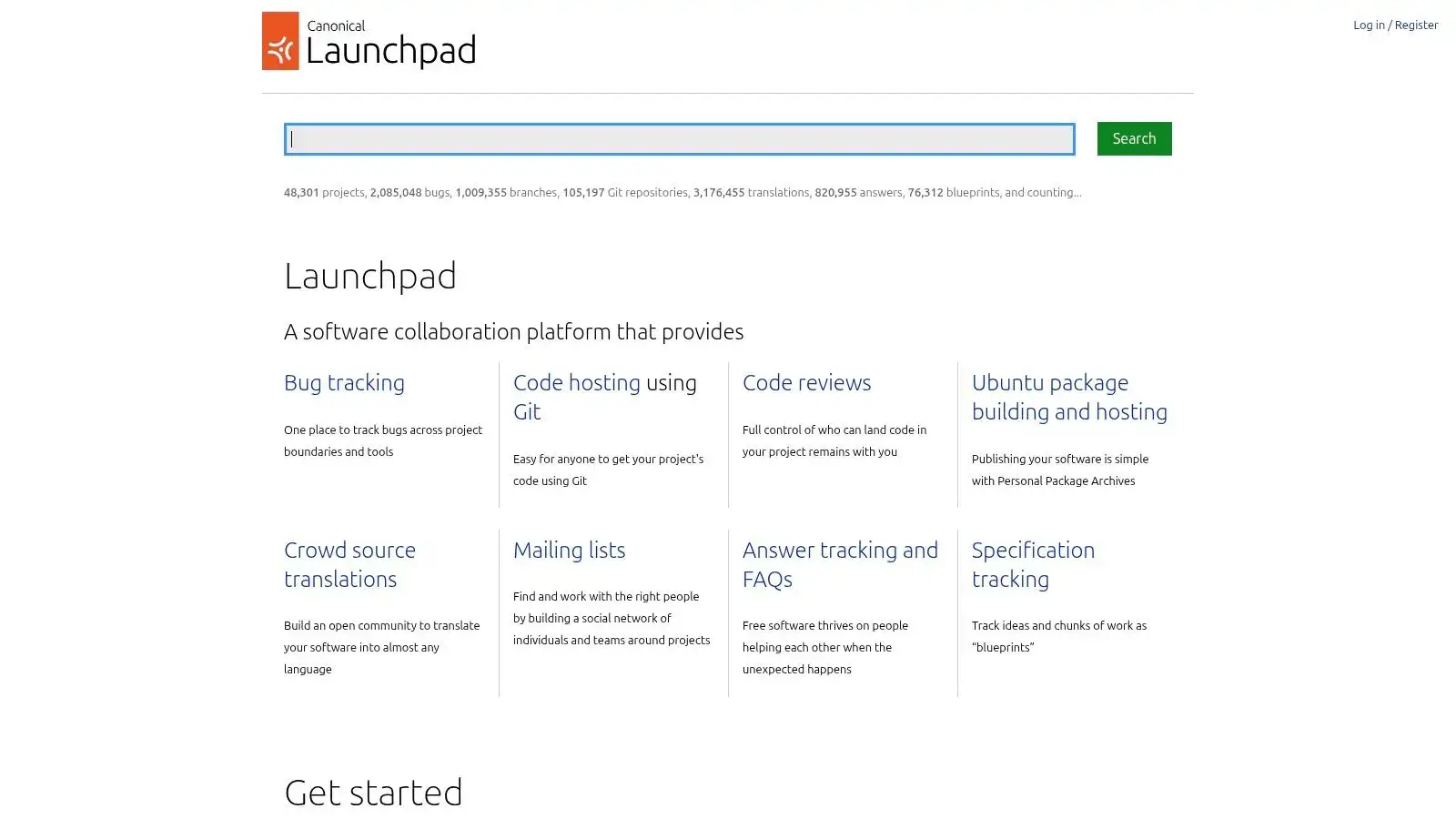
The platform is a long-running, stable service primarily designed for the open-source community. Its strength lies in how it connects code contributions directly to bug reports, feature specifications, and localization efforts, creating a transparent and highly integrated workflow. While the user interface can feel dated compared to more modern forges, its functionality is robust for its intended purpose. The close ties to Canonical and Ubuntu make it an essential tool for anyone developing software specifically for that environment.
Key Details & Use Cases
- Best For: Open-source projects closely aligned with the Ubuntu ecosystem, developers contributing to Ubuntu itself, and teams needing integrated translation and package-building workflows.
- Deployment: SaaS only. It's a free, hosted service for public, open-source projects.
- Pricing: Free for all open-source projects. Commercial or private hosting options require direct contact with Canonical for arrangements and pricing, as this is not its primary focus.
- Unique Offering: The tight integration between Git hosting, bug tracking, blueprints, and the Ubuntu package-building and translation infrastructure is unmatched. This makes it a one-stop-shop for managing software distribution within the Ubuntu world.
9. SourceForge
SourceForge is one of the original homes for open-source projects and a veteran among alternatives of GitHub. While newer platforms focus on integrated DevOps workflows, SourceForge’s strength remains in its primary mission: providing a reliable, high-availability platform for distributing open-source software to a massive global audience. It offers free and unlimited hosting for projects, including source code management via Git, Subversion (SVN), and Mercurial (Hg).
Its core value proposition is the robust, globally mirrored download infrastructure. For projects that need to serve large binary releases to millions of users without incurring bandwidth costs, SourceForge is an exceptionally practical choice. The platform also provides essential project management tools like issue tracking, wikis, and discussion forums, making it a self-contained ecosystem for traditional open-source collaboration and distribution. The user interface, while functional, feels more traditional compared to modern Git platforms, reflecting its long history.
Key Details & Use Cases
- Best For: Open-source projects requiring large-scale, free binary distribution, teams needing legacy VCS support (SVN/Mercurial), and developers looking for a simple, no-cost hosting solution.
- Deployment: SaaS only.
- Pricing: Completely free for open-source projects. Revenue is generated through advertising on the site, which is a key consideration for brand perception.
- Unique Offering: The massive, globally distributed mirror network for file releases is its standout feature, ensuring fast and reliable downloads for users anywhere in the world. Its long-standing support for SVN and Mercurial also makes it a valuable niche provider.
10. RhodeCode
RhodeCode is a unified and secure source code management platform that stands out as one of the key alternatives of GitHub for organizations with diverse version control needs. Its core strength is native support for Git, Mercurial (Hg), and Subversion (SVN) within a single, cohesive interface. This multi-VCS capability makes it an ideal solution for teams transitioning from legacy systems or those who need to maintain different types of repositories under one roof.
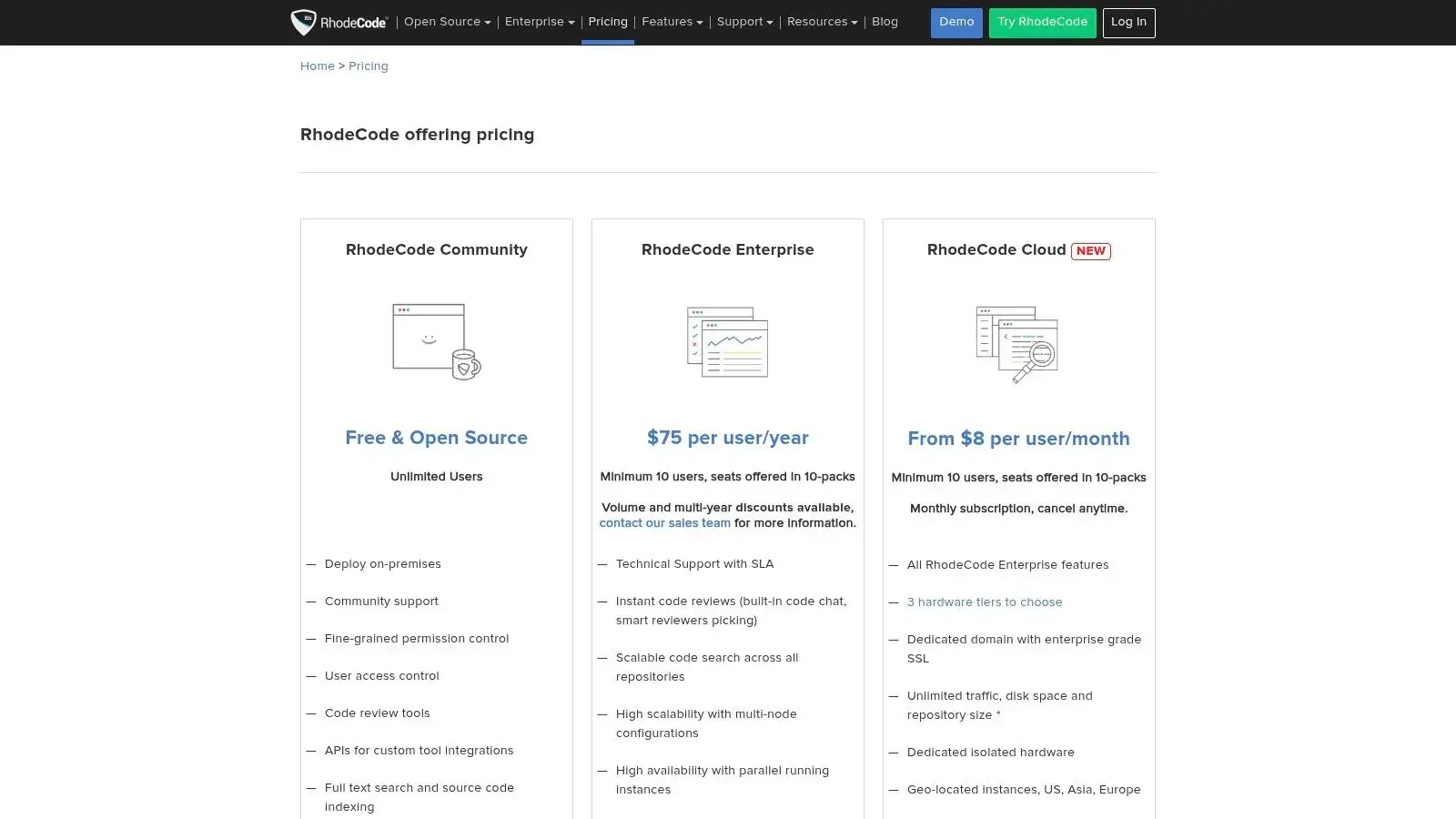
The platform is built for enterprise-grade security and governance, offering fine-grained permissions and robust code review tools that help enforce compliance and quality standards. RhodeCode is available as a self-hosted Community or Enterprise edition, giving organizations complete control over their infrastructure, or as a managed cloud offering for those who prefer a hands-off approach. While its community is smaller than larger forges, its focused feature set appeals to a specific enterprise niche. The user interface is clean and centered on repository management and code reviews.
Key Details & Use Cases
- Best For: Enterprises managing a mix of Git, Mercurial, and Subversion repositories, organizations with strict access control requirements, and teams migrating from SVN or Hg to Git.
- Deployment: Self-hosted (Community and Enterprise editions) or managed cloud with dedicated instances and SLAs.
- Pricing: A free Community edition is available for self-hosting. The paid Enterprise and Cloud tiers add advanced security features like LDAP/SAML, 2FA, dedicated support, and higher seat counts, though some plans have minimum user requirements.
- Unique Offering: The native integration of Git, Mercurial, and Subversion is its primary differentiator. This eliminates the need to run separate servers or tools, simplifying infrastructure for organizations with a complex VCS history.
11. Harness Open Source (formerly Gitness)
Harness Open Source is a modern, open-source development platform from Harness that combines source code management with integrated CI/CD pipelines. As an alternative of GitHub, it offers a fresh take on the Git hosting space with a focus on simplicity and developer experience. The platform is designed from the ground up to be lightweight while still providing the essential features teams need to build and ship software confidently.

What sets Harness Open Source apart is its unified approach to code hosting and automation. Rather than bolting on CI/CD as an afterthought, pipelines are a first-class citizen, tightly integrated with repositories and pull requests. The platform also includes Gitspaces, cloud-based development environments that let developers spin up pre-configured coding setups connected to their favorite IDE. This eliminates the "works on my machine" problem and gets new team members productive faster.
Key Details & Use Cases
- Best For: Development teams seeking a modern, lightweight alternative with built-in CI/CD, startups wanting to avoid vendor lock-in, and organizations looking for an open-source foundation they can self-host or extend.
- Deployment: Self-hosted via Docker or Kubernetes, with Harness also offering a managed cloud option through their commercial platform.
- Pricing: Harness Open Source is 100% free and open-source under the Apache 2.0 license. The commercial Harness platform offers additional enterprise features for teams needing advanced capabilities.
- Unique Offering: The combination of Git hosting, native CI/CD pipelines, and cloud development environments (Gitspaces) in a single lightweight package. Its modern architecture and active development make it a compelling choice for teams building new projects.
12. Gogs
Gogs (Go Git Service) is a painless, self-hosted Git service that stands out as one of the most lightweight alternatives to GitHub. Written in Go, it can run on virtually any platform Go supports, including low-powered hardware like a Raspberry Pi. Its primary goal is to be the easiest and fastest way to set up a private Git server, making it perfect for individuals, small teams, or anyone who needs a simple source code management tool without the complexity of a full DevOps platform.
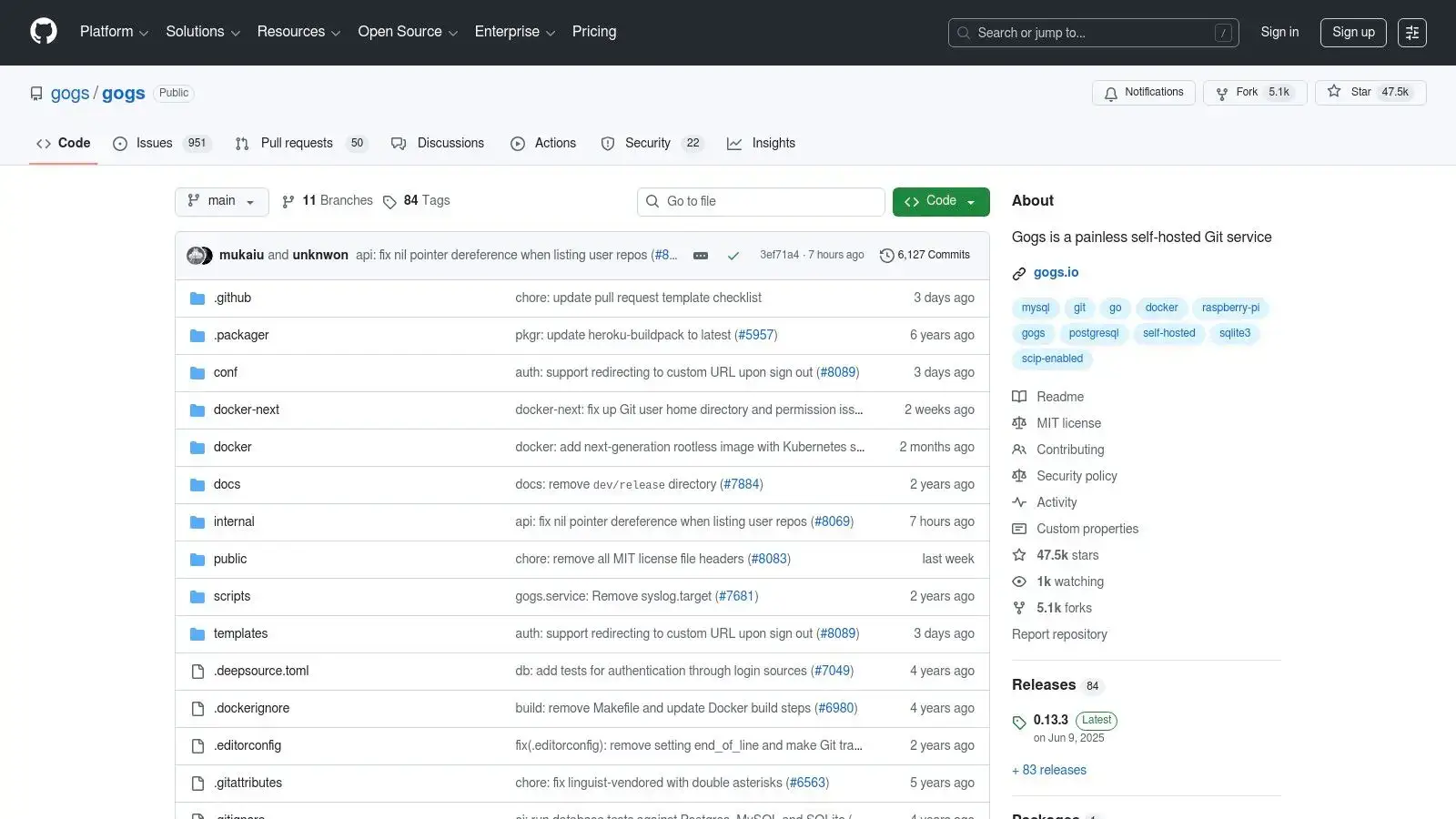
The focus of Gogs is on providing the core forge features: repositories, user management, issues, and pull requests. It eschews the extensive CI/CD, package registries, and planning tools found in larger platforms, resulting in an incredibly small resource footprint and a straightforward user interface. Deployment is exceptionally simple, often just a single binary or a Docker container, allowing teams to get a private Git service running in minutes. This simplicity, however, means it lacks the advanced features and security integrations found in enterprise-grade solutions.
Key Details & Use Cases
- Best For: Individuals, small teams, educational purposes, or resource-constrained environments (like embedded systems or low-cost cloud servers) needing basic Git hosting.
- Deployment: Self-hosted via a single binary, Docker, or various package managers.
- Pricing: Completely free and open-source under the MIT license. The only costs are associated with the infrastructure you choose to run it on.
- Unique Offering: Extreme simplicity and minimal resource requirements are its defining characteristics. Its ability to run on almost anything with a CPU and a small amount of RAM makes it uniquely versatile for private or experimental projects where a full-featured forge would be overkill.
Top 12 GitHub Alternatives: Feature Comparison
| Platform | Core features | Target audience | Key strengths | Pricing note |
|---|---|---|---|---|
| GitLab | SCM + integrated CI/CD, package registry, security & planning | Enterprises & large engineering orgs | Mature DevSecOps, compliance & upgrade path | Free tier; Premium/Ultimate for advanced features |
| Atlassian Bitbucket | Git hosting, Bitbucket Pipelines CI, workspace permissions | Teams in Atlassian ecosystem (Jira/Confluence) | Tight Jira/Confluence integration, DORA metrics | Competitive per‑user pricing; free tier limits, extra pipeline minutes |
| Azure DevOps Repos (Microsoft) | Git repos + Boards, Pipelines, Artifacts, Azure AD integration | Microsoft‑centric enterprises & regulated orgs | Strong identity/compliance, predictable pricing | First 5 Basic users free; security add‑ons cost extra |
| SourceHut (sr.ht) | Git/Mercurial hosting, builds, trackers, mailing‑list workflows | Privacy/Unix‑style users, self‑hosters, hackers | Minimalist, transparent, self‑hostable | Choose-your-tier subscription ($4, $8, or $12/month); financial aid available |
| Codeberg | Git hosting, Pages, translations, CI integrations (Forgejo/Woodpecker) | OSS projects preferring EU hosting & community governance | Donation‑funded, privacy‑minded, community run | Free accounts; sustained by donations/memberships |
| Gitea | Lightweight Git forge, Actions, issues/PRs, projects | Self‑hosting teams and small orgs | Very low resource usage, easy deploy, managed cloud option | Free self‑host; paid managed cloud available |
| Forgejo | Fork of Gitea: issues/PRs, code search, LTS releases, federation | Privacy/security‑focused self‑hosters & independent hosts | 100% FLOSS, community governance, independent hosts | Free software; hosted offers vary by provider |
| Launchpad | Git hosting, bug/blueprint tracking, translations, packaging | Ubuntu ecosystem & open‑source projects | Deep Ubuntu integration, stable APIs & tooling | Free for OSS; commercial/private hosting via Canonical |
| SourceForge | Git/SVN/Mercurial, project pages, global download mirrors | Projects needing large‑scale release distribution | Massive download infrastructure, legacy VCS support | Free; consider brand/perception tradeoffs |
| RhodeCode | Multi‑VCS (Git/Hg/SVN), fine‑grained ACLs, code review, SSO | Enterprises with mixed VCS or strict access control | Multi‑VCS support, enterprise SLAs & permissions | Community/Enterprise editions plus a managed Cloud; seat minimums on some tiers |
| Harness Open Source (formerly Gitness) | Git hosting, native CI/CD pipelines, cloud dev environments (Gitspaces) | Teams seeking modern open‑source DevOps, startups avoiding lock‑in | Lightweight, unified code + CI/CD, active development | 100% free Apache 2.0; commercial Harness platform for enterprise |
| Gogs | Issues/PRs, wiki, LFS, tiny resource footprint, simple deploy | Very small teams, embedded/private networks | Extremely low footprint, easy one‑click deployment | Free MIT‑licensed; requires active security patching |
Frequently Asked Questions
What is the best self-hosted GitHub alternative?
It depends on your team's size and needs. GitLab is the most complete option, bundling CI/CD, security, and planning into one self-managed application. For teams that value speed and low server costs over an all-in-one suite, Gitea, Forgejo, and Gogs deliver a familiar forge experience on minimal hardware, even a Raspberry Pi.
Can you still self-host Bitbucket?
Not for much longer. Atlassian is phasing out Bitbucket Data Center: new license sales ended in March 2026, and full end of life arrives in 2029, with dual Data Center + Cloud transition licenses for existing customers. Teams that need long-term self-hosting should plan a move to GitLab, Gitea, or Forgejo.
Which GitHub alternatives are completely free?
Codeberg is free for open-source projects, funded by donations rather than paid tiers. Gitea, Forgejo, and Gogs are free to self-host; your only costs are infrastructure. SourceHut is free when contributing to others' projects, but hosting your own requires a $4, $8, or $12 monthly subscription.
Making the Right Choice for Your Team
The "best" GitHub alternative doesn't exist. Only the best one for your team does. Your choice comes down to a few key factors:
| If you need... | Consider... |
|---|---|
| Full DevOps lifecycle | GitLab, Azure DevOps |
| Atlassian integration | Bitbucket |
| Lightweight self-hosting | Gitea, Forgejo, Gogs |
| Open-source principles | Codeberg, SourceHut |
| Enterprise compliance | GitLab, RhodeCode, Azure DevOps |
Before committing, ask yourself:
- Existing tools: Does it play nice with your current stack?
- Growth trajectory: Will this scale with you, or will you outgrow it?
- Support needs: Community forums or paid support contracts?
- True cost: For self-hosted options, factor in maintenance time and server costs, not just licensing
Building a complete open-source stack? OpenAlternative can help you find transparent, community-driven tools for every part of your workflow.
Pick the platform that fits how your team actually works. The right tool won't just host your code, it'll make shipping better software feel effortless.

 Sent – Messaging Infrastructure for Developers. One API for SMS, WhatsApp, and RCS across 190+ countries.
 Sent
Sent