7 Best Free Photoshop Alternatives for 2026
The top free Photoshop alternatives for 2026. Powerful desktop and browser-based editors for designers, developers, and hobbyists avoiding subscriptions.

Written by Piotr Kulpinski
Adobe Photoshop remains the industry standard for image manipulation, but its subscription model isn't for everyone. Developers creating UI mockups, startup founders bootstrapping marketing, or hobbyists avoiding recurring payments have impressive free alternatives.
This guide helps you find the right tool. Each entry provides a value summary, honest pros and cons, and specific use cases. Desktop or browser-based, you'll find the right option here. All pricing, features, and GitHub star counts were verified as of August 2026.
TL;DR: GIMP is the most complete free Photoshop replacement, Photopea delivers the best browser-based experience with excellent PSD support, and Krita is the top pick for digital painters. For procedural and vector work, watch Graphite.
1. Graphite
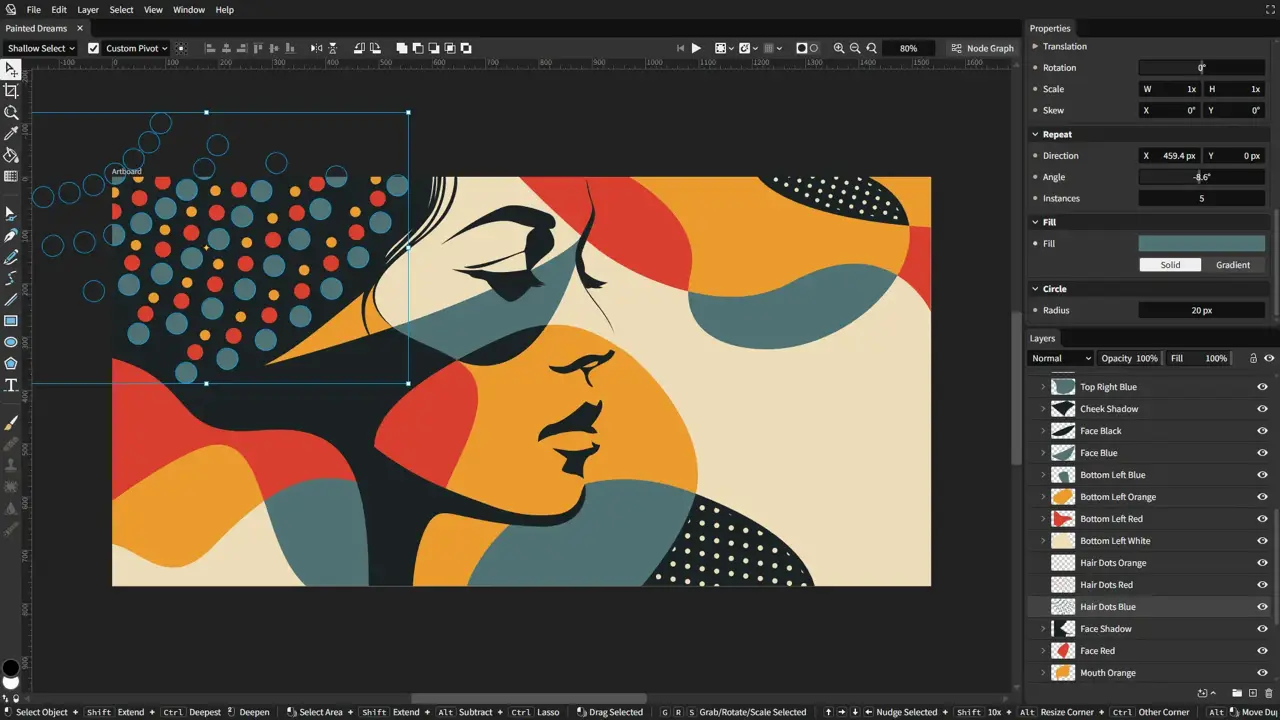
Graphite is a modern, open-source graphics editor combining layer-based compositing with node-based generative design. Perfect for procedural workflows and nondestructive editing in the browser.
Unlike pixel editors, Graphite treats artwork as programmable node graphs, enabling parametric adjustments and reusable content pipelines. Raster photo editing is on the roadmap but not yet available, so today it shines for vector and procedural work: patterns, color manipulation, and algorithmic designs.
Currently in alpha, it runs entirely in your browser via WebAssembly, no account required. Native desktop apps are in release-candidate testing with launch imminent, though the experience remains browser-first today. Over 27,000 GitHub stars.
Key Features and Considerations
Graphite's standout feature is its nondestructive, procedural approach. All decisions remain adjustable through parameter controls, and vector output exports at any resolution without quality loss.
Exports to SVG, PNG, and JPG. The roadmap includes raster editing, animation, and collaboration. A genuinely different approach to design tools.
| Feature | Details |
|---|---|
| Pricing | 100% Free and Open Source (Apache 2.0) |
| Platform | Browser-based (WebAssembly); desktop apps in release-candidate testing |
| PSD Support | No. Focuses on SVG, PNG, and JPG export. |
| Best For | Procedural design, generative graphics, and pattern creation. |
| Unique Selling Point | Node-based, nondestructive editing with infinite scalability, a fresh approach to design. |
Link: https://graphite.art
2. GIMP
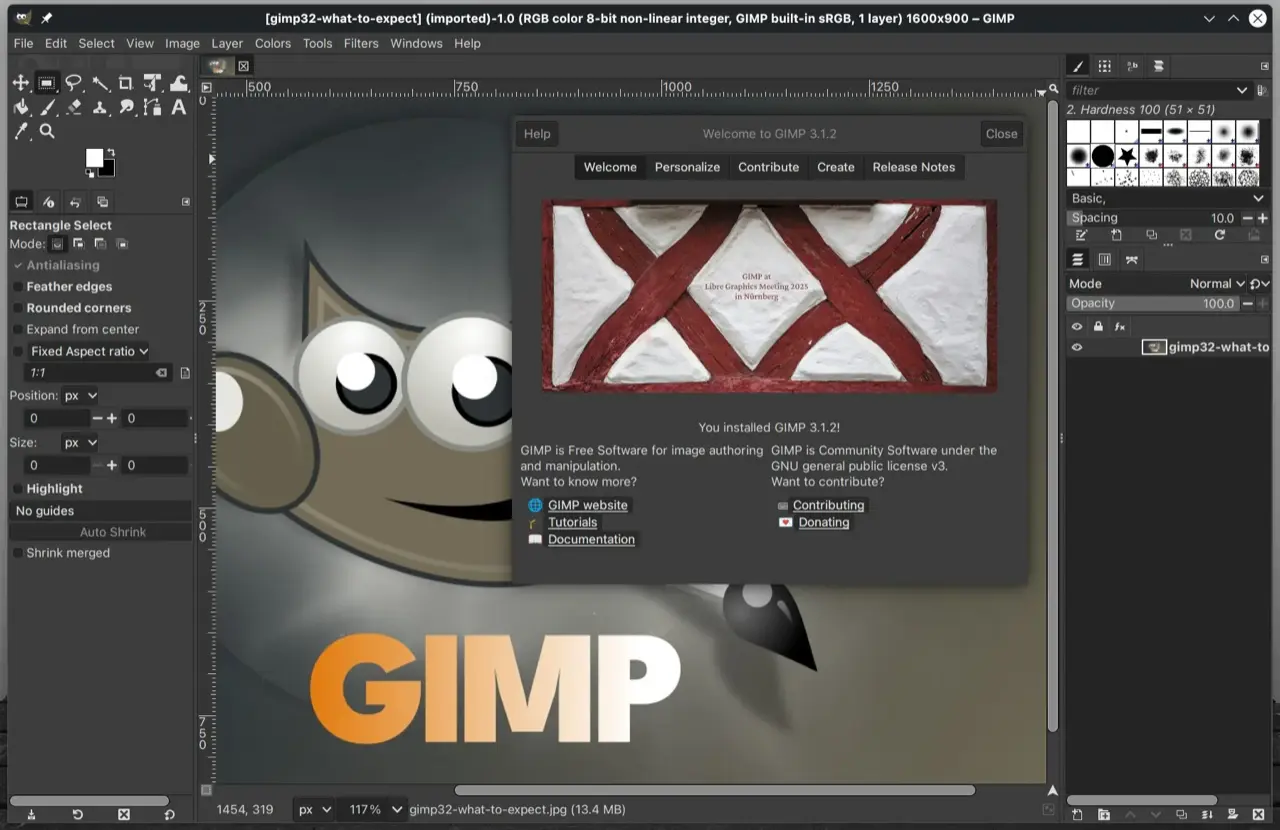
GIMP (GNU Image Manipulation Program) is the most powerful and well-known free Photoshop alternative. A full-featured, open-source raster editor in continuous development for decades, its feature set rivals paid applications.
Professional-grade tools include layers, customizable brushes, filters, and transformation tools, suitable for photo retouching to complex digital art. GIMP 3.2 (March 2026) added non-destructive layers, vector layers, and imports of Photoshop patterns and Curves/Levels presets.
Runs natively on Windows, macOS, and Linux, so performance isn't internet-dependent. Strong PSD import/export eases the transition from Adobe's ecosystem.
Key Features and Considerations
GIMP's strength is extensibility. A massive ecosystem of third-party plugins and scripts, like G'MIC-Qt with hundreds of advanced filters, extends its capabilities.
Scripting via Python or Scheme automates repetitive tasks. The interface has a steeper learning curve than Photoshop, but full customizability lets you tailor the workspace to your needs.
| Feature | Details |
|---|---|
| Pricing | 100% Free and Open Source (FOSS) |
| Platform | Desktop (Windows, macOS, Linux) |
| PSD Support | Good. Can import and export PSD files, preserving layers and most effects. |
| Best For | Professional-level photo editing, digital art, and graphic design tasks. |
| Unique Selling Point | Unmatched power and extensibility in a completely free, open-source package. |
Link: https://www.gimp.org
3. Photopea
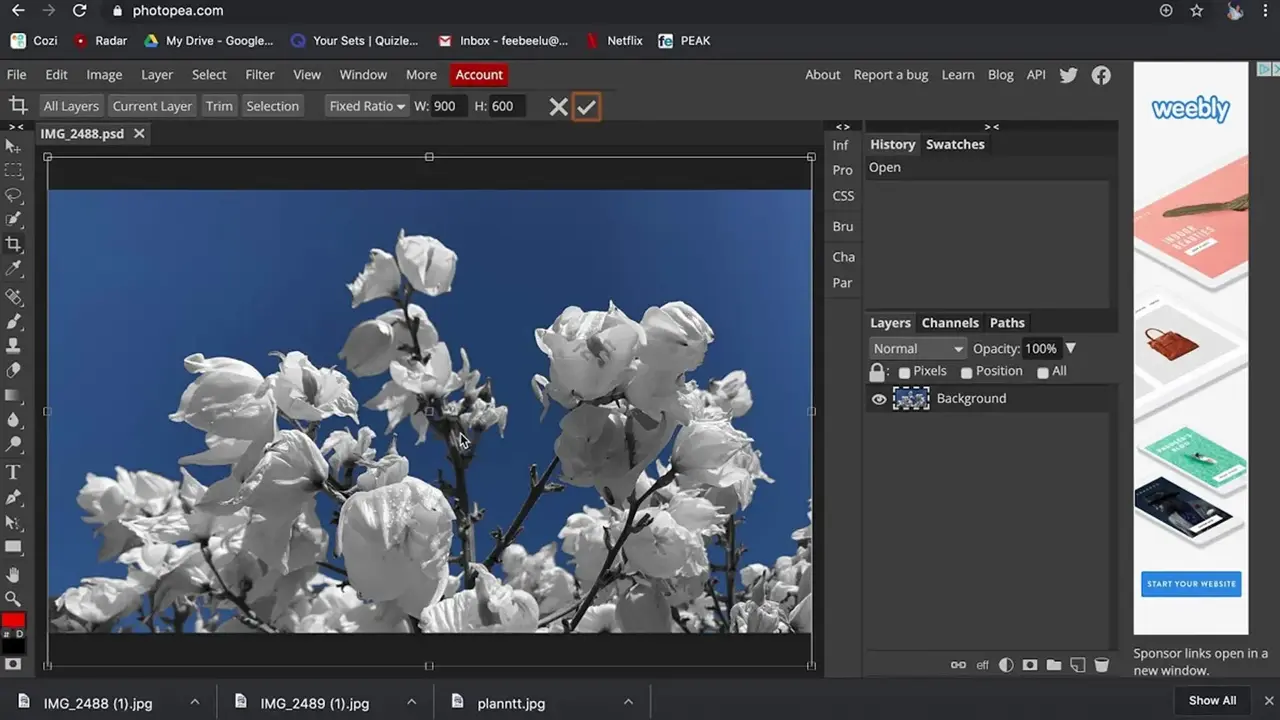
Photopea is a go-to for powerful, layer-based editing directly in the browser. It remarkably replicates Photoshop's look, feel, and functionality, with minimal learning curve for experienced users.
No installation required. Instant access on any device with a browser, including Chromebooks. Perfect for quick edits, collaboration, and users without admin rights.
Outstanding format compatibility: natively opens and saves PSD files preserving layers, smart objects, and text. Also supports Illustrator (.ai), Adobe XD (.xd), and Sketch files, a versatile bridge between design ecosystems.
Key Features and Considerations
Files stay on your device, not uploaded to servers, ensuring privacy and speed. Features include layer masks, adjustment layers, blend modes, and Photoshop actions (.ATN files).
Free and fully functional with ads; premium removes them. Great for collaborative workflows, similar to how teams use Penpot for prototyping.
| Feature | Details |
|---|---|
| Pricing | Free (ad-supported). Premium option available to remove ads. |
| Platform | Browser-based (works on Windows, macOS, Linux, ChromeOS) |
| PSD Support | Excellent. Natively opens, edits, and saves PSD files with layers and smart objects. |
| Best For | Quick PSD edits, collaborative work, and users on restricted systems like Chromebooks. |
| Unique Selling Point | A near-perfect Photoshop clone in a browser with zero installation required. |
Link: https://www.photopea.com
4. Krita
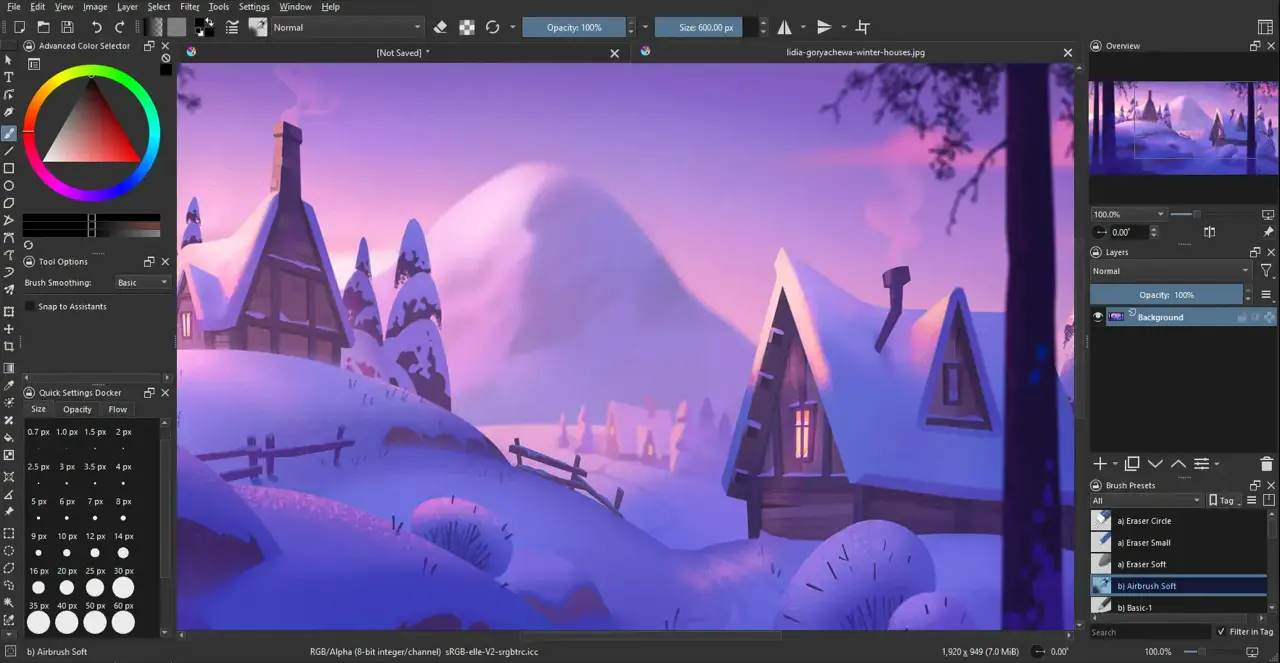
While many seek Photoshop's photo editing capabilities, Krita excels as a premier choice for artists, illustrators, and concept designers. A professional-grade, open-source digital painting program built from the ground up for creative expression.
Its sophisticated brush engine offers unparalleled customization and smooth responsiveness; many digital painters prefer it over paid alternatives.
Native on Windows, macOS, and Linux for consistent, high-performance art creation. While it handles basic photo manipulation, its toolset focuses on drawing and painting: brush stabilizers, wrap-around mode for seamless textures, and 2D animation tools.
Key Features and Considerations
The advanced brush engine offers 100+ professional brushes with full custom brush creation. Essential artist tools include layer management, transformations, and a pop-up palette for quick color/brush access.
Robust PSD support enables easy collaboration with Photoshop users. Photo editing isn't as extensive as GIMP, but the focused design makes Krita superior for illustrators and concept artists.
| Feature | Details |
|---|---|
| Pricing | 100% Free and Open Source (FOSS) |
| Platform | Desktop (Windows, macOS, Linux) |
| PSD Support | Excellent. Can import and export PSD files, with a high degree of layer compatibility. |
| Best For | Digital painting, illustration, concept art, and 2D animation. |
| Unique Selling Point | A professional-grade digital painting suite with one of the best brush engines available. |
Link: https://krita.org
5. Paint.NET
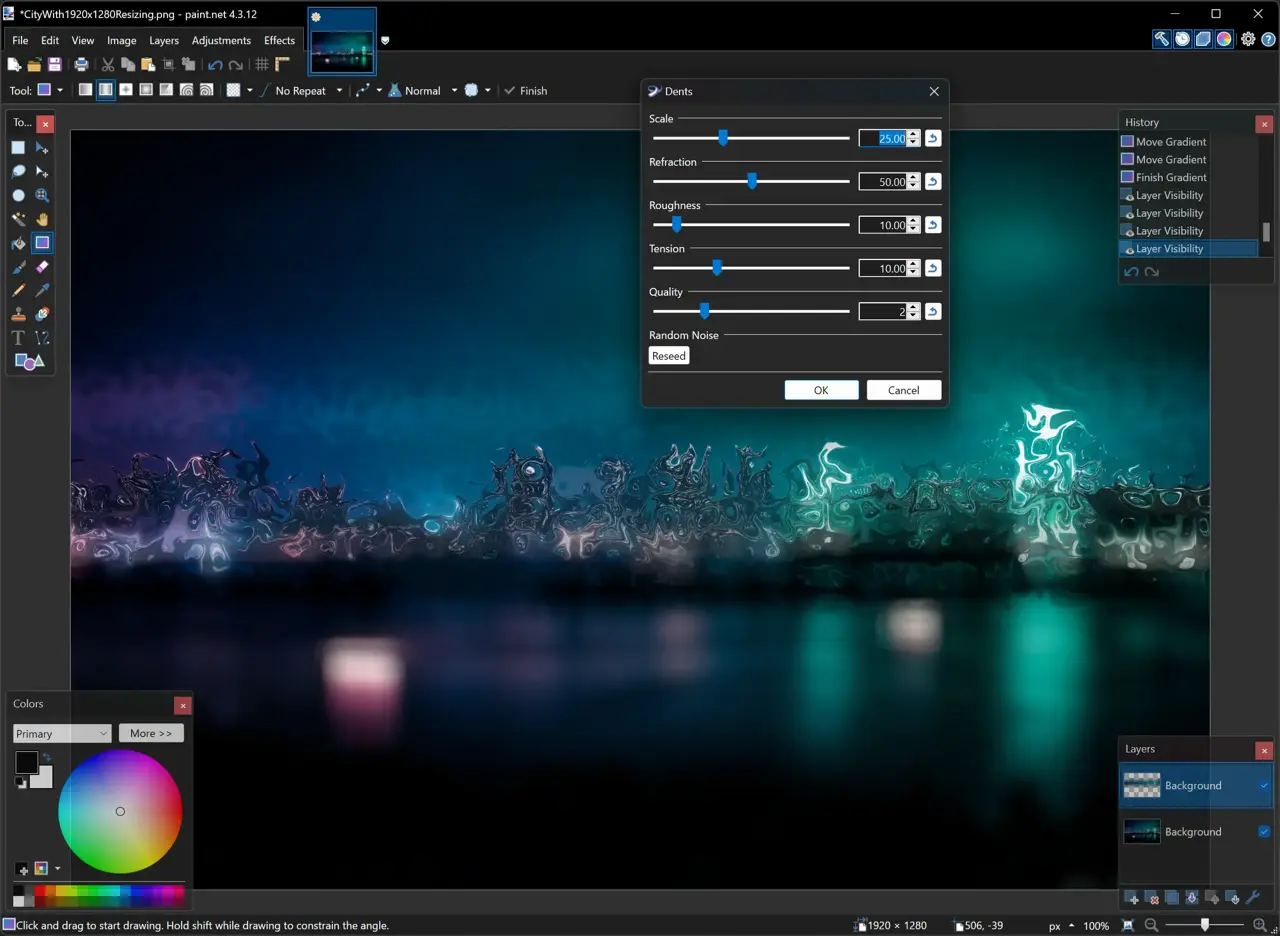
Originally a free Microsoft Paint replacement, Paint.NET has evolved into a capable, intuitive image editor for Windows. It occupies the sweet spot between basic editors and complex professional suites.
Easy-to-learn interface with layers, unlimited undo, and a wide array of effects. Fast and lightweight thanks to its focus on simplicity and performance.
Windows-only with hardware acceleration for smooth zooming, panning, and editing. While lacking GIMP's extensive toolset, an active community has developed a vast plugin library extending its functionality.
Key Features and Considerations
Core strength: user-friendliness meets power. The clean interface is immediately familiar, drastically reducing learning time.
Despite simplicity, robust tools for color correction, sharpening, and filters. For Windows users needing quick, reliable editing (cropping screenshots or minor retouching), Paint.NET is outstanding.
| Feature | Details |
|---|---|
| Pricing | 100% Free (Donationware from official site, also on Windows Store for a small fee) |
| Platform | Desktop (Windows only) |
| PSD Support | Limited. Requires a third-party plug-in to open PSD files, with mixed results. |
| Best For | Quick photo edits, basic graphic design, and everyday image manipulation tasks on Windows. |
| Unique Selling Point | Exceptional speed and ease of use, supported by a massive community plug-in ecosystem. |
Link: https://getpaint.net
6. Canva (Photo Editor)
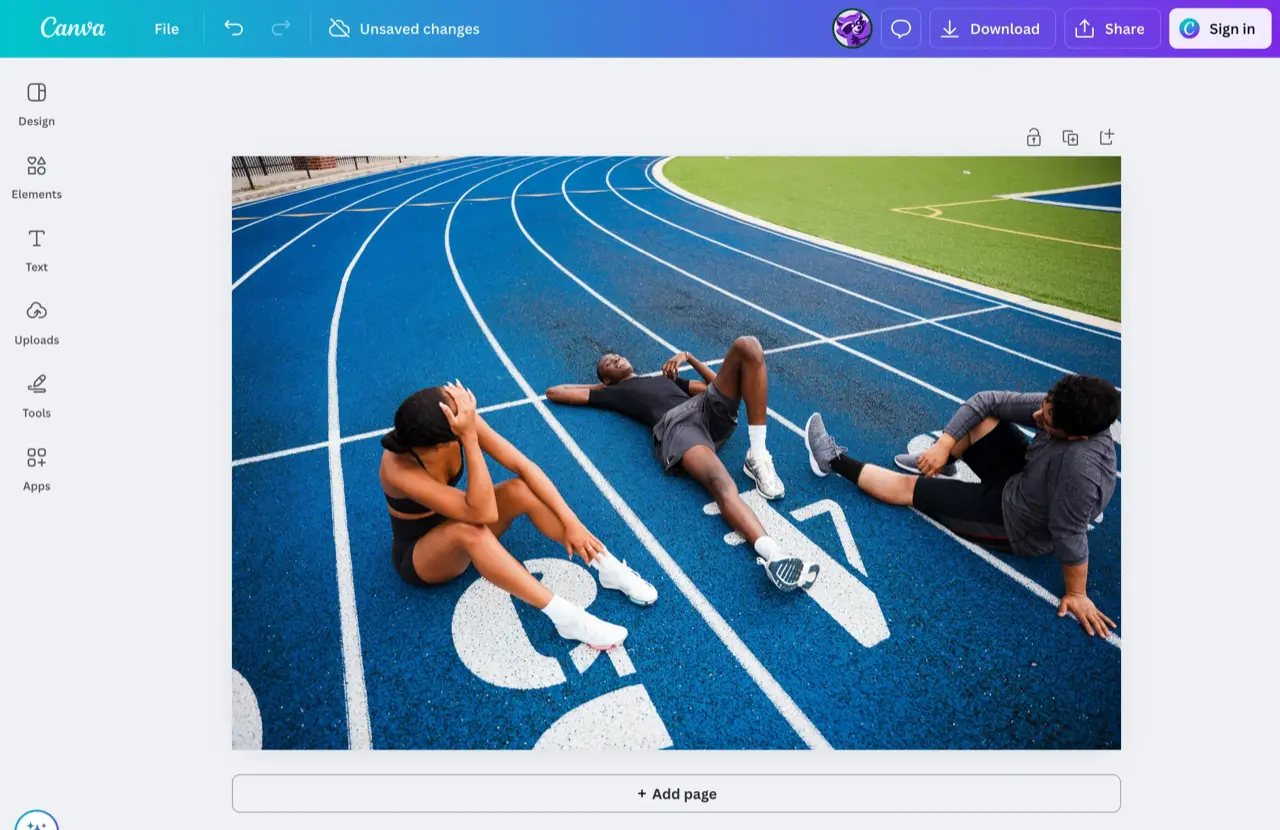
Not a Photoshop clone, but Canva dominates fast, template-driven design for marketing, social media, and web graphics. Its photo editor provides cropping, adjustments, and filters in an intuitive browser interface.
Excels at compositing images with text and graphics from its vast asset library.
Accessibility and speed are its strengths. For blog banners, social posts, or presentations without a steep learning curve, it's unparalleled. Drag-and-drop workflow and enormous template library accelerate creation.
Key Features and Considerations
Fundamentally a design suite, not just a photo editor. Key advantage: seamless integration of photo editing with layout, text tools, and assets. Team collaboration is built in.
Free plan is generous; AI features like Magic Eraser require Pro. For affordable alternatives, explore open source Canva alternatives.
| Feature | Details |
|---|---|
| Pricing | Freemium. Generous free tier with paid Pro/Teams plans for advanced tools and assets. |
| Platform | Browser-based (Windows, macOS, Linux), with desktop and mobile apps. |
| PSD Support | Limited. Can import PSD files but may not preserve all layers or complex effects correctly. |
| Best For | Social media graphics, marketing materials, presentations, and quick photo composites for non-designers. |
| Unique Selling Point | An all-in-one design platform that combines a simple photo editor with a vast library of templates and assets. |
Link: https://www.canva.com/features/photo-editor
7. Affinity by Canva
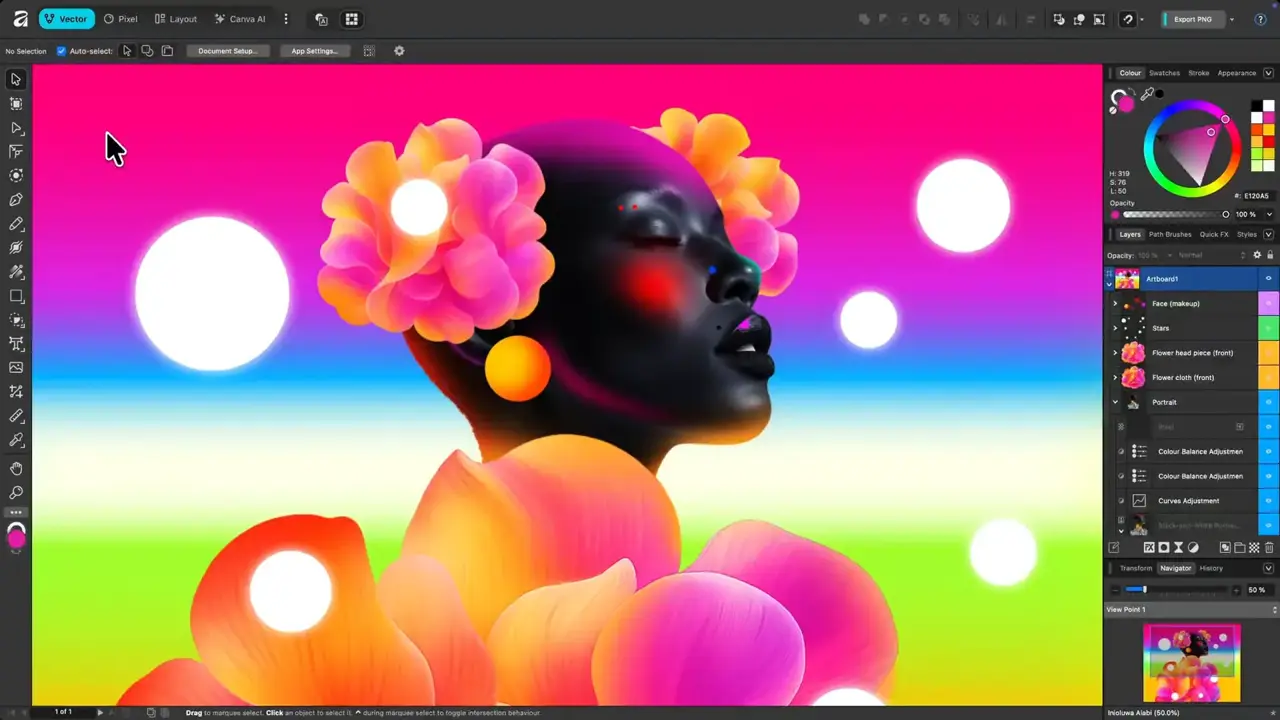
In a significant market shift, Canva relaunched the acclaimed Affinity suite as a single, unified desktop app, completely free. Professional-grade pixel editing (Photo), vector design (Designer), and page layout (Publisher) in one seamless interface.
A comprehensive, non-subscription toolset for designers, photographers, and developers needing high-performance desktop editing.
Runs natively on Windows and macOS with professional-grade speed and stability. Switch between raster, vector, and layout modes within the same document. Excellent Adobe compatibility: PSD, AI, and PDF support.
Key Features and Considerations
Core strength: professional-level, end-to-end creative workflow for free. Non-destructive live filter layers, full RAW development, and advanced typography included.
Free forever, but requires a Canva account. Some AI features and cloud assets need Canva Premium.
| Feature | Details |
|---|---|
| Pricing | Free Forever. Requires a free Canva account. Some AI features need Canva Premium. |
| Platform | Desktop (Windows, macOS) |
| PSD Support | Excellent. Imports and exports PSD files with high fidelity for layers and adjustments. |
| Best For | Professionals and enthusiasts needing a unified photo, vector, and layout workflow. |
| Unique Selling Point | A complete, professional-grade creative suite combining three apps into one, for free. |
Link: https://affinity.studio
Top 7 Free Photoshop Alternatives: Quick Comparison
| Tool | Core features | Best for | Unique selling point | Price / Access |
|---|---|---|---|---|
| Graphite | Node-based procedural design, nondestructive editing, vector output, WebAssembly | Generative design, pattern creation, and procedural workflows | Unique node-graph approach with infinite scalability | Free, open source; browser-based |
| GIMP | Layers, masks, scripting, extensive plugins (G'MIC), PSD support; cross‑platform | Power users needing full-featured raster editing | 100% open source + large plugin ecosystem; no vendor lock‑in | Free, open source; Win/mac/Linux installers |
| Photopea | PSD & Smart Object support, opens/saves AI/XD/FIG, actions; runs in browser | Chromebooks, quick PSD edits, no-install workflows | Photoshop‑like UI and near-native PSD compatibility in browser | Free (ad‑supported); Premium removes ads |
| Krita | Advanced brush engine, stabilizers, animation tools, PSD import/export, tablet support | Digital painters, illustrators and concept artists | Best-in-class painting tools and frequent updates | Free, open source; Win/mac/Linux |
| Paint.NET | Layer support, effects, hardware-accelerated canvas, large plugin community | Windows users needing fast, everyday edits | Lightweight, fast and easy to learn | Free (Windows only) |
| Canva | Browser editor with templates, assets, basic retouch, collaboration | Non‑designers, marketing teams and social content creators | Huge template/asset library and team collaboration | Freemium; Pro for premium assets/AI |
| Affinity | Unified pixel/vector/layout editor, PSD/AI/PDF support, modern UI | Professionals wanting a pro‑grade desktop app | Pro-grade unified app free forever; integrates with Canva workflows | Free to download with Canva account; some AI gated behind Premium |
For most users, GIMP provides the most complete free alternative to Photoshop, while Photopea offers the best browser-based experience for those who need instant access without installation.
Frequently Asked Questions
Which free alternative is closest to Photoshop?
Photopea. It replicates Photoshop's look, feel, and functionality in the browser, so experienced users face minimal learning curve. It natively opens and saves PSD files, preserving layers, smart objects, and text, and even supports Photoshop actions. For a desktop equivalent, GIMP offers the deepest feature set.
Can these free tools open PSD files?
Most can. Photopea offers excellent native PSD editing, GIMP and Krita import and export PSD with strong layer compatibility, and Affinity handles PSD, AI, and PDF with high fidelity. Paint.NET needs a third-party plugin, Canva's import is limited, and Graphite focuses on SVG, PNG, and JPG instead.
Do I need to install anything to start editing?
Not necessarily. Photopea and Graphite run entirely in the browser, and Canva's editor is browser-based too, making them ideal for Chromebooks or locked-down machines. GIMP, Krita, Paint.NET, and the Affinity suite are desktop apps for when you want native performance.
Choosing the Right Tool for Your Workflow
The best tool matches your specific creative needs, not one-size-fits-all. We've covered robust open-source powerhouses and agile browser-based editors, each with distinct strengths.
GIMP is the quintessential free Photoshop alternative for power users: deep functionality customizable through scripting and plugins. For speed and accessibility, Photopea replicates Photoshop's interface in the browser, invaluable for quick edits and collaboration.
How to Select Your Ideal Alternative
The best Photoshop alternative isn't the one with the most features; it's the one that excels at what you do most.
Assess your daily tasks and goals:
-
Primary Use Case: Artists find Krita's brush engine superior. For professional desktop editing, Affinity now offers a complete suite free.
-
Technical Proficiency: Enjoy scripting and plugins? GIMP is unparalleled. Need plug-and-play? Canva delivers immediate productivity.
-
Workflow Integration: Heavy PSD use? Photopea and GIMP offer robust compatibility. Cross-device work? Browser-based Photopea keeps projects accessible anywhere.
-
Performance: Older hardware? Browser tools or Paint.NET demand fewer resources.
Your Next Steps
The best way to find your perfect alternative: hands-on experimentation. Pick 2-3 contenders and dedicate a few hours to each. Recreate a recent project: this reveals which interface feels intuitive and which tools accelerate your workflow.
Didn't find the perfect tool? Explore our full list of open source Design & Prototyping Tools.

 Capture – Capture screenshots, generate PDFs, scrape content, extract metadata, and automate browsers with one API.
 Windshift