Open Source Void Alternatives
A curated collection of the 9 best open source alternatives to Void.
The best open source alternative to Void is Zed. If that doesn't suit you, we've compiled a ranked list of other open source Void alternatives to help you find a suitable replacement. Other interesting open source alternatives to Void are: Aider, Pythagora, Tabby, and Kilo.
Void alternatives are mainly AI Coding Assistants but may also be AI-Powered Editors or General Purpose Editors. Browse these if you want a narrower list of alternatives or looking for a specific functionality of Void.

Written by Piotr Kulpinski


A Rust-built code editor from the creators of Atom and Tree-sitter, combining native performance with multiplayer collaboration and deep AI integration.
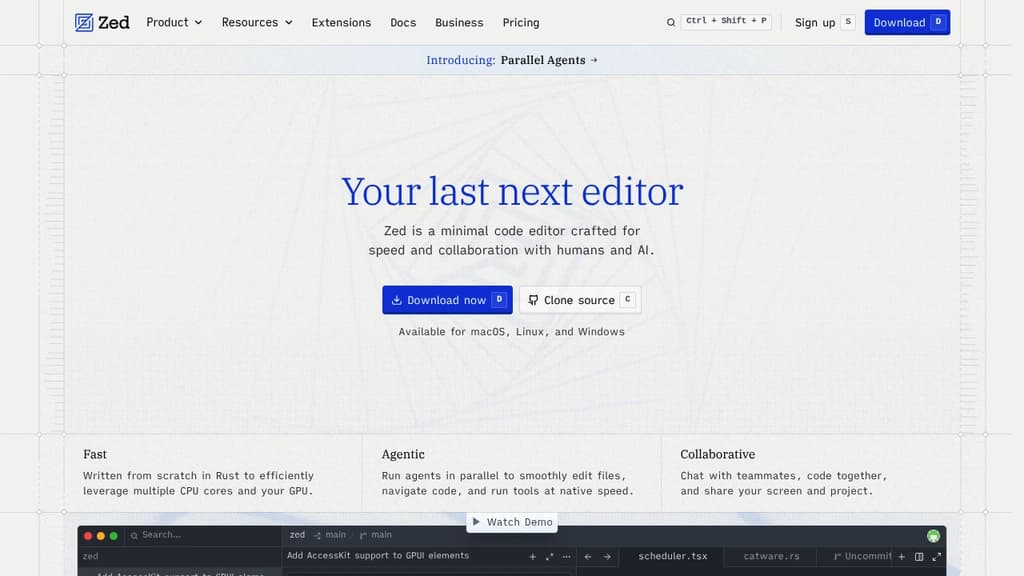
Zed is a code editor built from scratch in Rust, designed to make full use of multiple CPU cores and your GPU. The result is an editor that feels noticeably faster than most alternatives at startup, during file navigation, and while typing. It comes from the team behind Atom and Tree-sitter, and that experience shows in how carefully each feature is implemented.
The AI integration goes well beyond a chat sidebar. Zed lets you run multiple agents in parallel across different projects, delegate tasks and watch changes happen live, and bring in models from providers like Anthropic, OpenAI, or others via ACP. If you prefer a lighter touch, the inline assistant lets you send selected code directly to a model for transformation without breaking your flow. Edit prediction, powered by Zeta (an open-weight model), anticipates your next edit as you type. Tools like Aider take a similar agentic approach, but Zed does it natively inside the editor itself.
Collaboration is built in at a deep level. You can code with teammates in real time, share your screen and project, and chat without leaving the editor. Remote development is also supported: the UI runs locally while the actual codebase lives on a remote server.
Key capabilities include:
- Multibuffer editing: compose excerpts from across the codebase into one editable surface
- Native Git support: stage, commit, diff, pull, and push without plugins
- Debugger: built on the Debug Adapter Protocol with multi-language support
- LSP support: full language server integration for diagnostics, completions, and more
- Vim and Helix modes: first-class modal editing with text objects and marks
- Built-in REPL: run code interactively through Jupyter kernels
- Dev Containers: consistent environments across machines
- Extensions ecosystem: hundreds of extensions for language support, themes, and tooling
Zed targets developers who've felt the sluggishness of Electron-based editors and want something that keeps up with how fast they think. It's a strong alternative to editors like CodeEdit for macOS users who want a native feel, but with broader platform support (macOS, Linux, and Windows) and a more mature feature set. The combination of raw speed, real-time collaboration, and deep AI tooling in a single editor is what makes it stand apart.
Looking for open source alternatives to other popular services? Check out other posts in the alternatives series and openalternative.co, a directory of open source software with filters for tags and alternatives for easy browsing and discovery.

Terminal-based AI coding tool that lets you edit existing codebases or start new projects using LLMs like Claude, GPT, and DeepSeek.

Aider brings AI pair programming directly into your terminal, letting you work with large language models on real codebases. It's built for developers who want to stay in their existing workflow rather than switching to a new editor or browser-based tool.
You point Aider at your project directory and start a conversation. It reads your files, understands the structure, and makes targeted edits across multiple files at once. Changes are applied directly to your code, not pasted into a chat window for you to copy manually.
Key capabilities:
- Multi-model support: works with Claude, GPT-4, o3-mini, DeepSeek, and other LLMs. You bring your own API key.
- Git-aware editing: automatically commits changes with meaningful messages, so every AI-assisted edit is tracked and reversible.
- Multi-file edits: handles changes that span several files in a single request, keeping diffs coherent.
- Existing codebase support: drop it into any project, not just greenfield work. It maps your repo to give the model context.
- Voice input: supports voice-to-code for hands-free coding sessions.
- Linting and test integration: can run your test suite or linter after edits and feed results back to the model for self-correction.
Compared to IDE plugins or browser-based AI coding agents, Aider is lightweight and editor-agnostic. It fits into any setup that has a terminal. The open source model means no subscription lock-in, and you control which LLM backend you use.
It's a practical choice for developers who want AI assistance without giving up their existing tools or paying for a bundled editor.

AI development platform that builds React and Node.js apps inside VS Code, with 14 specialized agents handling planning, coding, debugging, and one-click deployment.

Pythagora is an AI development platform that runs as a plugin inside VS Code or Cursor. Give it a plain-language description of what you want to build, and 14 specialized agents handle the rest: planning the architecture, writing React front-end code, building a Node.js backend, connecting databases (MongoDB, PostgreSQL, MySQL), and deploying the finished app. It's designed to go further than tools that hand you a rough prototype and leave the hard parts to you.
The back-end debugging layer is one of the more concrete differentiators. When something breaks, Pythagora tracks task flows, inspects dependencies, suggests fixes, and re-runs failed jobs automatically. You get error logs and step-through debugging, not a blank error message and a forced rebuild from scratch.
The platform targets small teams, startups, and businesses that want custom internal tools or production apps without building everything by hand. A free tier is available. Pro and Premium plans start at $49/month, with custom Enterprise options for larger organizations.
A few things worth knowing about scope and ownership:
- Pythagora currently builds React frontends and Node.js backends. Python support is listed as coming soon.
- You own everything produced. Full VS Code access, Git history, and the ability to deploy wherever you want. No vendor lock-in.
- The AI uses models from OpenAI and Anthropic but does not retain your data.
- It supports role-based access control, workflow automations, third-party integrations (Slack, Notion, Airtable, HubSpot), and live database dashboards from a single interface.
The template library shows what it handles in practice: CRM pipelines, OKR trackers, employee onboarding flows, GitHub analytics dashboards, documentation sites with AI chat, and prompt management tools. These are real internal tools with auth, permissions, email notifications, and external API integrations, not toy demos.
If you're comparing options, Replit takes a browser-based approach rather than living inside your editor, while tools like Plandex or Dyad focus on different parts of the AI coding workflow. Pythagora's angle is the full pipeline from description to deployed app, inside the editor you're already using. Backed by Y Combinator and reported to have over 80,000 users.

Self-hosted AI coding assistant that enhances productivity with context-aware suggestions and privacy-focused implementation.

Tabby is a revolutionary self-hosted AI coding assistant that transforms the way developers write code. By leveraging advanced machine learning techniques, Tabby provides intelligent, context-aware code suggestions that seamlessly integrate into your existing workflow.
Key benefits of Tabby include:
- Enhanced Productivity: Tabby accelerates your coding process by offering relevant code completions and snippets, reducing the time spent on repetitive tasks.
- Privacy-Focused: As a self-hosted solution, Tabby ensures that your code and data remain secure within your own infrastructure, addressing privacy concerns associated with cloud-based alternatives.
- Customizable and Adaptable: Tabby learns from your codebase and coding style, providing increasingly accurate and personalized suggestions over time.
- Language Agnostic: Supporting a wide range of programming languages, Tabby seamlessly integrates into diverse development environments.
- Resource Efficient: Designed to run efficiently on consumer-grade hardware, Tabby delivers powerful AI assistance without the need for extensive computational resources.
- Open Source: Benefit from a transparent, community-driven development process and the ability to customize Tabby to your specific needs.
By combining the power of AI with the control and security of self-hosting, Tabby empowers developers to write better code faster while maintaining full ownership of their development process.

Open source AI coding agent with 500+ models, bring-your-own-key support, and specialized modes for writing, debugging, and planning code across IDEs and CLI.

Kilo is an AI coding agent that works inside VS Code, JetBrains, the command line, and a hosted cloud environment. It's built for developers who want full control over their AI setup: bring your own API keys at zero markup, use local models to keep code private, or route through Kilo's model gateway to access 500+ models.
The agent ships with five specialized modes, each suited to a different part of the development workflow:
- Code Mode writes, refactors, and ships production-ready code with full codebase context
- Architect Mode helps plan complex features and structure work before any code is written
- Debug Mode reads errors, traces issues, and suggests targeted fixes
- Ask Mode answers questions about your codebase without making changes
- Custom Mode lets you define your own agent behavior for specific workflows
Switching between modes doesn't mean switching tools. Everything runs in the same agent, in the editor or terminal you're already using.
Kilo also includes KiloClaw, a managed version of the OpenHands open agent platform. It deploys in under 60 seconds with no Docker, SSH, or config files required. Once running, KiloClaw connects to Telegram, Discord, or Slack, handles scheduled tasks and cron jobs, and acts on your behalf autonomously. It's the part of Kilo designed for background work: running tasks while you're away, automating repetitive operations, or handling code review in the cloud.
For teams comparing options, Kilo positions itself against tools like Cline and Roo Code as a more fully integrated alternative with broader model support and cloud agent capabilities built in. The codebase is Apache-2.0 licensed and fully open source.

Open-source AI coding assistant with multi-file editing, agentic workflows, and model flexibility. Transform your VS Code into an intelligent development environment.

Transform your VS Code into an intelligent development environment with AI assistants that understand your entire codebase. Unlike traditional autocomplete tools, Roo Code provides agentic AI capabilities that can plan, write, and fix code across multiple files simultaneously.
Key advantages over closed alternatives:
- Open-source and model-agnostic - Use any AI model including OpenAI, Anthropic, or local LLMs
- Deep project-wide context - Reads your entire codebase for intelligent multi-file refactoring
- Specialized modes - Switch between coding, debugging, and architecture modes on demand
- Task orchestration - Breaks down complex tasks and delegates to specialized AI modes
- Guarded execution - Approve or deny commands while maintaining full control
Advanced capabilities include:
- Multi-file editing with diff-based preservation
- Automated browser testing and verification
- Command execution with permission controls
- Fully customizable modes and behavior rules
- Enterprise-ready with self-hosted model support
Privacy-focused design ensures your code stays local unless you choose external APIs. Use .rooignore files to exclude sensitive content and run completely offline with local models for maximum security.
Perfect for both enterprise development and casual coding, Roo Code adapts to your workflow while providing the intelligence of an entire development team right in your editor.
Looking for open source alternatives to other popular services? Check out other posts in the alternatives series and openalternative.co, a directory of open source software with filters for tags and alternatives for easy browsing and discovery.

Non-intrusive, lightweight AI coding assistant that integrates seamlessly with your terminal workflow. Get intelligent code suggestions without leaving your command line.

Transform your terminal into a powerful development environment with AI-powered coding assistance that works exactly where you need it. This lightweight tool integrates seamlessly into your existing workflow without disrupting your development process.
Key advantages:
- Non-intrusive design - Works quietly in the background without interfering with your coding flow
- Terminal-native experience - No need to switch between different applications or interfaces
- Instant setup - Get started in seconds with a simple global installation
- Lightweight architecture - Minimal resource usage while delivering powerful AI capabilities
Perfect for developers who prefer working in the terminal and want intelligent code suggestions without the overhead of heavy IDEs. The tool provides contextual assistance while maintaining the speed and simplicity that terminal users love.
Whether you're writing scripts, debugging code, or exploring new frameworks, you get AI pair programming capabilities directly in your command line environment. Join thousands of developers who have already enhanced their terminal-based development workflow with this efficient coding assistant.

PearAI integrates cutting-edge AI tools into a powerful code editor, accelerating your coding process with features like AI chat and inline prompts.
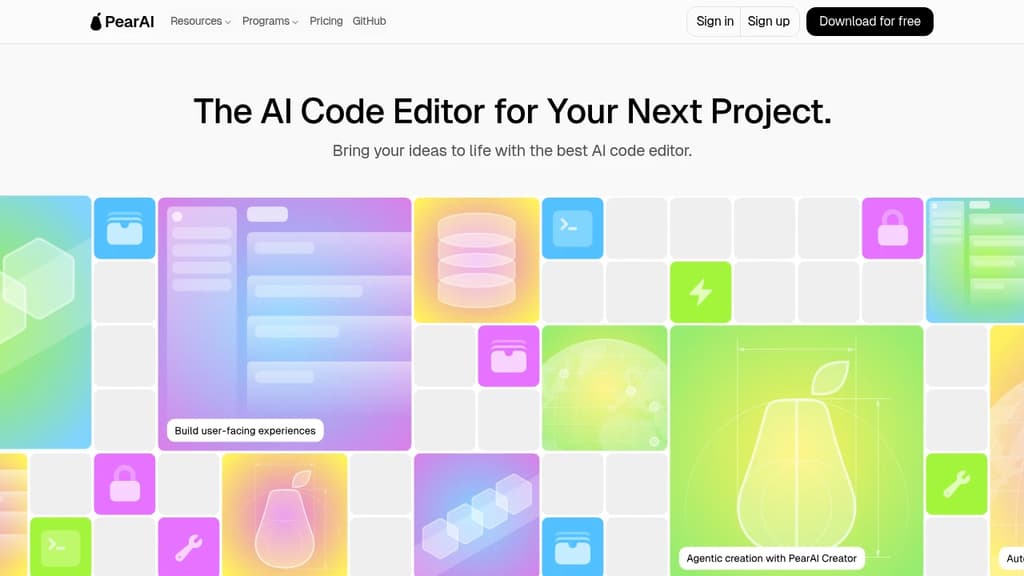
PearAI is an innovative open-source AI-powered code editor designed to supercharge your development process. By seamlessly integrating a curated selection of the best AI tools, PearAI offers a unique coding experience that feels like magic.
Key features:
- AI-powered coding assistance: Leverage advanced AI models to generate code, fix bugs, and refactor with ease.
- Inline prompts: Get context-aware suggestions and explanations as you code, enhancing your understanding and productivity.
- Integrated AI chat: Communicate directly with AI assistants to solve complex problems or brainstorm ideas.
- Debugging support: Utilize AI-enhanced debugging tools to quickly identify and resolve issues in your code.
- Curated AI tool inventory: Access a constantly updated selection of the best AI coding tools, seamlessly integrated into your workflow.
PearAI stands out by offering:
- Open-source transparency: Review every line of code in our public repositories, ensuring trust and community involvement.
- Zero data retention policy: Your code remains private and secure, with no storage on our end.
- Customizability: Tailor the editor to your needs, with options for self-hosting in enterprise environments.
Whether you're a seasoned developer or just starting out, PearAI's intuitive interface and powerful AI capabilities will help you write better code faster. Experience the future of coding with PearAI and transform your development process today.

Advanced AI coding assistant that helps enterprise teams write, fix, and maintain code with enhanced accuracy and consistency across large codebases

Cody is a powerful AI coding assistant designed specifically for enterprise development teams. It goes beyond basic code completion by providing intelligent assistance for writing, fixing, and maintaining code across complex codebases.
Key benefits include:
- Enterprise-grade capabilities that help maintain consistency and quality across large teams
- Deep codebase understanding for more accurate and contextual suggestions
- Multi-IDE support including VS Code, Visual Studio, Eclipse, and the full JetBrains suite
- Customizable prompts that can be shared across teams to automate common tasks
- Integration with non-code tools like Notion and Linear for comprehensive context
Trusted by major companies like Indeed, Dropbox, Reddit, and Uber, Cody helps development teams accelerate their workflow while maintaining high code quality standards.
 Sent
SentPeople are looking for alternatives to...

 Logto – Modern auth infrastructure for developers. Add multi-tenancy, enterprise SSO, and RBAC to your SaaS or AI apps.