Open Source OpenPanel Alternatives
A curated collection of the 3 best open source alternatives to OpenPanel.
The best open source alternative to OpenPanel is 1Panel. If that doesn't suit you, we've compiled a ranked list of other open source OpenPanel alternatives to help you find a suitable replacement. Other interesting open source alternatives to OpenPanel are: aaPanel and Laranode.
OpenPanel alternatives are mainly Control Panels but may also be Home Server Platforms or Container Orchestration Tools. Browse these if you want a narrower list of alternatives or looking for a specific functionality of OpenPanel.

Written by Piotr Kulpinski


Comprehensive web-based tool for Linux server administration with integrated website, database, container, and LLM management capabilities.
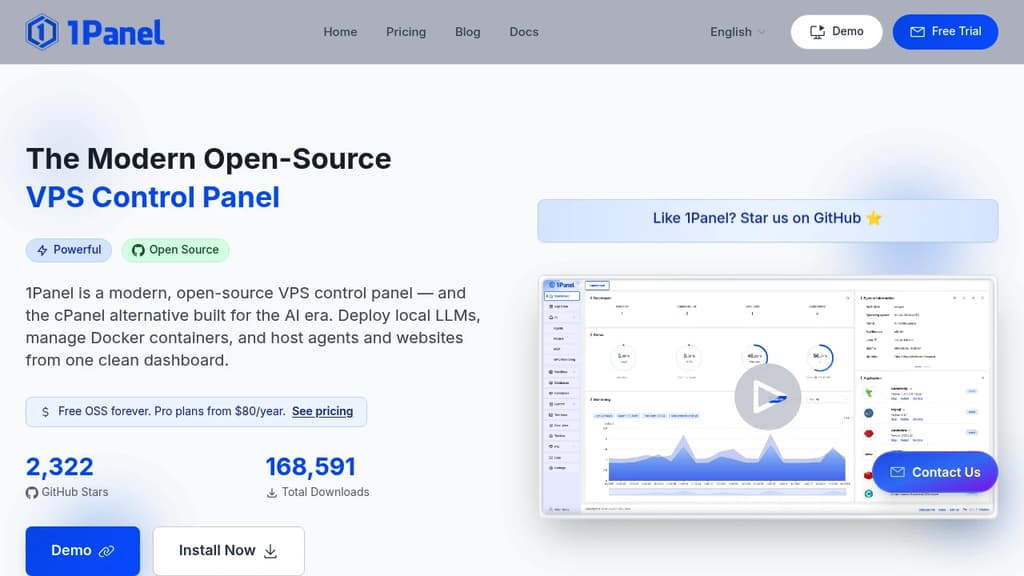
1Panel transforms Linux server management with its powerful web-based interface that brings together essential administration tools in one place. The platform excels at simplifying complex server tasks through intuitive controls and automated processes.
Key features include:
- Real-time server monitoring and performance tracking
- Integrated database management and administration
- Container orchestration and LLM deployment capabilities
- One-click WordPress installation and SSL configuration
- Built-in application store with curated open-source tools
- Robust backup and restore functionality with cloud storage support
The platform prioritizes security and reliability through containerization and comprehensive firewall management. System administrators benefit from streamlined workflows for common tasks, while detailed logging and audit trails maintain operational transparency. Whether managing a single server or multiple deployments, 1Panel provides the tools needed for efficient Linux infrastructure management.

aaPanel simplifies Linux server management with one-click installations, intuitive interface, and comprehensive tools for websites, databases, and more.

aaPanel is a robust and user-friendly web hosting control panel designed for Linux servers. It offers a comprehensive suite of tools to simplify server management and website deployment.
Key features:
- One-click installations: Easily set up LNMP/LAMP/OpenLiteSpeed environments and popular software.
- Intuitive interface: Manage your server through a clean, visual dashboard.
- Website management: Create and configure websites, bind domains, and deploy SSL certificates effortlessly.
- File management: Upload, download, edit, and organize files with a familiar interface.
- Database tools: Manage MySQL databases and users with ease.
- WordPress toolkit: Streamline WordPress site management, including backups, migrations, and security settings.
- Monitoring: Keep an eye on server resource usage in real-time.
- Security features: Implement firewall rules, file protection, and conduct security audits.
aaPanel offers both free and paid versions, catering to different needs and budgets. With over 3 million installations since 2017, it has proven to be a reliable solution for web professionals and businesses of all sizes.
Whether you're a seasoned developer or new to server management, aaPanel provides the tools you need to efficiently deploy and maintain your web projects.

Self-hosted alternative to cPanel and Plesk. Manage websites, databases, SSL certificates, and server resources with an intuitive interface. No license fees.

Open-source hosting control panel that provides a powerful alternative to expensive proprietary solutions like cPanel and Plesk. Built with modern technologies including Laravel, React, and Inertia.js for exceptional performance.
Key features include:
- Multi-account support with role-based access control for teams and agencies
- Website management with easy domain and subdomain configuration
- Free SSL certificates through Let's Encrypt integration
- Built-in file manager for web-based file operations
- Real-time system monitoring with WebSocket-powered live stats
- MySQL database management with intuitive controls
- UFW firewall management directly from the web interface
- LAMP stack administration for Apache, MySQL, and PHP
Installation is incredibly simple - just run a single command on a fresh Ubuntu 24.04+ server with minimum 1vCPU, 2GB RAM, and 10GB disk space. The installer automatically configures all necessary components.
Released under MIT License with no hidden costs or licensing fees. Perfect for developers, agencies, and anyone seeking full control over their server management without recurring subscription costs.

People are looking for alternatives to...
View all alternatives
Spotify

Claude

Claude Code

CapCut

Lovable

Notion
 Bright Data – Web data for AI agents and apps. Built-in unblocking, proxies, and ready-made APIs.

 Openlane