Open Source CasaOS Alternatives
A curated collection of the 3 best open source alternatives to CasaOS.
The best open source alternative to CasaOS is Cosmos Server. If that doesn't suit you, we've compiled a ranked list of other open source CasaOS alternatives to help you find a suitable replacement. Other interesting open source alternatives to CasaOS are: Olares and YunoHost.
CasaOS alternatives are mainly Home Server Platforms but may also be Control Panels. Browse these if you want a narrower list of alternatives or looking for a specific functionality of CasaOS.

Written by Piotr Kulpinski


Complete self-hosting solution with automated maintenance, Smart-Shield protection, anti-DDoS, SSO authentication, and VPN access for secure private cloud management.
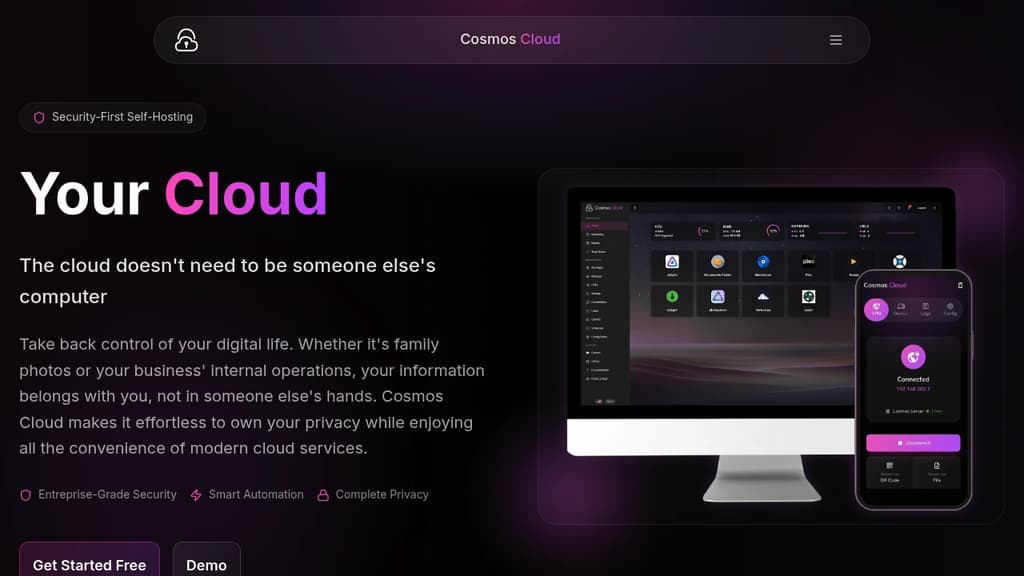
Transform your self-hosting experience with automated maintenance and enterprise-grade security built right in. Cosmos Cloud eliminates the time-consuming and dangerous aspects of managing your own cloud services while maintaining complete control over your data and privacy.
Key security features include Smart-Shield technology that protects against hackers and bots, comprehensive anti-DDoS and anti-bot protection, and single sign-on (SSO) authentication with multi-user support. The platform uses modern security practices including top-grade EdDSA encryption, two-factor authentication, and secure container management.
Perfect for all skill levels - whether you're an experienced administrator or new to self-hosting, Cosmos provides everything needed to run your private cloud safely. The platform integrates seamlessly with existing setups and includes VPN functionality to keep your server protected from direct internet exposure.
Core benefits:
- Automated maintenance reduces manual overhead
- Smart-Shield exclusive protection technology
- Built-in VPN for secure remote access
- Docker security hardening
- Multi-user SSO with customizable privileges
- Anti-DDoS traffic prioritization for family access

Self-hosted personal AI cloud operating system that puts you in control of your data. Deploy apps, run AI tools locally, and access everything from anywhere.
Olares is a self-hosted personal cloud operating system built around data ownership and privacy. It runs on Kubernetes and turns hardware you own into a personal cloud for apps, files, and local AI.
- Desktop experience: A browser-based desktop with a built-in launcher, file management, and a customizable workspace
- App ecosystem: Install community apps from Olares Market, each running in an isolated environment under one unified account
- AI tools integration: Run AI applications locally, including ComfyUI, Dify, and Open WebUI
- Data consolidation: Bring local files, synced data, and connected cloud storage together in one place
- Built-in security suite: A self-hosted password manager with end-to-end encryption and 2FA support
Deployment options:
- Install on your own hardware for complete control
- Use pre-configured hardware such as Olares One for a plug-and-play setup
- Access everything remotely through permanent web addresses
Olares suits developers, privacy-conscious users, and teams that want to avoid vendor lock-in. Its Market also includes productivity tools like n8n for automation, NocoDB for data management, and Mattermost for team collaboration, all running on your own infrastructure.

Install and maintain your own server with minimal technical knowledge. Host websites, email, cloud storage, social networks, and more for complete digital independence.

YunoHost transforms server management into a simple, accessible experience for everyone. This open-source platform lets you install and maintain your own digital services without requiring deep technical expertise.
Perfect for personal use and small organizations, YunoHost supports a wide range of applications including:
- Personal services: Sync calendars and contacts, secure password management, private email hosting, media organization, and alternative social networks
- Business tools: Website hosting, file sharing with Nextcloud, collaborative document editing, accounting management, and team chat systems
Getting started is straightforward with three simple steps:
- Choose your hardware: ARM boards like Raspberry Pi, repurposed old computers, or cloud VPS servers
- Install the system: Follow guided setup for admin configuration, domain names, and router settings
- Deploy applications: Install services with just a few clicks, set up automated backups, and maintain your server
Built on technocritical principles, YunoHost champions a decentralized internet with open, interoperable technologies that respect privacy and give users control over their digital lives. The project promotes digital sobriety and hardware reuse, making self-hosting both accessible and environmentally conscious.
Whether you're looking to escape big tech surveillance, reduce subscription costs, or simply gain control over your digital infrastructure, YunoHost provides the tools to garden your own piece of the internet.

People are looking for alternatives to...
View all alternatives
Claude

Claude Code

CapCut
Notion
Wispr Flow

Grok Bot
 Postiz – The All-in-One agentic social media scheduling tool
 InfluxDB