Open Source HomeKit Alternatives
A curated collection of the 4 best open source alternatives to HomeKit.
The best open source alternative to HomeKit is Home Assistant. If that doesn't suit you, we've compiled a ranked list of other open source HomeKit alternatives to help you find a suitable replacement. Other interesting open source alternatives to HomeKit are: CasaOS, Gladys Assistant, and YunoHost.
HomeKit alternatives are mainly Smart Home Automation but may also be Control Panels or Home Server Platforms. Browse these if you want a narrower list of alternatives or looking for a specific functionality of HomeKit.

Written by Piotr Kulpinski


Open source home automation platform supporting 1000+ devices with local control, powerful automations, custom dashboards, and voice assistant. No cloud required.
Transform your house into a smart home while keeping complete control over your data. This open source home automation platform connects with over 1000 different brands and devices, automatically discovering and integrating them into your network.
Key features that set it apart:
- Local control and privacy - All data stays on your network, no cloud dependency required
- Powerful automation engine - Create complex rules like turning lights on at sunset or alerting when garage doors are left open
- Customizable dashboards - Drag-and-drop interface for mobile and desktop control panels
- Built-in voice assistant - Control your home using natural language commands
- Extensive add-on ecosystem - Install additional applications like AdGuard, NodeRed, or Spotify Connect
- Energy management - Monitor usage, optimize solar panels, and reduce costs
- Mobile companion apps - Official apps for iOS and Android with Apple Watch support
- NFC tag automation - Use near-field communication for quick scene activation
The platform excels at presence detection, using your phone's location to trigger automations when you arrive or leave home. Home Assistant Cast turns any TV into a dashboard display, while NFC tags enable instant automation triggers.
Backed by a worldwide community of developers and DIY enthusiasts, this solution offers enterprise-level functionality without subscription fees or data harvesting. Perfect for tech-savvy homeowners who value privacy and local control over their smart home ecosystem.

CasaOS is an open-source personal cloud system that makes it easy to set up and manage your own home server
CasaOS is an elegant open-source personal cloud system designed to simplify home server management. With its user-friendly interface and Docker-based architecture, CasaOS makes it easy to:
- Discover and install apps from a curated app store with over 50 verified options
- Manage your files and data across devices with built-in file management
- Access your server remotely from anywhere
- Customize your dashboard with flexible widgets and layouts
CasaOS runs on a variety of hardware including Raspberry Pi, Intel NUC, and standard x86 computers. The one-click installer gets you up and running in minutes.
Key benefits:
- Simple setup - no advanced technical skills required
- Centralize your data and reduce reliance on cloud services
- Expand functionality with Docker apps for media streaming, backups, development, and more
- Open-source and privacy-focused
Whether you're a home server novice or experienced self-hoster, CasaOS provides an accessible way to take control of your personal cloud. Get started today and reimagine your home data center.

Privacy-first home automation platform that runs locally on your hardware, supports Zigbee, Matter, and MQTT, and lets you automate your home without coding.
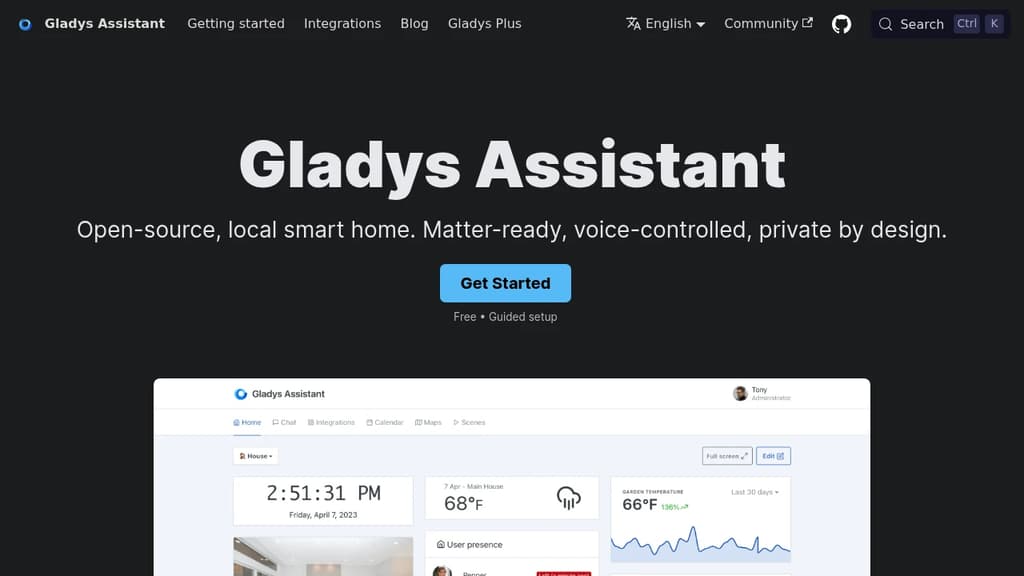
Gladys Assistant is a self-hosted smart home platform built around one principle: your data stays on your machine. No mandatory cloud, no tracking, no subscription required to run the core product. It installs via Docker on any Linux hardware, from a Raspberry Pi to a NAS to an old PC.
The interface is designed to be usable without a terminal. Day-to-day control happens through a clean dashboard showing temperatures, cameras, and presence. Scenes let you chain automations together without writing a single line of code: lights on at sunrise, coffee brewing when you wake up, alerts if the fridge stays open.
Key capabilities:
- Voice control built in, so you can issue commands directly or via your phone
- Zigbee, Matter, and MQTT support through open protocols, covering a wide range of devices out of the box
- Native integrations for Sonos, RTSP cameras, and more
- Community integrations installable in one click, with a growing catalog for devices not covered natively
- Automatic updates that apply new features and fixes without manual intervention
- Remote access via an optional paid service (end-to-end encrypted) or your own VPN setup
Compared to Home Assistant, Gladys positions itself as the simpler option. Fewer knobs, a more opinionated UI, and a focus on stability over configurability. Community members consistently cite ease of setup and a responsive maintainer as reasons they stuck with it.
The optional Gladys Plus subscription adds secure remote access from iOS and Android without exposing your local network, but the local-only experience is fully functional and free.

Install and maintain your own server with minimal technical knowledge. Host websites, email, cloud storage, social networks, and more for complete digital independence.
YunoHost transforms server management into a simple, accessible experience for everyone. This open-source platform lets you install and maintain your own digital services without requiring deep technical expertise.
Perfect for personal use and small organizations, YunoHost supports a wide range of applications including:
- Personal services: Sync calendars and contacts, secure password management, private email hosting, media organization, and alternative social networks
- Business tools: Website hosting, file sharing with Nextcloud, collaborative document editing, accounting management, and team chat systems
Getting started is straightforward with three simple steps:
- Choose your hardware: ARM boards like Raspberry Pi, repurposed old computers, or cloud VPS servers
- Install the system: Follow guided setup for admin configuration, domain names, and router settings
- Deploy applications: Install services with just a few clicks, set up automated backups, and maintain your server
Built on technocritical principles, YunoHost champions a decentralized internet with open, interoperable technologies that respect privacy and give users control over their digital lives. The project promotes digital sobriety and hardware reuse, making self-hosting both accessible and environmentally conscious.
Whether you're looking to escape big tech surveillance, reduce subscription costs, or simply gain control over your digital infrastructure, YunoHost provides the tools to garden your own piece of the internet.

People are looking for alternatives to...
View all alternatives
Spotify

Claude Code

CapCut

Claude

Notion

Lovable
 Sent – A unified API for sending messages across SMS, RCS, and apps like WhatsApp.
 Sent
Sent