Open Source Grida Alternatives
A curated collection of the 3 best open source alternatives to Grida.
The best open source alternative to Grida is Penpot. If that doesn't suit you, we've compiled a ranked list of other open source Grida alternatives to help you find a suitable replacement. Other interesting open source alternatives to Grida are: OpenPencil and Quant-UX.
Grida alternatives are mainly UI/UX Design Tools but may also be Online Design Tools. Browse these if you want a narrower list of alternatives or looking for a specific functionality of Grida.

Written by Piotr Kulpinski


Design, prototype, and hand off to developers in one platform. Supports design systems, tokens, flexible layouts, and AI workflows with real CSS/HTML output.

Penpot is a browser-based design and prototyping platform built for teams working on digital products. It covers the full design process, from early wireframes through polished UI, interactive prototypes, and developer handoff, without requiring separate tools for each stage. It's self-hostable, so teams with strict data requirements can run it on their own infrastructure.
The core workflow connects designers and developers more directly than most tools. Instead of exporting assets and writing specs separately, Penpot generates 1:1 CSS, HTML, SVG, and JSON directly from the design. What you see in the canvas is what developers get in code, which cuts down on the back-and-forth that usually happens during implementation.
Key capabilities include:
- Design Systems with reusable components and design tokens, giving teams a shared source of truth that stays in sync across projects
- Flexible layouts using grid and auto-layout tools suited for responsive UI design
- Prototyping with interactive flows built directly on the canvas, no separate prototyping mode required
- AI workflows with multi-directional agentic support, letting teams connect any LLM or agent into their design process
- Code inspect that surfaces accurate CSS and HTML values without manual annotation
Penpot is a practical alternative to Sketch or Adobe XD for teams that want full control over their tooling. Because it's open source and web-native, there's no per-seat licensing tied to a vendor's pricing decisions, and it works across operating systems without a desktop install.
It suits product teams where designers and engineers work closely together, particularly those building design systems at scale or looking to bring AI tooling into their existing design process.

A Figma-compatible design editor with built-in AI chat, headless CLI, real-time P2P collaboration, and a Vue SDK for building custom editors. No account needed.
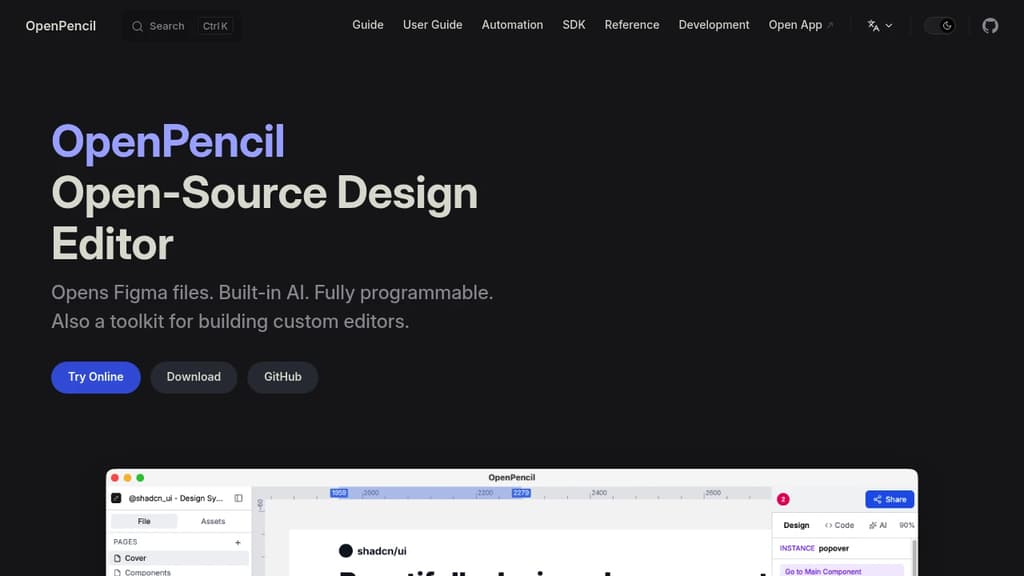
OpenPencil is a desktop and web design editor built as a direct Figma alternative. It opens .fig files natively, supports copy-paste between the two apps, and uses a Kiwi binary codec for round-trip fidelity. If your team uses Figma files but wants to move off the platform, the transition doesn't require a format conversion step.
The AI integration is built into the editor itself, not bolted on. A chat interface gives you access to 90 tools covering shape creation, style management, layout control, and token analysis. It also connects to Claude Code, Cursor, and Windsurf via an MCP server, so AI-assisted design work can fit into existing developer workflows.
Beyond the editor, it's a programmable toolkit:
- Headless CLI to inspect, export, and analyze
.figfiles without opening the UI, useful for CI pipelines and automation - Figma Plugin API support via eval, so existing plugins can run inside OpenPencil
- Tailwind CSS export and JSON output for design-to-code workflows
- Vue SDK to embed the editor into other products or build workflow-specific editing surfaces around the same core
Collaboration runs peer-to-peer over WebRTC. No server is involved. Share a link, get live cursors and follow mode. Tools like Penpot require a server for multiplayer; OpenPencil skips that entirely.
The desktop app weighs around 7 MB, available via Homebrew. No account, no internet connection, no telemetry required. The entire codebase, including the editor, engine, file codec, and CLI, is MIT licensed and fully readable.

Quant-UX is an open-source tool for creating interactive prototypes, conducting user tests, and analyzing results to improve UX design.

Quant-UX is a powerful, free, open-source tool for UX designers and researchers. It offers a comprehensive suite of features to streamline the entire UX process:
- Rapid Prototyping: Create interactive prototypes quickly using a visual editor. Add animations, logic flows, and form validation to make your designs feel like real apps.
- User Testing: Conduct usability tests effortlessly by sharing a link with your audience. Define user tasks, record screen interactions, and even perform A/B testing to compare design alternatives.
- Analytics and Insights: Automatically generate heatmaps, success rates, and other key metrics from your user tests. Identify drop-off points and gather valuable user feedback through built-in surveys.
- Design System Support: Utilize design tokens, components, and master screens to build scalable design systems for your projects.
- AI-Assisted Design: Leverage an AI assistant to speed up repetitive tasks and get faster, more accurate results during the design process.
- Low-Code Capabilities: Convert your designs into production-ready systems, bridging the gap between prototyping and development.
Quant-UX is trusted by thousands of users worldwide, including researchers, students, and professionals. Its combination of prototyping, testing, and analytics in a single platform makes it an invaluable tool for creating data-driven, user-centered designs.
Whether you're working on a small project or a large-scale application, Quant-UX provides the tools you need to craft, evaluate, and evolve your user experiences effectively.

People are looking for alternatives to...
View all alternatives
Spotify

Claude Code

CapCut

Claude

Notion

Lovable
 Sent – Messaging Infrastructure for Developers. One API for SMS, WhatsApp, and RCS across 190+ countries.
 Sent
Sent