Open Source Aseprite Alternatives
A curated collection of the 1 best open source alternatives to Aseprite.
The best open source alternative to Aseprite is PixiEditor. If that doesn't suit you, we've compiled a ranked list of other open source Aseprite alternatives to help you find a suitable replacement.
Aseprite alternatives are mainly Photo Editing Software. Browse these if you want a narrower list of alternatives or looking for a specific functionality of Aseprite.

Written by Piotr Kulpinski


Desktop 2D graphics editor combining pixel art tools, vector drawing, frame-by-frame animation, and a node graph workflow for procedural, non-destructive editing.
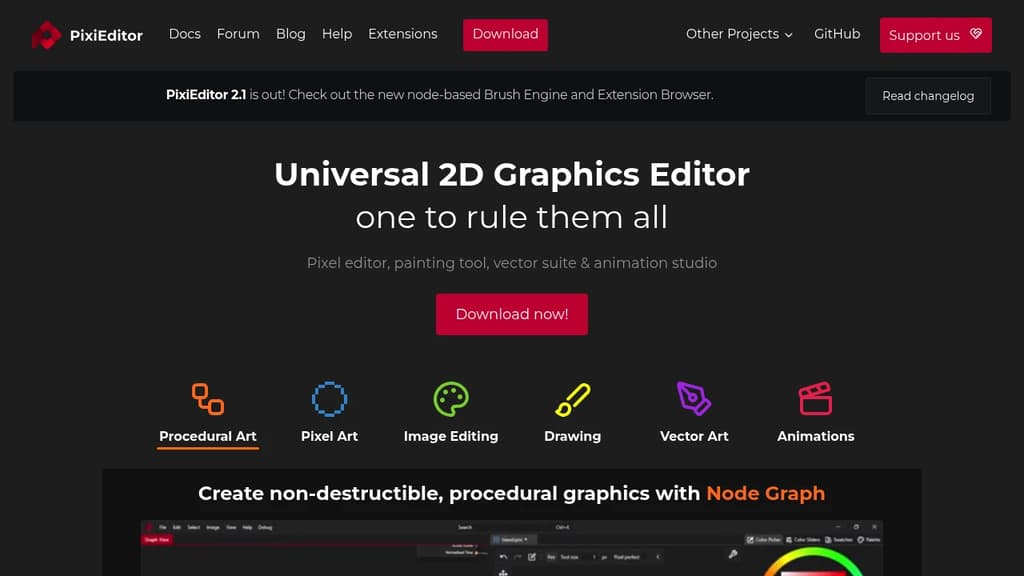
PixiEditor is a desktop 2D graphics editor that covers a surprisingly wide range of creative work: pixel art, vector illustration, image editing, freehand drawing, and frame-by-frame animation. It runs offline, works cross-platform, and doesn't require an account or subscription.
The standout feature is its Node Graph workflow, which lets you build non-destructive, procedural graphics by connecting nodes. You can chain effects, write custom shaders, and compose complex visuals without permanently altering your source material. The same node system powers the Brush Engine, so you can build custom brushes by sampling layers, applying shaders, or tweaking the built-in presets.
Key capabilities:
- Pixel art toolset with pixel-perfect pen mode, palette management, and tools suited for game sprites and retro-style artwork. It's a capable Aseprite alternative for artists who want a free option.
- Vector tools for logos, icons, and illustrations, with snapping and curve editing. Vectors mix freely with raster layers and stay sharp at any scale, similar to what you'd expect from Inkscape.
- Frame-by-frame animation for turning drawings into moving sequences.
- Image editing with raster selection, clipping, resizing, and painting tools, putting it in the same category as tools like GIMP for basic photo work.
- Procedural art through the node graph, comparable in approach to Graphite but bundled alongside traditional drawing tools.
PixiEditor is built for artists who don't want to juggle multiple apps. A kid making game sprites, a hobbyist illustrator, and a designer prototyping icons can all work in the same tool. The interface draws comparisons to Photoshop in layout, which shortens the learning curve for anyone coming from commercial software.
It's free, has no AI features, and is developed by a small European studio with a public, community-voted roadmap.

People are looking for alternatives to...
View all alternatives
Spotify

Claude

Claude Code

CapCut

Lovable

Amazon Prime
 Stellar Hosted – Managed Open Source software hosting in the EU: secure, compliant, fast.
 Sent